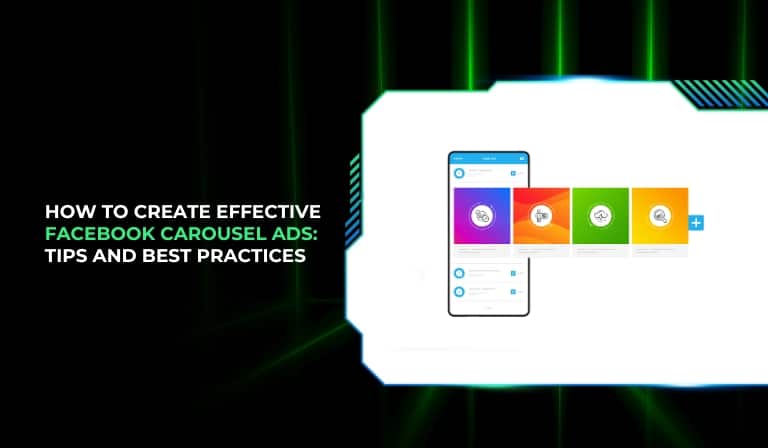

Facebook carousel ads let brands showcase multiple images or videos within a single ad unit, making them ideal for storytelling, product showcases, and driving traffic to highly relevant landing pages for each card. Designed well, they can improve engagement, reduce cost-per-click, and increase conversions across Facebook and Instagram placements.

What are Facebook carousel ads
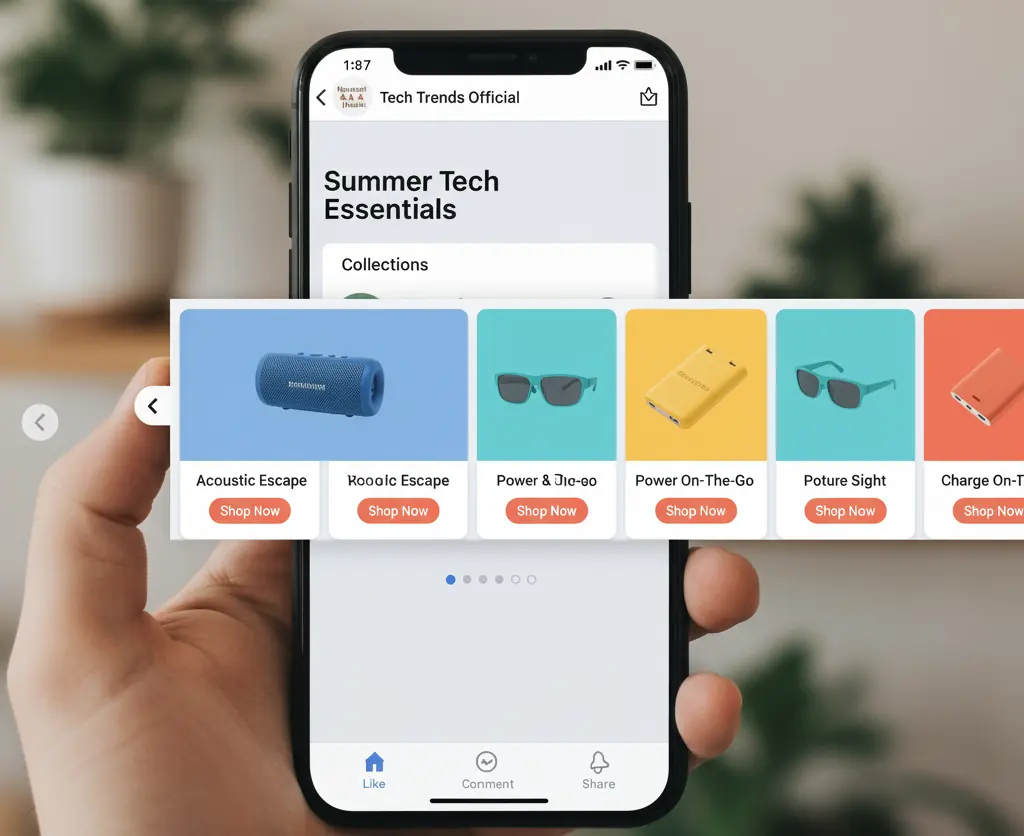
Facebook carousel ads feature 2–10 cards, each with its own media, headline, description, CTA, and link, allowing direct navigation to different pages from a single ad. They display on Facebook, Instagram, Messenger, and Audience Network across mobile and desktop.
Why carousel ads work
- Enable visual sequencing and storytelling that encourages swipes and deeper engagement.
- Allow multiple offers or product variants in one creative, improving relevance by click.
- Improve efficiency by routing clicks to the most relevant landing page per card.
Specs and requirements
- Cards: 2–10
- Recommended image size: 1080 x 1080 (1:1)
- File types: JPG/PNG for images; MP4/MOV/GIF for videos
- Copy guidelines (typical): Primary text up to ~125 characters, headline ~40, description ~20
- Supported objectives: Traffic, Conversions, Lead generation, Catalog sales, App installs, Reach, Brand awareness
- Not supported: Engagement, Video Views (for the carousel format)
Step-by-step: Create a carousel ad
- Choose the right objective
-
-
- Pick an objective the carousel format supports (e.g., Traffic, Conversions, Leads, Catalog Sales).
- Align the objective with a measurable campaign goal (e.g., “20 demo signups in 14 days”).
-
- Configure campaign and ad set
-
-
- Audience: Start with high-intent segments (remarketing, website custom audiences, lookalikes).
- Budget and bidding: Use daily or lifetime budgets; consider Advantage+ bidding where appropriate.
- Placements: Use Advantage+ placements initially; refine after performance data accrues.
-
- Build the carousel creative
-
-
- Upload 2–10 images/videos.
- Add unique headlines/descriptions per card to match the visual and link intent.
- Link each card to its most relevant landing page (product detail, category, or lead form).
- Decide card order: enable “Show best performing first” for direct-response; disable when storytelling or panoramic split is used.
-
- Add CTAs and tracking
-
-
- Select CTAs aligned to intent (Shop Now, Learn More, Sign Up, Book Now).
- Append UTM parameters per card for granular analytics.
- Preview across placements and devices.
-
- Publish and QA
-
- Check truncation on mobile.
- Validate links and pixel events (PageView, ViewContent, AddToCart, Lead, Purchase).
- Set up A/B tests for key variables (first card, image type, headline, CTA).
Design best practices
- Lead with a thumb-stopping first card
-
-
- Use bold focal points, human elements, or a clear benefit to earn the swipe.
- Feature the top seller or strongest hook first.
-
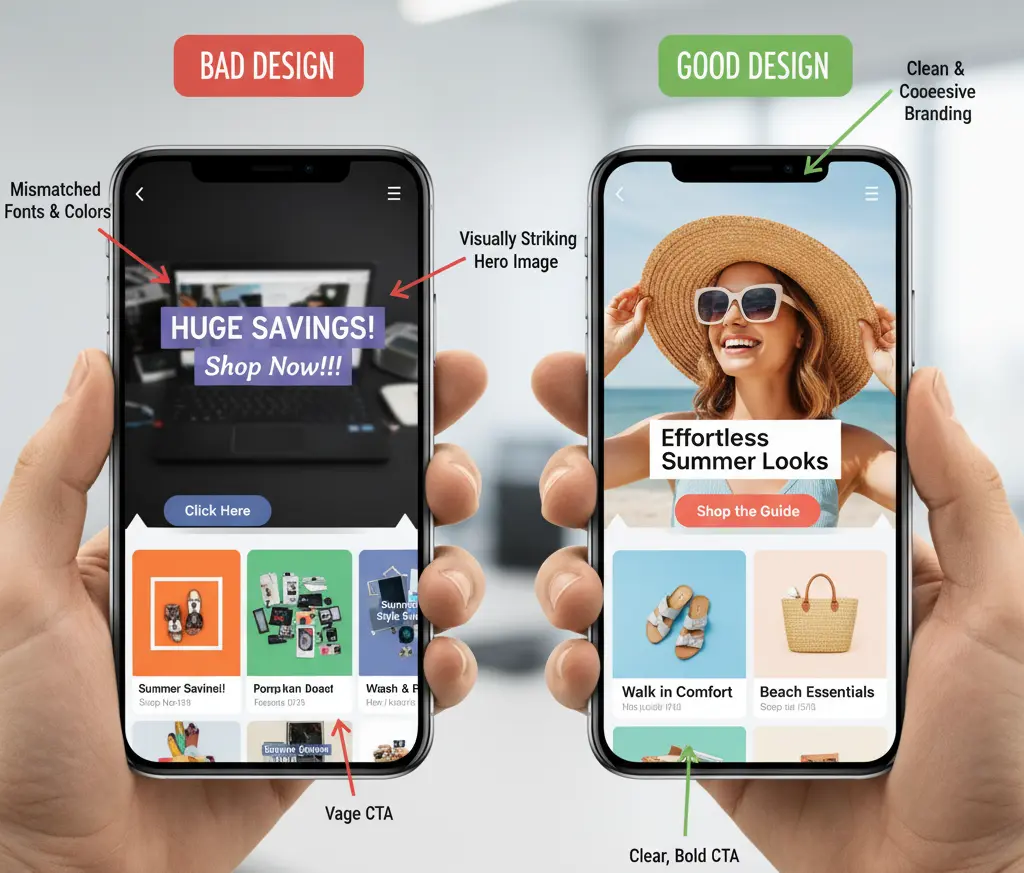
- Keep visuals cohesive
-
-
- Use consistent colors, typography, framing, and lighting across cards.
- Maintain a single creative theme (e.g., one collection, one product story, one use case).
-
- Explore creative formats
-
-
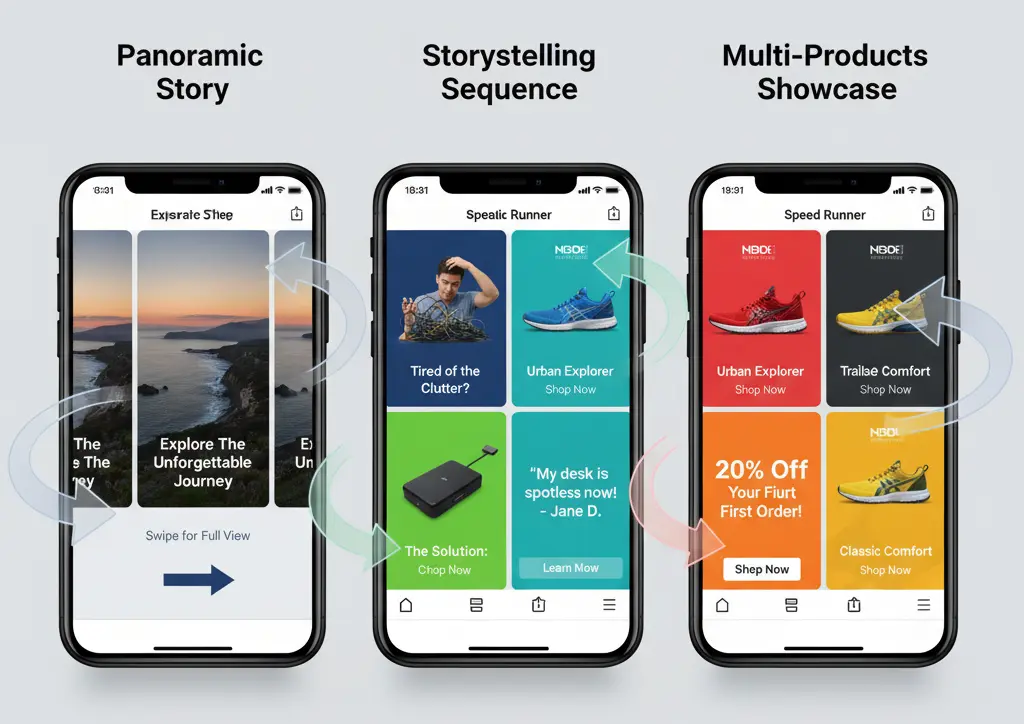
- Story sequence: problem → feature → proof → offer.
- Panoramic split: one wide image sliced across cards to encourage swipes.
- Feature stack: each card highlights a different feature or benefit.
- Multi-product: each card showcases a variant or SKU with its own link.
-
- Design for mobile-first
-
- Favor square (1:1) or vertical-friendly visuals.
- Keep text overlays minimal and legible.
- Optimize file sizes for quick load.
Copy and CTA optimization
- Headlines
-
-
- Keep it concise and benefit-focused.
- Include price or offer when it strengthens intent.
- Use variation by card to match the specific visual and link.
-
- Primary text
-
-
- Set overarching context: who it’s for, what it solves, what to expect when swiping.
- Use scannable phrasing; front-load the value proposition.
-
- Descriptions and microcopy
-
-
- Reinforce specifics (sizes, colors, guarantees, shipping).
- Use urgency ethically (Ends Sunday, Limited Stock).
-
- CTAs
-
- Match CTA to funnel stage (Learn More for education; Shop Now/Book Now for high intent).
- Consider different CTAs per card for multi-product carousels.
Also check: Facebook Playable Ads: Your Ultimate Guide to Interactive Advertising
Advanced optimization techniques
- Card order logic
-
-
- Enable automatic order for performance-driven carousels.
- Manually control order for narratives, panoramas, or step-by-step demos.
-
- Mixed media for engagement
-
-
- Combine static images with short video cards (demo, UGC, testimonial clip).
- Use directional cues (arrows, crops) to encourage swipes.
-
- Social proof and trust
-
-
- Add ratings, “Over 10,000 sold,” badges, or testimonial snippets.
- Showcase press logos or certifications where relevant.
-
- Landing page alignment
-
- Ensure 1:1 message match: headline, imagery, offer, price.
- Maintain consistent design language from ad to page.
- Optimize above-the-fold for the action implied in the CTA.
Testing and measurement
- What to test
-
-
- First-card image vs. video
- Product image vs. lifestyle context
- Single panoramic concept vs. multi-product
- Headlines with offer vs. benefit-led headlines
- CTAs (Shop Now vs. Learn More vs. Get Offer)
-
- Metrics to monitor
-
-
- CTR by card position (identify drop-offs and winners)
- Swipe-through rate and engagement
- CPC/CPA and ROAS by audience
- Assisted conversions from upper-funnel carousels
-
- Process
-
- Test 1–2 variables per experiment.
- Let tests reach statistical significance and stable learning phase.
- Document learnings and roll out winners to scaled ad sets.
Common mistakes to avoid
- Visual inconsistency and clutter
-
-
- Mismatched styles, text-heavy images, low-resolution assets.
-
- Weak hierarchy and hooks
-
-
- Generic first card, unclear benefit, buried offer.
-
- Objective and CTA mismatch
-
-
- Using “Shop Now” for cold education ads or choosing unsupported objectives.
-
- Poor landing page continuity
-
- Sending traffic to irrelevant or generic pages; slow load; missing proof or clarity.
Examples and use cases
- Ecommerce
-
-
- Multi-product carousel with dynamic links to each PDP.
- One product, many angles: features, use cases, variants, UGC, and offer.
-
- Services and B2B
-
-
- Sequential story: problem → solution → proof → CTA to demo.
- Case-study carousel: challenge, results, testimonial, CTA.
-
- Local and D2C
-
- Location-specific offers per card (store A/B/C); “Call Now” or “Get Directions”.
- Before/after sequences and guarantee cards.
Future-forward considerations
- Dynamic catalog carousels
-
-
- Automate product feeds with real-time pricing and availability.
- Use rules to prioritize bestsellers or margin-friendly items.
-
- Cross-platform cohesion
-
-
- Adapt creative for Instagram placements (Reels, Stories) with vertical-friendly edits.
- Keep brand consistency across Meta surfaces.
-
- Creative automation
-
- Use templates and batch generation to produce iterative variants quickly.
- Refresh winners frequently to combat fatigue.
Implementation checklist
- Goal and objective aligned (e.g., 20 leads in 14 days; Conversions objective)
- Audience, budget, placements configured and named clearly
- 5–10 cohesive cards produced (1:1, high-res, mobile-first)
- Unique headlines/descriptions per card; minimal on-image text
- Per-card CTAs and UTM-tagged links set
- First-card hook validated; order logic chosen (auto/manual)
- Pixel events verified; QA links and previews across placements
- A/B tests defined (variables, success metrics, timeline)
- Reporting dashboard ready (CTR by card, CPA/ROAS, STTR)
Conclusion
Facebook carousel ads combine visual sequencing with granular linking to create high-intent, multi-path journeys inside a single ad unit. By aligning objectives to measurable goals, crafting cohesive creative with a powerful first card, and rigorously testing card order, copy, and landing page match, carousel campaigns can drive stronger engagement, lower acquisition costs, and higher revenue across Meta placements.