


Facebook playable ads combine a short teaser video with a tap-to-try interactive demo, letting people experience an app before downloading it for a true “try-before-you-buy” journey. This guide covers placements, components, performance benchmarks, best practices, setup, optimization, and 2025 trends so campaigns can scale efficiently and convert at lower cost.

What are Facebook playable ads?
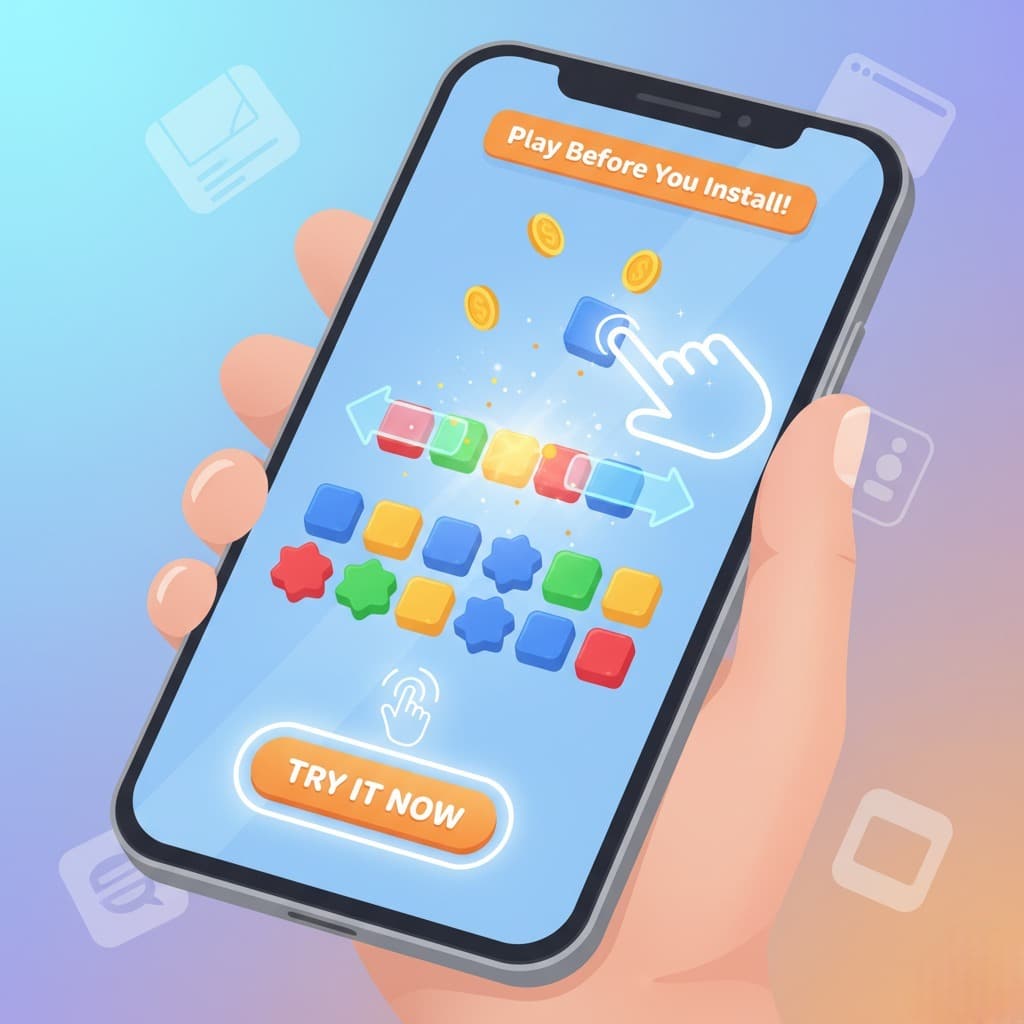
Playable ads are interactive mobile ad units that allow users to test a core slice of an app (gameplay, workflow, or key feature) directly inside the ad, then click a call-to-action to install from the app store. By letting prospects self-qualify through hands-on experience, advertisers acquire users with stronger intent and better post-install behavior.
Where do playable ads appear?
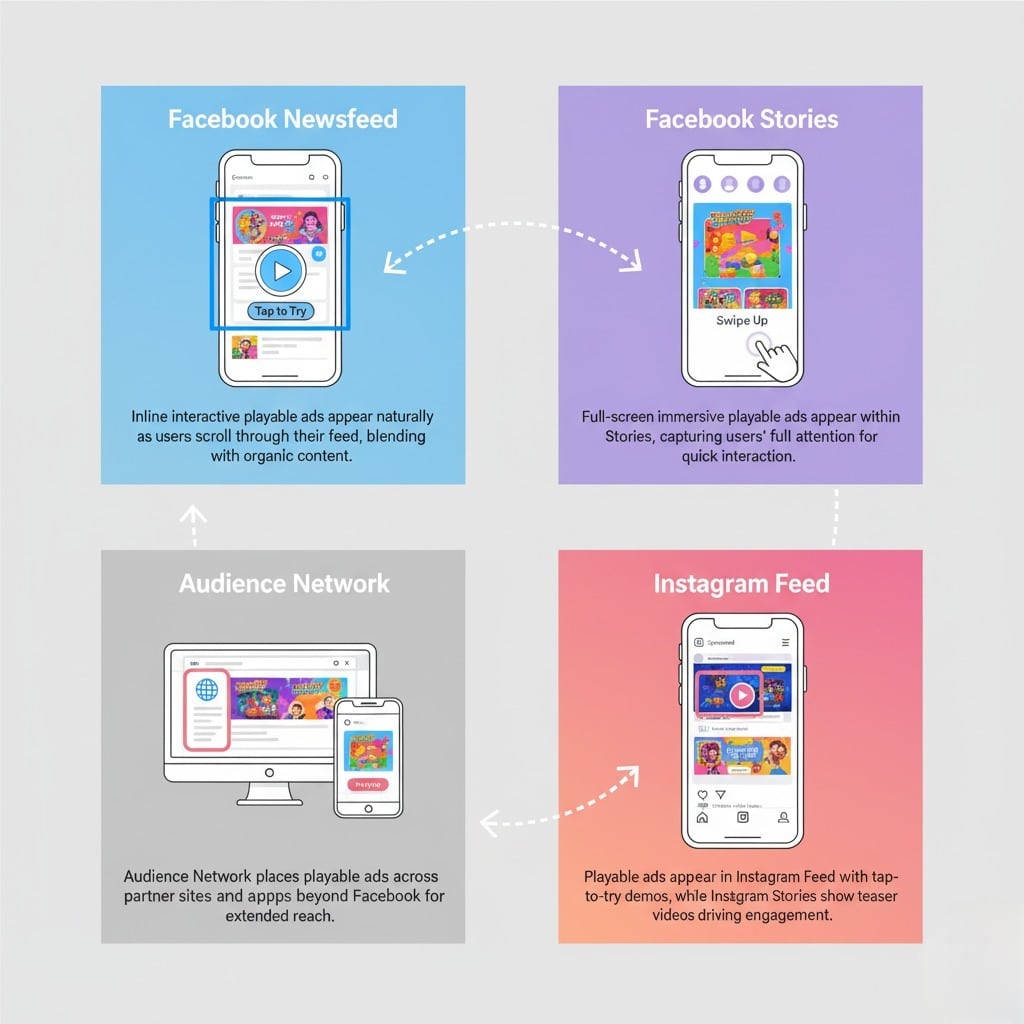
- Facebook Feed: Inline placements that pair a teaser with a tap-to-try experience for natural scroll-stopping engagement.
- Facebook Stories: Full-screen vertical format that grabs attention quickly and invites interaction through visual cues.
- Audience Network: Distribution across partner apps/sites, often as interstitial or rewarded experiences for broad reach.
- Instagram: Feed supports playable via placement customization; Stories shows the lead-in video as teaser-only to drive taps.
Who can use playable ads?
- Gaming: Ideal for showcasing mechanics, difficulty, and fun loops before install.
- EdTech and Productivity: Duolingo-style lesson previews or Trello-like drag-and-drop demos help users assess fit and ease of use.
- E-commerce/Fintech: Micro-experiences can preview browsing, customization, budgeting, or investing flows to reduce ambiguity pre-install.
Components of a playable ad
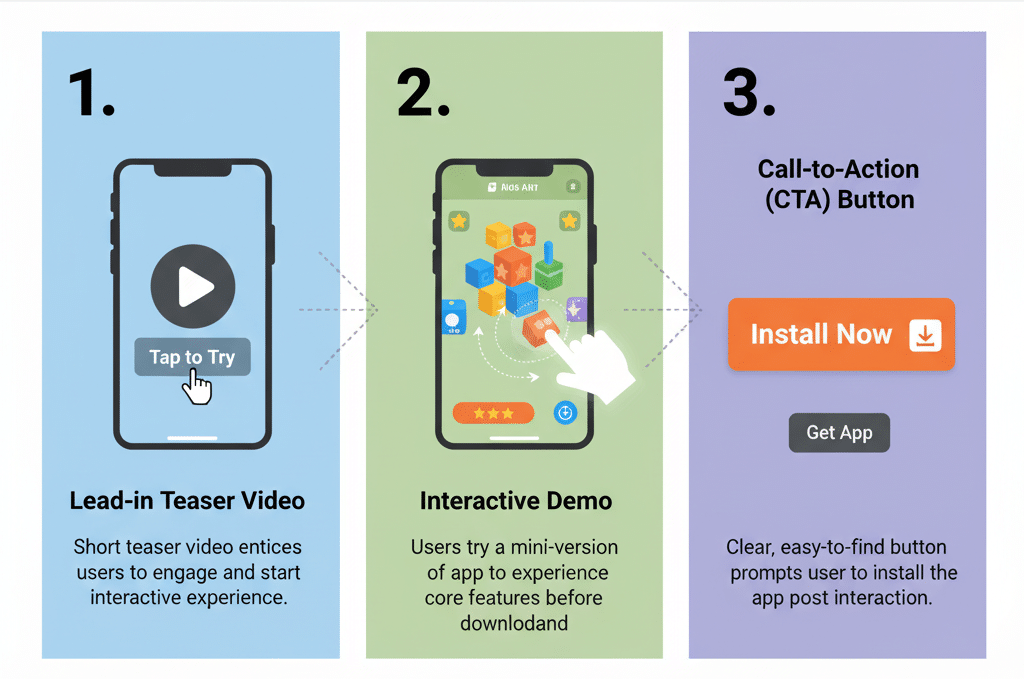
1. Lead-in video
A fast hook (often 2–3 seconds) signals interactivity with overlays like a hand tap or controller icon and “Tap to Try” messaging to initiate the demo. The preview must match the demo to avoid drop-offs and preserve trust.
2. Interactive demo
A full-screen HTML5 mini-experience that mirrors core app value, typically 15–30 seconds to balance clarity and momentum. Use intuitive gestures (tap, swipe, drag), immediate feedback, and unobtrusive guidance to keep users progressing.
3. Call-to-action (CTA)
Clear, persistent CTAs let users install at any moment, not just at the end, to capture peak intent and streamline handoff to the app store. Ensure the transition is frictionless to protect conversion rates.
Performance benefits and 2025 stats
- Conversion lift: Interactive formats can deliver dramatically higher conversions than standard banners when executed well due to stronger self-qualification.
- Beyond video: Playables often outperform video-only creatives on conversions and impression-to-install efficiency, improving ROAS at scale.
- Brand recall: The hands-on experience improves memorability, aiding both immediate and delayed conversions.
Best practices for high-converting creatives
1. Design principles
- Match preview and demo: Misaligned expectations drive quick exits and erode trust; keep story, art style, and mechanics consistent.
- Prioritize the core loop: Showcase the single moment that best represents value; avoid feature sprawl in a short demo window.
- Brand with restraint: Keep branding present but unobtrusive so it doesn’t compete with interactivity and comprehension.
2. UX optimization
- Instant load: Optimize assets for quick start to minimize abandonment, especially on cellular networks.
- Micro-instruction: Contextual hints (arrow nudges, one-line prompts) teach without interrupting flow.
- Frictionless install: Maintain momentum into the store page with consistent visuals and clear benefit continuity.
3. Creative strategies
- Show, don’t tell: Let users feel the USP through interaction rather than text explainer blocks for stronger conviction.
- Emotional hooks: Use pacing, reward feedback, and satisfying micro-animations to make the mini-journey memorable.
- Difficulty tuning: Start easy, ramp briefly—too hard deters, too easy bores; test for the sweet spot.
Technical setup and specs
1. Campaign configuration
Use App Promotion/App Installs objective in Ads Manager to align delivery and optimization with install events and post-install signals. Combine interest-based and lookalike audiences seeded from high-LTV users for relevance and scale.
2. File requirements
Upload an HTML5 or ZIP bundle with a proper index.html, optimized assets, and minimal weight (commonly 2–5 MB) for fast load and cross-device compatibility. Validate on varied devices and connections before launch to prevent placement-specific glitches.
3. Analytics and SDK
Instrument interaction events, completion, and drop-off points to inform creative iteration; ensure install attribution and post-install events flow for ROAS and LTV tracking. Enhanced telemetry enables smarter bidding and creative evolution over time.
Advanced optimization
1. A/B testing
Iterate on tutorial timing, CTA placement, and difficulty curve one variable at a time to isolate impact on completion, ITI, and install rates. Maintain a rapid test cadence to counter creative fatigue and audience drift.
2. KPI focus
Track impression-to-interact, interact-to-complete, click-to-install, and day-1/7 retention to balance acquisition volume with downstream quality. Segment performance by placement and audience to shift budget toward efficient pockets.
3. Creative refresh
Refresh weekly or biweekly for always-on campaigns, rotating themes, hooks, and first-action prompts informed by engagement data and seasonality. Maintain a modular asset system for faster variations and learning speed.
Case studies and cross-industry proof
- Gaming scale: Publishers heavily leverage playables to win competitive auctions and improve margins in saturated genres.
- Optimization in action: Teams that systematize testing and iterate playable UX report consistent CPI reductions and conversion gains over time.
- Non-gaming traction: Fintech, e-commerce, and productivity apps use micro-flows (budgeting, browse/customize, organize) to pre-qualify users and lower acquisition costs.
Playables vs. other formats
Playable ads typically outperform static and standard video in engagement time, comprehension, and install intent, which translates to better CPI and higher LTV cohorts when measured holistically. While production cost is higher, improved conversion and user quality often yield superior unit economics at scale.
2025 trends and what’s next
- Budget shift: Advertisers are allocating a growing share to playables as measurement demonstrates durable performance advantages across verticals.
- AI-assisted build: Machine learning accelerates concepting, QA, and adaptation by placement, shortening cycles and lifting outcomes.
- Cross-network growth: Expect broader availability and standardization beyond Meta, enabling multi-network playbook reuse and faster scaling.
Step-by-step launch checklist
- Strategy and assets
- Define the single most persuasive interaction to feature, then script the micro-journey and build the HTML5 demo.
- Cut a 2–5 second hook that visually matches the demo and clearly signals “Tap to Try” to set expectations.
- Technical prep
- Package ZIP with index.html, compressed assets, and responsive logic; verify under weak connections and different devices.
- Configure app promotion objective, select placements, and link the App Store/Play URL for proper attribution flow.
- Measurement
- Map events: interact start, key action, complete, CTA click, install; pipe post-install events for CPA/ROAS optimization.
- Establish a test matrix for tutorial cue timing, CTA position, and difficulty to iterate weekly.
- Launch and scale
- Start broad with guardrails, find efficient pockets, then scale budget into best audiences and placements while maintaining creative freshness.
- Rotate 2–3 playable variants and 3–5 hooks to hedge against fatigue and broaden appeal without diluting the core loop.
Common pitfalls and fixes
- Misaligned preview-to-demo: Causes bounce and distrust; recut the teaser to faithfully represent the interaction and art style.
- Overcomplicated UX: If users stall on step one, reduce choices, add micro-prompting, and shorten to first “aha” moment.
- Heavy assets and slow loads: Compress sprites/video, lazy-load non-critical elements, and keep packages lean for mobile networks.
Conclusion
Playable ads turn curiosity into confident action by letting prospects experience value before install, which lifts conversion, improves user quality, and strengthens brand recall in crowded feeds. With disciplined creative alignment, smart event instrumentation, and rapid experimentation, Facebook playable ads can become a compounding growth channel across gaming and non-gaming categories alike in 2025 and beyond.
FAQs
1. What are Facebook playable ads?
Facebook playable ads are interactive ad formats that allow users to try a mini version of an app or game directly within the ad before downloading it. This lets users experience the app’s key features to make informed decisions.
2. Where do Facebook playable ads appear?
Playable ads appear across Facebook’s Newsfeed, Stories, Audience Network, and Instagram Feed. The interactive demo is available mostly on Facebook placements; Instagram Stories show only the teaser video.
3. Who can use Facebook playable ads?
They are ideal for mobile games but also work well for educational, productivity, fintech, and e-commerce apps that have interactive components to showcase.
4. Why should I use playable ads instead of regular video or banner ads?
Playable ads provide higher user engagement and conversion rates by letting users interact and self-qualify before install. They deliver a better return on ad spend through improved brand recall and user quality.
5. How long should the interactive demo be?
Typically, demos range from 15 to 30 seconds to balance enough time to showcase core features while keeping user attention.
6. What are the key components of a Facebook playable ad?
A playable ad consists of a lead-in teaser video, an interactive HTML5 demo, and a call-to-action button that guides users to download the app.
7. How do I create Facebook playable ads?
Playable ads can be created and uploaded via Facebook Ads Manager or compatible platforms, requiring an HTML5 asset package for the interactive demo and a short teaser video.
8. Can I customize playable ads for different placements?
Yes, Ads Manager allows creatives to be adjusted for each placement, cropping or resizing media to optimize performance across feeds, stories, and networks.

Passionate about blogging and focused on elevating brand visibility through strategic SEO and digital marketing. Always tuned in to the latest trends, I’m dedicated to maximizing engagement and delivering measurable ROI in the dynamic world of digital marketing. Let’s connect and unlock new opportunities together!

