


Every time a user visits a website, they’re likely to encounter a cookie consent banner. But beyond this common experience, what exactly are internet cookies, and why are they so important? Invented in 1994 by Lou Montulli at Netscape, cookies have become a fundamental part of how the web operates today. Understanding them helps users navigate the internet more safely and effectively. This blog will explore what internet cookies are, how they work, their types, functions, privacy concerns, management, and the evolving landscape around them.


What Are Internet Cookies?
Internet cookies are small text files that websites store on a user’s device to remember information about their activities and preferences. Technically, they are composed of name-value pairs along with various attributes such as expiration dates and security flags. Unlike storing data on servers, cookies are stored locally in the user’s browser to enhance performance and personalization. You might also hear them called HTTP cookies, web cookies, or browser cookies. Think of them like a coat check ticket that helps a website remember your “coat” (preferences) for your next visit.
How Do Internet Cookies Work?
When you visit a website, the server sends a cookie through the HTTP Set-Cookie header to your browser. Your browser stores this cookie and sends it back to the server with each subsequent request to that website. This back-and-forth communication allows the server to recognize you and customize your experience. Cookies include important attributes like domain, path, expiration, and secure flags that control where and how long they are valid.
Types of Internet Cookies
By Duration/Persistence
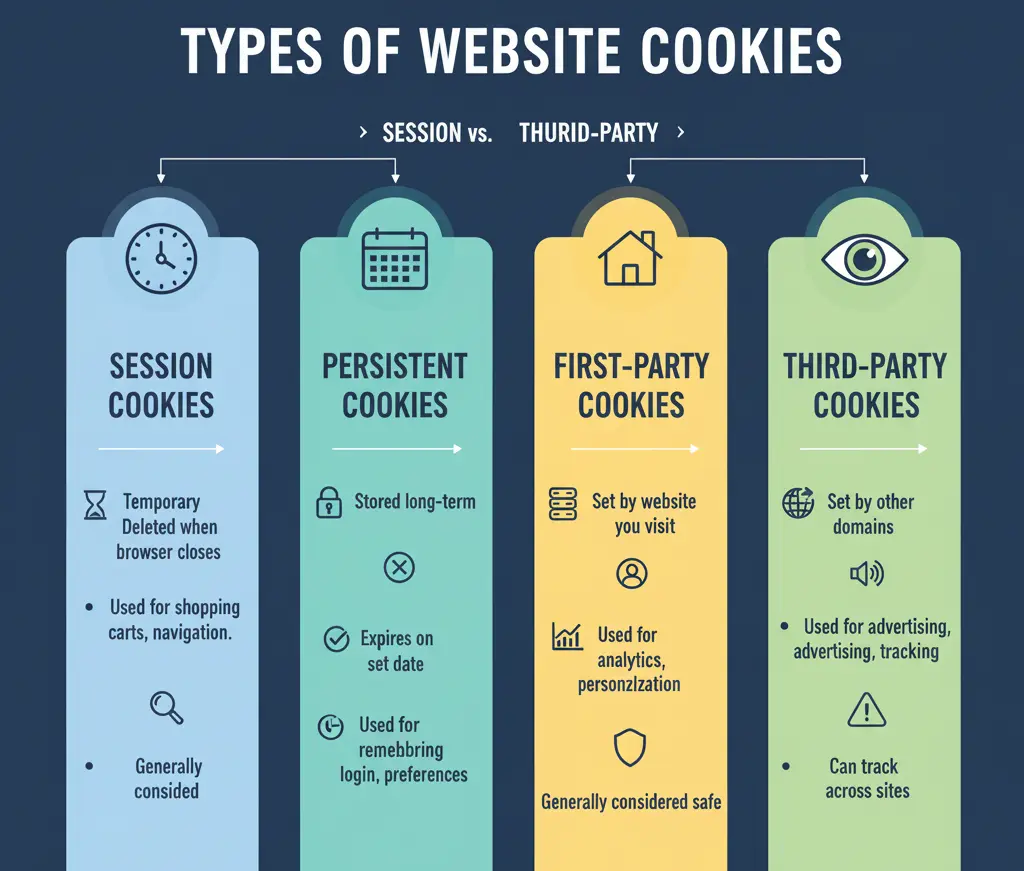
- Session Cookies: These are temporary cookies that exist only during an active browsing session and are deleted once the browser is closed. They help with short-term tasks like shopping cart contents or form data.
- Persistent Cookies: These cookies remain on your device for a set duration, which can range up to several months. They’re commonly used to remember login details and user preferences over multiple visits.
By Origin/Source
- First-Party Cookies: Set directly by the website you are visiting, these cookies generally enhance site functionality and are considered safer.
- Third-Party Cookies: Created by domains other than the one you’re visiting, these are often used for tracking users across websites, especially for advertising purposes.
- Second-Party Cookies: These result from data sharing between trusted partners and are used for marketing collaborations.
By Purpose/Function
- Strictly Necessary Cookies: Essential for basic website operations, such as user authentication and security. These cookies usually do not require consent.
- Performance Cookies: Used for analytics to monitor website performance anonymously, aiding in optimization efforts.
- Functional Cookies: Store user preferences like language, theme, and accessibility settings to improve user experience.
- Advertising Cookies: Track browsing behavior for targeted advertising and user profiling across sites.
What Do Internet Cookies Do?

Cookies fulfill multiple critical functions:
- User Authentication: They keep users logged into websites without repeated logins.
- Personalization: Cookies remember preferences and customize content display.
- Shopping Functionality: Persist shopping carts during navigation or multiple visits.
- Session Management: Maintain user state during sessions.
- Analytics and Tracking: Provide insights into user behavior for improving sites.
- Advertising Targeting: Deliver personalized ads based on browsing history.
- Security: Protect against fraud attacks such as CSRF.
- Performance Optimization: Speed up page loading by remembering previous requests.
💡Leverage Consent Management Platforms to stay compliant and respectful of user privacy.
Cookie Privacy and Security Concerns
While cookies enhance user experience, they raise important privacy concerns. Third-party cookies can facilitate cross-site tracking and create detailed user profiles without explicit consent. Security vulnerabilities like cookie hijacking and cross-site scripting (XSS) expose user data risks. Additionally, “zombie cookies” and “supercookies” persist beyond typical deletion methods, heightening privacy risks. Flash cookies, or Local Shared Objects, are another alternative tracking method that can be harder to detect.
Cookie Laws and Regulations
The landscape of cookie regulation is evolving, with major frameworks including:
- GDPR (Europe): Requires prior consent for non-essential cookies and mandates transparency.
- ePrivacy Directive: Enforces cookie consent specifically for the EU.
- CCPA (California): Gives consumers rights to opt out and access data.
- Other regulations like Brazil’s LGPD and Canada’s PIPEDA have similar data protection measures. Implementing cookie consent banners and Consent Management Platforms (CMPs) helps websites comply with these laws.
Managing Internet Cookies
Browser Settings Management
Users can manage cookies in most browsers:
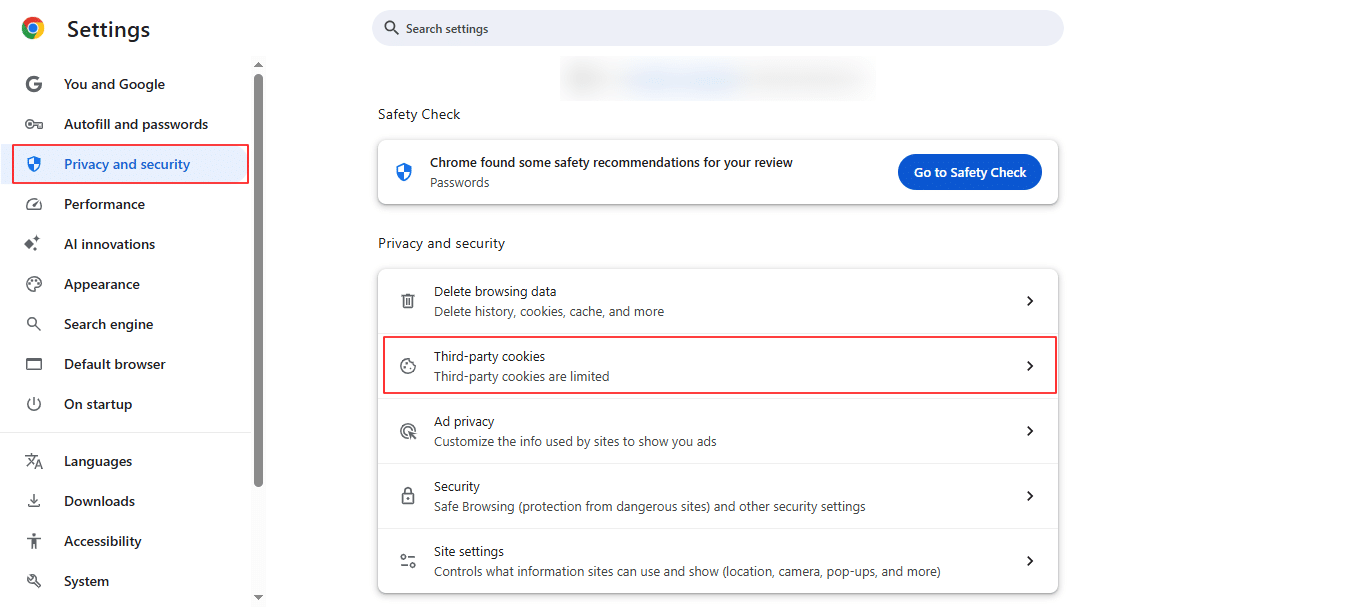
- Google Chrome: Privacy and Security settings → Cookies and Site Data.
- Mozilla Firefox: Options → Privacy & Security → Cookies and Site Data.
- Safari: Preferences → Privacy → Manage Website Data.
- Microsoft Edge: Settings → Cookies and Site Permissions.
- Mobile Browsers: Similar options typically found under privacy settings.
Cookie Control Options
- Accept all cookies for full functionality.
- Reject all cookies but be aware of site limitations.
- Selectively manage cookies by category.
- Enable automatic cookie deletion at session end.
- Block third-party cookies for enhanced privacy.
Alternatives to Third-Party Cookies
With browsers phasing out third-party cookies, marketers rely on alternatives such as:
- First-party data: Collecting information directly from users.
- Contextual advertising: Targeting based on content, not user history.
- Privacy Sandbox initiatives: Google’s Topics API and FLoC to balance privacy and ad relevance.
- Unified ID 2.0: Industry collaboration for identity solutions.
- Server-side tracking: Cookies managed on the server, not client side.
- Fingerprinting: Device and browser characteristic tracking.
Best Practices for Users
- Regularly review and audit cookie settings.
- Use privacy tools like VPNs and incognito mode.
- Make informed consent choices on banners.
- Practice safe browsing and awareness of phishing risks.
- Stay updated on privacy news and technology changes.
Frequently Asked Questions (FAQs)
1. Are cookies dangerous or harmful?
Cookies themselves cannot carry viruses but can be exploited maliciously.
2. Can cookies contain viruses or malware?
No, cookies are text files without executable code.
3. What happens if I disable all cookies?
Some functional parts of websites may stop working, like logins and shopping carts.
4. How often should I clear cookies?
Clearing periodically helps privacy but too often may affect convenience.
5. Do cookies work on mobile devices?
Yes, mobile browsers use cookies similarly to desktop browsers.
6. Can cookies track me across different browsers?
Usually no, but fingerprinting techniques can link users.
7. What’s the difference between cookies and cache?
Cookies store user data; cache stores site resources to speed up loading.
Conclusion
Internet cookies are essential tools that balance user convenience with privacy challenges. They enable personalized, seamless web experiences while requiring careful management to mitigate privacy risks. Users empowered with knowledge and control over cookies can enjoy a safer, more tailored internet. As technology and regulations evolve, staying informed and proactive remains crucial.

Passionate about blogging and focused on elevating brand visibility through strategic SEO and digital marketing. Always tuned in to the latest trends, I’m dedicated to maximizing engagement and delivering measurable ROI in the dynamic world of digital marketing. Let’s connect and unlock new opportunities together!

