


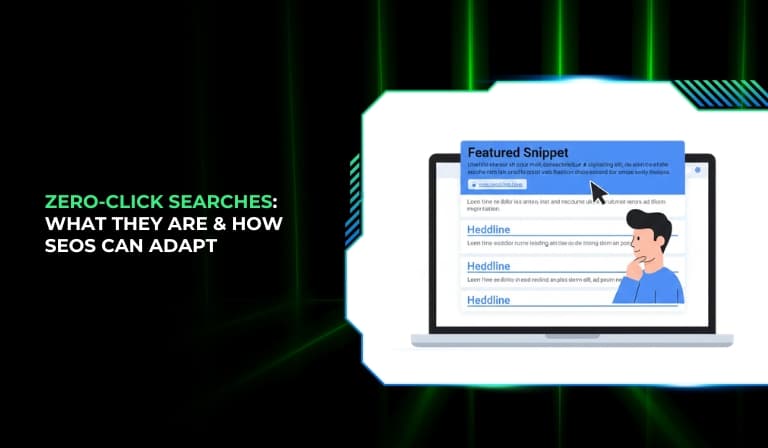
Search engines have changed a lot in the past decade. Earlier, users typed a query, scanned a list of blue links, and clicked on a website to find answers. Today, search engines often provide the answer directly on the results page. Users get what they need without visiting any website. This behavior is known as a zero-click search.

Zero-click searches are becoming more common across devices, especially on mobile and voice search. For many queries, users now see featured snippets, knowledge panels, AI-generated summaries, maps, calculators, and other rich results that satisfy their intent instantly. As a result, organic traffic patterns are changing.
For SEO professionals, this shift creates both challenges and opportunities. While clicks may decrease for some queries, visibility and brand exposure can increase. In this guide, you will learn what zero-click searches are, why they are growing, their impact on SEO, and how you can adapt your strategy to stay competitive.
What Are Zero-Click Searches?
Zero-click searches are search queries that end without the user clicking on any organic or paid result. The search engine provides enough information directly on the search engine results page (SERP), so the user does not need to visit another website.
Zero-click searches work because modern search engines extract and organize information from websites and display it in structured formats such as snippets, panels, and summaries. When a user searches for something like a definition, quick fact, weather update, or conversion, the answer appears immediately.
Search engines provide direct answers for several reasons:
- To improve user experience by reducing effort
- To deliver faster results on mobile devices
- To support voice search responses
- To keep users engaged within the search environment
Over time, search engines have evolved from simple indexing tools to advanced answer engines. Instead of only showing links, they interpret intent and deliver structured information directly on the results page.
Why Zero-Click Searches Are Increasing
The rise of zero-click searches is not accidental. It is driven by technology, user behavior, and search engine competition.
The rise of mobile search has played a major role. Mobile users prefer fast, instant answers. Since mobile screens are smaller, search engines prioritize concise answers at the top of the page. This increases the chances of users getting information without clicking.
The growth of voice search also contributes. Voice assistants typically read out a single answer rather than presenting multiple options. This encourages search engines to provide direct, structured responses.
AI-driven results and instant answers have expanded the ability of search engines to summarize content. With advanced natural language processing, search engines can understand context better and generate more comprehensive responses.
Search engines also compete to retain users. By keeping users on the results page longer, they increase engagement within their ecosystem.
Finally, user behavior has changed. Many users now expect instant results. If the answer is visible immediately, they often do not feel the need to explore further.
Types of Zero-Click Search Results
1. Featured Snippets
Featured snippets are highlighted answer boxes that appear at the top of search results for certain queries. They are designed to answer a question directly.
There are different types of featured snippets:
- Paragraph snippets that provide short explanations
- List snippets that show steps or bullet points
- Table snippets that display structured data
These snippets usually pull content from high-ranking pages and present it in a condensed format.
2. Knowledge Panels
Knowledge panels appear on the right side of desktop results or at the top of mobile results for entity-based searches such as brands, people, or places.
They typically include:
- A summary description
- Key facts
- Images
- Links to official profiles
Knowledge panels are generated from structured data and trusted sources. They provide quick factual information without requiring a click.
3. People Also Ask (PAA)
The People Also Ask section shows expandable questions related to the user’s query. When clicked, each question expands to show a short answer.
Key characteristics include:
- Multiple related questions
- Expandable answer boxes
- Dynamic loading of additional questions
PAA boxes often reduce clicks because users may find their answer directly within the expandable section.
4. AI Overviews / Generative Results
AI-generated summaries provide synthesized answers based on multiple sources. These summaries attempt to cover broader aspects of a topic in one unified response.
AI overviews typically:
- Summarize key points
- Combine information from various sources
- Appear prominently at the top of results
This format can significantly reduce clicks for informational queries if the overview satisfies the user’s intent.
5. Local Packs
Local packs display map-based results for location-specific queries. They usually show a map and three business listings.
Local pack results include:
- Business name
- Ratings and reviews
- Address
- Contact information
For many local queries, users may call or navigate directly without visiting the business website.
6. Instant Answers
Instant answers provide direct information such as:
- Weather updates
- Time in a specific city
- Currency conversions
- Calculations
These results act as built-in tools, eliminating the need for users to click external links.
The Impact of Zero-Click Searches on SEO
Zero-click searches have changed how SEO performance is measured. One of the main impacts is a decline in organic click-through rates for informational queries. Even if a page ranks high, users may not click if the answer is already displayed.
Informational keyword traffic is often affected the most. Definitions, quick facts, and simple “how-to” queries are commonly satisfied directly on the SERP.
However, zero-click results also increase brand visibility. When a website’s content is featured in a snippet or panel, the brand gains exposure even without a click.
There is also a data tracking challenge. SEO professionals may see high impressions but lower clicks in tools like Google Search Console. This makes it important to analyze both visibility and engagement metrics.
The debate between branding and traffic is ongoing. While clicks may decrease, appearing in prominent SERP features can strengthen authority and trust.
Are Zero-Click Searches Good or Bad?
Zero-click searches benefit users by providing faster access to information. They reduce friction and improve convenience.
For publishers and website owners, the situation is more complex. Fewer clicks can mean less traffic, fewer ad impressions, and lower conversion opportunities for certain content types.
However, zero-click results also create opportunities:
- Increased brand recognition
- Authority building through featured placements
- Higher visibility in competitive SERPs
The key is to focus on visibility as well as traffic. Being present in prominent SERP features can influence user perception and long-term brand trust.
How to Optimize for Zero-Click Searches
1. Optimize for Featured Snippets
To increase the chances of appearing in featured snippets:
- Use clear, question-based headings
- Provide direct answers within the first paragraph under each heading
- Structure content using bullet points and tables
- Keep answers concise and fact-focused
Search engines prefer structured, easy-to-extract content.
2. Target “People Also Ask” Questions
You can improve visibility in PAA sections by:
- Identifying related questions in search results
- Creating dedicated FAQ sections
- Answering questions clearly and directly
Question-based content aligns well with zero-click formats.
3. Improve Brand Authority
Authority signals increase the likelihood of being featured. Important elements include:
- Clear author information
- Accurate and updated content
- Trustworthy sources and transparent credentials
Strong authority improves both ranking and snippet eligibility.
4. Use Structured Data (Schema Markup)
Structured data helps search engines understand your content better. Useful schema types include:
- FAQ schema
- How-to schema
- Organization schema
Proper implementation can enhance eligibility for rich results.
5. Optimize for Local SEO
For local visibility:
- Maintain accurate business information
- Encourage customer reviews
- Use consistent local keywords
- Keep business listings updated
Local optimization increases the chances of appearing in local packs.
6. Create Click-Worthy Titles & Meta Descriptions
Even when content appears in snippets, you can encourage clicks by:
- Offering deeper insights beyond the snippet
- Highlighting unique value or expertise
- Using compelling yet accurate titles
Your goal is to show that the full article provides more depth than the summarized answer.
Content Strategies to Survive Zero-Click Searches
To remain competitive, focus on strategies that go beyond simple answers.
- Target high-intent keywords where users are likely to take action
- Create in-depth, long-form content that offers detailed analysis
- Publish original research and proprietary data
- Build topic clusters around core subjects
- Develop email lists and owned audiences to reduce dependence on search traffic
When your content provides unique value, users are more likely to click despite zero-click features.
Measuring Zero-Click Impact
You can monitor zero-click trends by analyzing performance data.
- Compare impressions and clicks in Google Search Console
- Track changes in click-through rates for informational keywords
- Monitor featured snippet ownership over time
- Identify queries with high impressions but low clicks
These insights help you refine your SEO strategy and focus on opportunities that generate meaningful engagement.
Conclusion
Zero-click searches are becoming a permanent part of the search landscape. They change how traffic flows and how success is measured.
SEO strategies must evolve from only chasing clicks to also prioritizing visibility and authority. Structured content, schema markup, and high-quality information improve the chances of appearing in SERP features.
Brands that adapt to this shift and provide deeper value beyond quick answers will remain competitive.
Frequently Asked Questions (FAQ)
1. What percentage of searches are zero-click?
Different studies suggest that a significant portion of searches end without a click, especially for informational queries. The exact percentage varies by device, location, and search type.
2. Do zero-click searches hurt SEO?
They can reduce traffic for simple informational keywords, but they also offer visibility and branding opportunities when your content appears in featured placements.
3. How can I track zero-click searches?
You can monitor impressions and click-through rates in Google Search Console. High impressions with low clicks may indicate zero-click behavior.
4. Can zero-click searches increase brand awareness?
Yes. Appearing in snippets, panels, or AI summaries increases brand exposure even if users do not click.
5. Should I avoid targeting informational keywords?
Not necessarily. Instead of avoiding them, focus on adding depth, unique insights, and value that encourages users to explore beyond the quick answer.

