



PPC, or pay‑per‑click advertising, is a model where advertisers pay a fee each time a user clicks their ad. It allows brands to instantly appear in front of people actively searching, browsing, or engaging on various platforms, instead of waiting for organic visibility to grow. Each PPC ad type has unique strengths in terms of visibility, targeting, and cost, which is why most mature advertisers use a mix of them.

This blog will walk through 8 major PPC ad types: paid search, display, social media, remarketing, Google Shopping, local services, Gmail sponsored ads, and in‑stream video ads. For each, the guide explains what it is, how to set it up at a practical level, and when it makes sense to use it in your marketing mix. By the end, you will be able to match business goals to the specific ad formats that can deliver them most efficiently.
What is PPC Advertising?
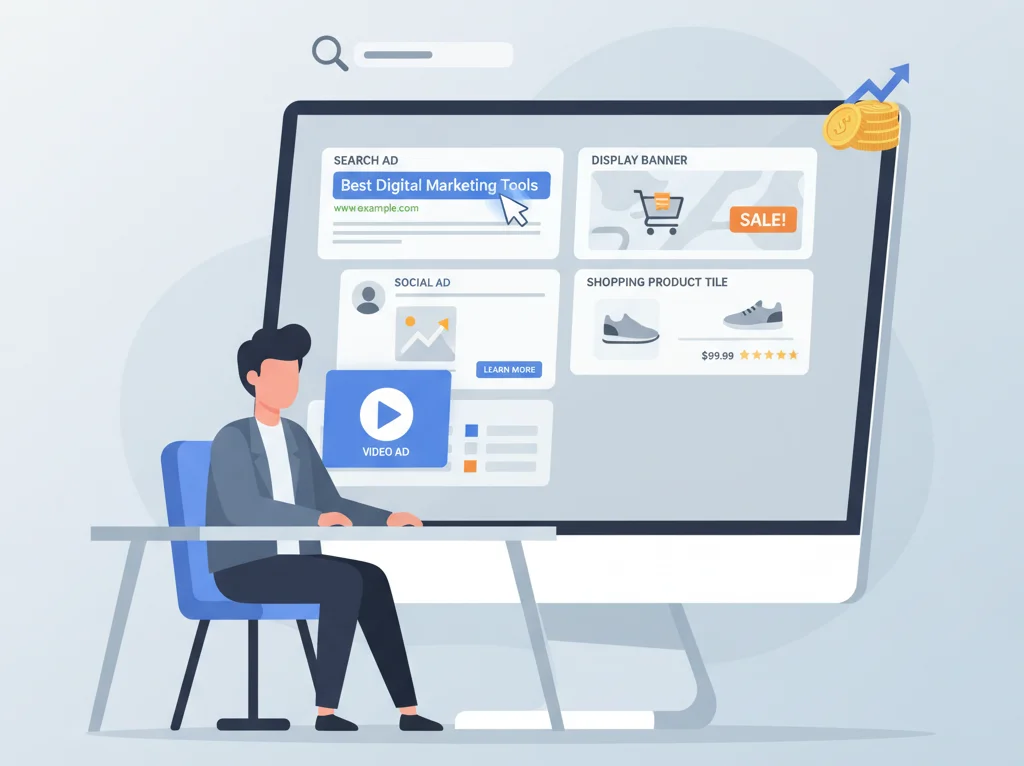
PPC advertising is a digital advertising model where you pay only when someone clicks your ad, instead of paying for impressions alone. This model is used across platforms like Google Ads, Microsoft Ads, Meta Ads (Facebook/Instagram), LinkedIn Ads, YouTube, and more. The actual cost per click is influenced by competition, relevance, and quality of the ad and landing page.
PPC differs from organic search because you bid for placements rather than earning them solely through content and SEO. While organic ranking can take months, PPC can drive visibility and traffic in days or even hours once a campaign is set up. Brands use PPC when they need measurable, scalable, and controllable traffic that can be turned up or down based on performance and budget.
Key benefits of PPC include:
- Immediate visibility for high‑intent search queries.
- Precise audience targeting based on keywords, demographics, interests, and behavior.
- Detailed performance data that supports continuous optimization and ROI tracking.
Because each PPC ad type offers a different way to reach users (through search results, display placements, inbox, or video), understanding these differences is crucial before investing heavily.
1. Paid Search Ads
What are paid search ads?
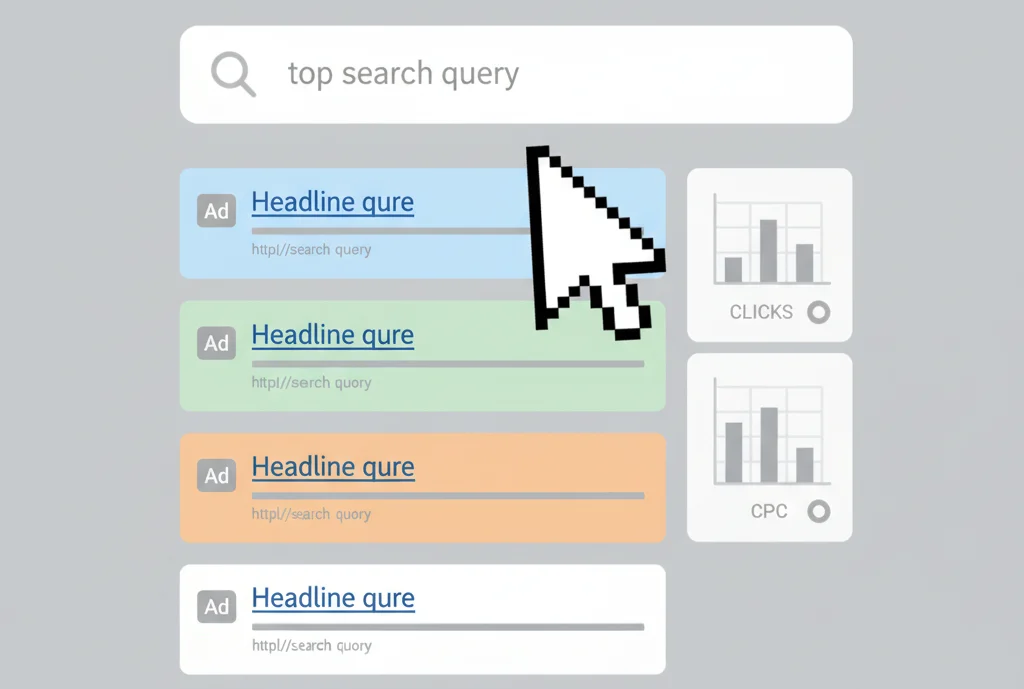
Paid search ads are text‑based advertisements that appear on search engine results pages (SERPs), usually at the top and bottom. They are triggered by user queries that match targeted keywords and are labeled as “Sponsored” or “Ad.” These ads typically include a headline, description, URL, and optional extensions like sitelinks or call extensions.
Paid search is most effective when targeting users with clear intent, such as searching for a product, service, or solution. Because these users are already expressing a need or problem, search ads often deliver strong conversion rates compared to more passive formats.
How to set up paid search ads
The setup process depends on the platform (e.g., Google Ads or Microsoft Ads), but the key steps are similar:
- Keyword research and selection: Advertisers start by identifying relevant search terms that potential customers use. This often includes:
- Core service/product keywords (e.g., “digital marketing agency,” “HVAC repair near me”).
- Long‑tail keywords (multi‑word phrases) that reflect more specific intent (e.g., “emergency plumber in Chicago”).
- Branded keywords (company name plus terms).
Long‑tail keywords tend to have lower competition and cost per click and often represent clearer intent.
- Campaign and ad group structure: Keywords are grouped into themed ad groups (e.g., “AC repair,” “furnace repair”) under broader campaigns. This structure allows ads and landing pages to closely match the keyword theme, which usually improves relevance and performance.
- Ad creation: Advertisers write text ads that speak directly to the user’s query. A typical search ad includes:
- Headlines (often 2–3 fields) featuring the keyword and value proposition.
- Descriptions that expand on benefits and include a clear call‑to‑action.
- Display path to show a clean URL.
Extensions can add phone numbers, locations, prices, and additional links.
- Bidding and budgets: A maximum cost‑per‑click (CPC) bid is set at the keyword or ad group level. There are manual and automated bidding options, such as target CPA, target ROAS, or maximize conversions. A daily budget is set at the campaign level to control overall spend.
- Targeting and scheduling: Advertisers can refine where and when ads appear by setting:
- Geographic targeting (countries, regions, cities, radius).
- Device adjustments (mobile, desktop, tablet).
- Ad schedules to run ads during specific days/hours.
- Launch and optimization: After launch, performance is monitored for impressions, clicks, conversions, and cost metrics. Negative keywords are added to block irrelevant queries, and bids/ads are adjusted based on data.
Quality Score and why it matters
Many search engines use a relevance metric (e.g., Google’s Quality Score) that considers expected CTR, ad relevance, and landing page experience. Higher relevance typically decreases your average CPC and improves ad position because platforms reward ads that serve users well. Investing in relevant ad copy, targeted keywords, and high‑quality landing pages directly impacts performance and cost efficiency.
Best practices for search ads
- Use tightly themed ad groups with highly relevant ads and landing pages.
- Include primary keywords in headlines and descriptions where it reads naturally.
- Implement negative keywords to filter unqualified traffic.
- Test multiple versions of ads to continually improve click‑through and conversion rates.
Why use paid search ads?
Paid search ads are ideal when you want to capture demand from users actively looking for your product or service. They are especially effective for lead generation, high‑intent e‑commerce queries, and local services where people are ready to act. When managed properly, search campaigns can deliver predictable conversions and become a core revenue channel.
2. Display Ads
What are display ads?
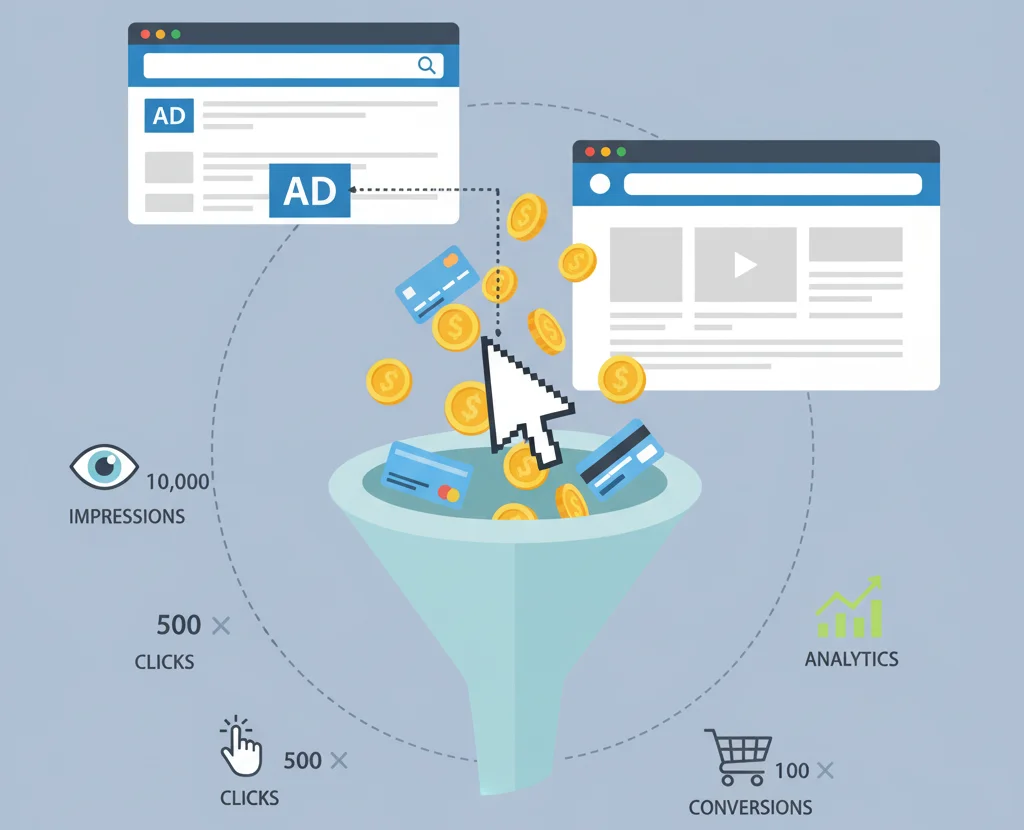
Display ads are visual banner or image-based ads that appear across websites and apps within an ad network, such as the Google Display Network. These ads combine images, text, and sometimes rich media or animation. Instead of targeting search queries, display campaigns target users based on audience signals, content categories, placements, or remarketing lists.
Display ads typically reach users higher in the funnel when they are browsing content rather than actively searching for a solution. As a result, they are often used for brand awareness, top‑of‑funnel traffic, and nurturing interest.
How to set up display ads
The setup in platforms like Google Ads usually includes:
- Campaign objective and type: Select a goal such as brand awareness, website traffic, or conversions, and choose a Display campaign type.
- Targeting options: Display campaigns can target users using several methods:
- Audience segments (interests, in‑market segments, affinity audiences).
- Custom segments based on URLs, apps, or keywords.
- Content targeting (topics, keywords).
- Managed placements (specific websites or apps).
- Creative development: Advertisers upload image assets or use responsive display ads that automatically adjust combinations of headlines, descriptions, images, and logos. Creatives must adhere to platform size and content guidelines.
- Bidding and budgets: Bidding can be set to focus on clicks, impressions, or conversions, depending on your goals. Daily budgets and frequency caps can be used to control spend and avoid overexposure.
- Launch and optimization: After launch, performance is evaluated by impressions, CTR, view‑through conversions, and direct conversions. Poorly performing placements or audiences can be excluded, and creatives can be refreshed.
Best practices for display ads
- Use strong, brand‑consistent visuals and concise messaging.
- Align creative with the audience’s stage in the funnel (awareness vs. conversion).
- Regularly review placements to remove low‑quality or irrelevant inventory.
- Consider responsive display ads to cover multiple device types and sizes.
Why use display ads?
Display ads help keep your brand visible as users browse content across thousands of sites and apps. They are particularly useful for building awareness, supporting remarketing strategies, and staying top‑of‑mind in longer buying cycles. While click‑through rates are usually lower than search, display can be cost‑effective when evaluated on assisted conversions and overall reach.
3. Social Media Ads
What are social media ads?
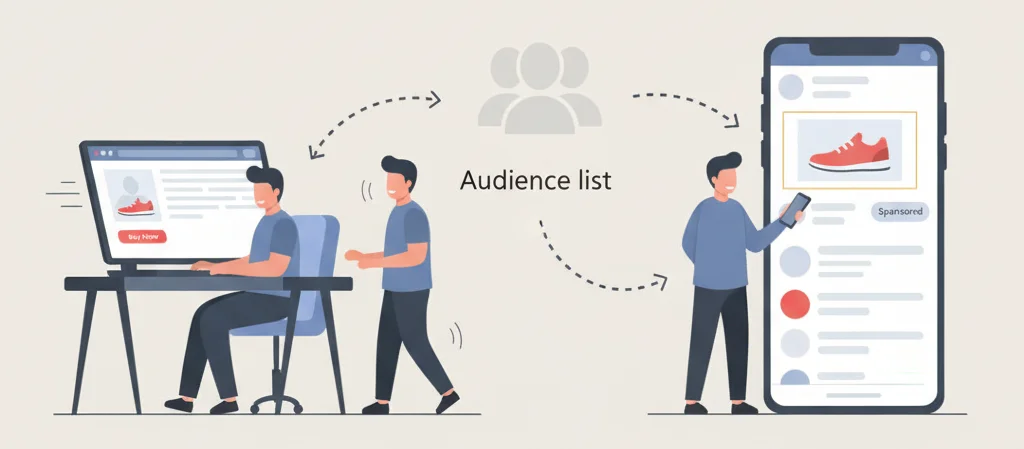
Social media ads are paid placements that appear in the feeds, stories, or sidebars of social platforms such as Facebook, Instagram, LinkedIn, TikTok, Twitter/X, and others. These ads can be image, video, carousel, story, or lead‑form formats and are designed to look native to the platform experience.
Unlike search ads, social media ads are served based on audience profiles and behavior rather than explicit keyword queries. This allows advertisers to proactively reach people who match their ideal customer profiles, even if those users are not currently searching.
Platforms available
Common social platforms used for PPC‑style campaigns include:
- Facebook and Instagram (Meta Ads): Widely used for B2C, e‑commerce, local businesses, and some B2B.
- LinkedIn Ads: Focused on B2B targeting using job titles, industries, company size, and professional attributes.
- TikTok Ads: Short‑form video ads suited for consumer brands, apps, and awareness campaigns.
- Twitter/X Ads: Used for promotion of content, apps, and brand messages.
Each platform offers unique ad formats and targeting nuances, so the right choice depends on where your audience spends time and what type of creative you have available.
How to set up social media ads
The typical workflow across platforms looks like this:
- Choose the platform and objective: Select a platform where your audience is active and choose an objective such as awareness, traffic, engagement, leads, or sales.
- Define the audience: Social platforms provide sophisticated targeting options, which may include:
- Demographics (age, gender, location).
- Interests and behaviors.
- Job titles and industries (especially on LinkedIn).
- Custom audiences (email lists, website visitors).
- Lookalike or similar audiences based on existing customers.
- Set budget and schedule: Advertisers choose daily or lifetime budgets and specify when ads should run.
- Create ad creatives: Ads are built using images, videos, carousel cards, headlines, primary text, and calls‑to‑action. Many platforms offer templates and creative recommendations.
- Launch and iterate: Performance is measured by impressions, clicks, conversions, engagement (likes, comments, shares), and cost metrics. Advertisers test different creatives, audiences, and placements to find the best combinations.
Best practices for social ads
- Match creative style to the platform (e.g., vertical video and native style for TikTok and Reels).
- Use strong hooks and clear CTAs in the first seconds of video or first lines of copy.
- Leverage custom and lookalike audiences based on existing customers or website visitors.
- Test multiple variations of audiences and creatives rather than relying on a single setup.
Why use social media ads?
Social media ads excel at discovery, interest generation, and nurturing. They allow brands to reach very specific audiences and can be effective for lead generation (e.g., using lead forms), online sales, app installs, or driving traffic to content. Because users spend significant time on social platforms daily, social ads often become a key channel in multi‑touch customer journeys.
4. Remarketing Ads
What are remarketing ads?
Remarketing (or retargeting) ads are campaigns that show ads to people who have already interacted with your brand—such as visiting your website, using your app, or engaging with your content. The goal is to re‑engage these users, remind them of your offerings, and encourage them to complete a desired action.
Remarketing can be executed across display networks, search, social platforms, and video. Common use cases include cart abandonment recovery, promoting products viewed but not purchased, and re‑introducing services to previous site visitors.
How remarketing works
Remarketing relies on tracking signals such as:
- Pixels or tags installed on your website or app (e.g., Google Ads tag, Meta pixel).
- Platform‑based engagement data (e.g., people who watched a percentage of a video ad).
- Lists uploaded from CRM systems (e.g., customer emails).
These signals feed into audience lists that segment users based on their behavior. For example:
- Users who viewed a specific product page.
- Users who added items to cart but did not purchase.
- Users who visited a pricing page or lead‑form page.
Once lists are created, ads can be tailored to the specific products or services the user showed interest in, which often improves relevance and conversion rates.
How to set up remarketing ads
- Install tracking tag or pixel: Add the platform’s code snippet to your site (or use a tag manager) so user behavior can be tracked.
- Create audience lists: Define rules for audiences, such as “all visitors in the last 30 days” or “visited product URL containing /shoes but did not convert.”
- Design remarketing creatives: Ads can highlight the exact product viewed, offer an incentive (like a discount), or simply remind users of your brand.
- Set budgets and targeting rules: Frequency caps and membership durations help avoid overexposure. Advertisers decide how long after a visit users remain in the remarketing pool.
- Launch and optimize: Performance is tracked by return visits, conversions, and cost per acquisition. Segmenting by intent level (e.g., cart abandoners vs. general visitors) often helps with optimization.
Why use remarketing ads?
Remarketing ads target people who have already demonstrated interest, making them more likely to convert than cold audiences. This often results in higher conversion rates and more efficient cost per acquisition. For many advertisers, remarketing is a cornerstone tactic for maximizing the value of existing traffic from all channels.
5. Google Shopping Ads
What are Google Shopping ads?
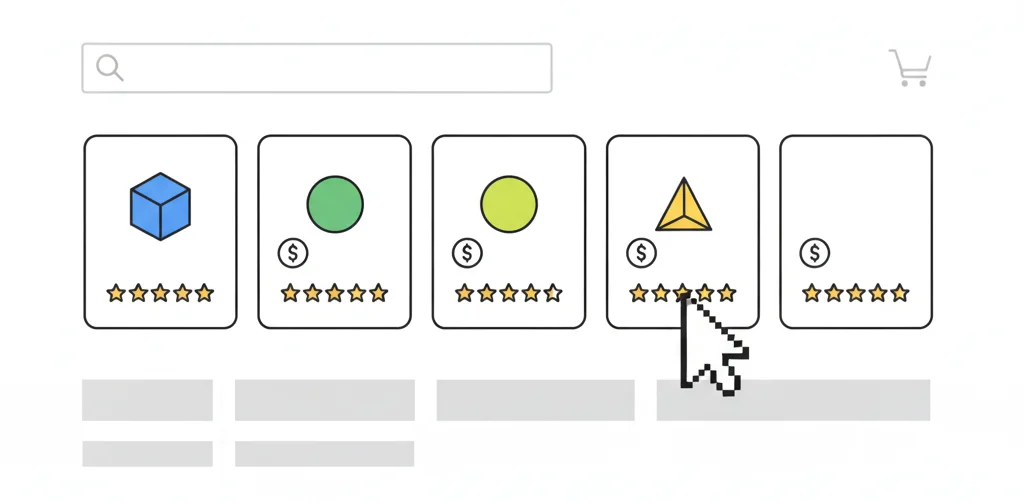
Google Shopping ads are product‑based ads that appear in a carousel at the top of search results or in the Shopping tab when users search for products. Each tile typically shows a product image, price, title, retailer name, and sometimes ratings or promotions.
Unlike text search ads, Shopping ads are generated from a product feed rather than hand‑written keyword‑based ads. They work particularly well for e‑commerce retailers who want to show tangible products directly in search results.
How to set up Google Shopping ads
- Create and configure a product feed: Using Google Merchant Center, retailers upload or connect a feed containing product data:
- Titles, descriptions, images.
- Prices, availability, GTINs, and categories.
- Brand and other attributes required by Google.
- Link Merchant Center to Google Ads: This connection allows merchants to create Shopping campaigns that serve ads based on the product feed.
- Create a Shopping campaign: In Google Ads, advertisers choose “Shopping” as the campaign type and configure:
- Country of sale.
- Budget and bid strategy (manual or automated).
- Campaign priority and structure (standard or Performance Max if used).
- Organize product groups: Products can be grouped by brand, category, custom labels (e.g., margin tier), or item IDs. Bids can be adjusted at the product group level.
- Launch and monitor: Performance is tracked by impressions, clicks, revenue, ROAS, and other e‑commerce KPIs. Poorly performing products can be excluded, and feed content (titles, images) can be optimized.
Key elements of Shopping ads
- Product image: Usually the first element users notice; clarity and quality matter.
- Price: Users often compare multiple retailers, so competitive pricing is important.
- Merchant name and ratings: Trust indicators such as star ratings or “free shipping” can influence click decisions.
Why use Google Shopping ads?
Shopping ads reach users with high purchase intent who are actively searching for products. Because users see product images and prices before clicking, traffic coming from Shopping ads tends to be well‑qualified. This format is frequently one of the top revenue drivers for e‑commerce brands that maintain a clean, optimized product feed.
6. Local Service Ads
What are local service ads?
Local Service Ads (LSAs) are a specialized ad format designed for service‑based local businesses in specific categories, such as plumbers, electricians, HVAC companies, and similar trades in eligible regions. These ads typically appear at the top of relevant local search results and highlight the business name, ratings, phone number, and service area.
Unlike standard search ads, LSAs often use a pay‑per‑lead model rather than pure pay‑per‑click. They are intended to connect local customers with verified, nearby service providers quickly.
Eligible service categories
Eligibility varies by country and region, but LSAs generally cover home services and professional services such as:
- Plumbing and HVAC.
- Electrical work.
- Garage door services.
- Locksmiths.
- Some categories of cleaning, roofing, and other trades.
Businesses must meet platform requirements and verification processes to participate.
How to set up local service ads
- Sign up as a service provider: Businesses apply via the relevant platform interface, providing business details, service categories, service areas, licensing, and sometimes background checks. Verification is often required to earn badges like “Google Guaranteed” in some markets.
- Set your budget: Instead of a simple CPC model, LSAs typically allow you to set a weekly or monthly budget for leads. The system estimates how many leads this budget may generate based on historical data.
- Define your service area and schedule: Specify which geographies you serve and when you are open for calls or appointments.
- Review and go live: Once verification is complete and profile details are finalized, ads can start appearing for local queries related to your services.
Key information displayed
LSAs prominently show:
- Business name and review rating.
- Number of reviews.
- Phone call button or lead form.
- Service area and hours.
- Trust indicators like “Google Guaranteed” (where applicable).
Why use local service ads?
For eligible businesses, LSAs provide prime placement at the top of local result pages and focus on lead outcomes, such as calls or messages. The format is built to reduce friction for searchers who need a local service provider quickly, making it valuable for high‑intent, location‑dependent services.
7. Gmail Sponsored Ads
What are Gmail ads?
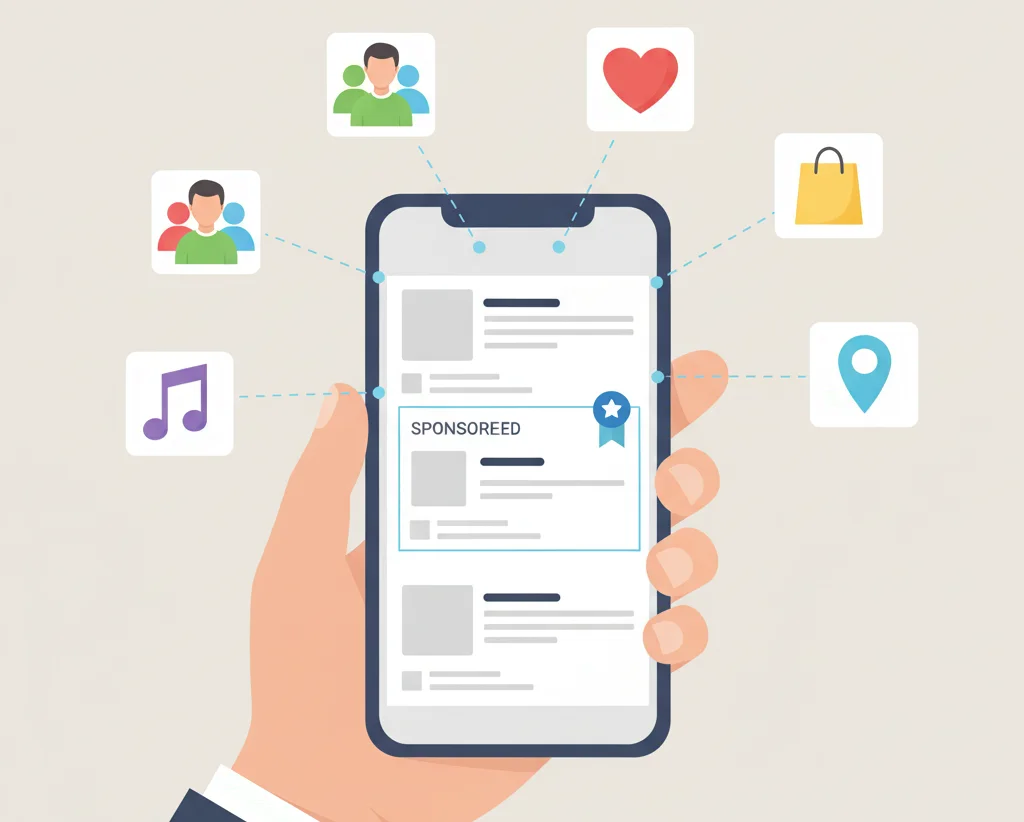
Gmail sponsored ads are ads that appear in a user’s Gmail inbox, typically at the top of the Promotions or Social tab. They resemble regular emails but are tagged as ads. When a user clicks, the ad can expand into a full email‑style experience, which may include images, descriptions, and call‑to‑action buttons leading to landing pages.
These ads effectively act as a hybrid between display and email marketing, reaching users directly within their inbox without requiring an email subscription.
How Gmail ads appear
- In collapsed form, they usually show a subject line, sender name, and short preview text.
- Once opened, the expanded ad can include multiple sections, images, or offers.
- Users can interact by clicking through to your website or saving the ad.
How to set up Gmail ads
(Note: Over time, Google has integrated many Gmail‑like placements within broader Display or Discovery campaign types, so the exact setup may vary by account and date.)
Typical steps include:
- Campaign creation: Start a Display‑type or relevant campaign where Gmail‑style placements are allowed.
- Targeting: Targeting can be based on:
- Audience interests and in‑market segments.
- Demographics.
- Customer match (uploaded email lists).
- Ad creation: Build the ad with components similar to an email:
- Subject and preview text.
- Headline and body content.
- Images and logos.
- Calls‑to‑action.
- Bidding and budgets: You are typically charged when a user clicks to open the collapsed ad, not for additional interactions within the expanded view.
Cost model
The main billable action is the initial click to open the ad. Users who interact further, click internal links, or forward the ad usually do not generate additional charges. This makes Gmail ads attractive for acquiring more qualified interest per click.
Why use Gmail ads?
Gmail ads allow brands to reach users in a highly personal environment—the inbox—without needing to build an organic email list first. They work well for promoting offers, product launches, content assets, or re‑engaging previous visitors using customer match lists. For some advertisers, this format complements both display and email marketing.
8. In‑Stream Video Ads (YouTube Ads)
What are in‑stream ads?
In‑stream video ads are ads that play before, during, or after video content on platforms like YouTube and on video partner sites. They include skippable and non‑skippable formats, as well as short bumper ads. Some formats show as preview tiles in video discovery positions, while others interrupt video playback briefly.
These ads combine sight, sound, and motion to deliver brand stories and product messages in a more engaging manner than static banners or text.
Types of video ads
Common YouTube ad types include:
- Skippable in‑stream ads: Users can skip after a few seconds; advertisers usually pay when viewers watch beyond a threshold or interact.
- Non‑skippable in‑stream ads: Typically 15 or so seconds long and must be watched before the video continues.
- Bumper ads: Very short non‑skippable ads (around 6 seconds) meant for quick brand impressions.
- Video discovery ads: Appear in search results or as suggested videos and are clicked by users who choose to watch.
How to set up in‑stream ads
- Campaign type and objective: In Google Ads, select a Video campaign type aligned with goals such as brand awareness, consideration, or conversions.
- Budget and bidding: Choose a bidding strategy (e.g., CPV, CPM, or conversion‑focused) and set budgets at the campaign level.
- Network selection: Decide whether ads will appear:
- On YouTube search results.
- On YouTube videos.
- On video partners on the Display Network.
- Audience and placement targeting: Target users based on demographics, interests, in‑market behaviors, custom segments, or specific channels and videos.
- Creative upload: Use a hosted YouTube video as the ad creative, then configure ad variations, headlines, and calls‑to‑action.
- Launch and optimization: Monitor performance through view rate, watch time, clicks, conversions, and cost metrics. Adjust targeting and creative as necessary.
Best practices for video ads
- Capture attention in the first few seconds with strong visuals and messaging.
- Make the brand identifiable early to mitigate skip behavior.
- Include a clear call‑to‑action directing viewers to the next step.
- Test multiple versions of creatives to see which resonates best.
Why use in‑stream ads?
In‑stream video ads are powerful for storytelling, brand building, and product demonstrations. They can reach massive audiences, especially on YouTube, which is widely used across demographics. When combined with strong targeting and clear calls‑to‑action, video ads can drive both awareness and direct response.
Comparison: Which PPC Ad Type Should You Choose?
Different PPC ad types serve different stages of the funnel and business models. Choosing the right one depends on your goals, budget, and customer journey.
Comparison table
A helpful way to think about these formats is:
- Paid search: Best for capturing high‑intent demand.
- Display and social: Best for building awareness and nurturing interest.
- Remarketing: Best for re‑engaging warm audiences and recovering lost leads.
- Shopping: Best for e‑commerce product discovery and comparison.
- Local services: Best for local, service‑based lead generation.
- Gmail and video: Best as hybrid formats for deeper engagement and storytelling.
Decision guidance by goal
- For fast lead generation with clear intent: start with paid search and, if eligible, local service ads.
- For e‑commerce sales: use a combination of Shopping, search, remarketing, and social ads.
- For brand awareness: invest in display, social awareness campaigns, and in‑stream video.
- For re‑engagement and nurturing: focus on remarketing across display, social, and video, plus Gmail‑style placements if available.
Most advertisers see the best results from using several of these formats together rather than relying on just one.
PPC Ad Strategy Best Practices
A strong PPC strategy is not just about picking an ad type—it is about aligning that format with a clear plan.
Key best practices include:
- Start with clearly defined business goals and KPIs (leads, sales, ROAS, etc.).
- Conduct competitor research to understand which ad types and messaging are common in your niche.
- Test multiple ad variations and audiences rather than assuming a single configuration will work.
- Use remarketing to maximize the value of traffic generated from all campaigns.
- Integrate tracking and analytics to attribute conversions to the right campaigns and optimize budgets accordingly.
Over time, performance data should guide budget shifts toward the most profitable ad types for your specific business.
Key Metrics to Track Across All PPC Ad Types
Regardless of the ad type, success in PPC comes from consistent measurement and optimization. Common metrics include:
- Click‑Through Rate (CTR): Indicates how appealing your ad is relative to impressions.
- Cost Per Click (CPC): Shows how much you pay on average for each click.
- Conversion Rate: Percentage of clicks that turn into desired actions (leads or sales).
- Cost Per Acquisition (CPA): Average cost to generate a lead or customer.
- Return on Ad Spend (ROAS): Revenue generated for each unit of ad spend.
- Engagement metrics in social and video (e.g., watch time, likes, comments) for upper‑funnel campaigns.
Monitoring these metrics regularly and adjusting your strategy accordingly is what turns PPC from a cost center into a growth engine.
FAQs
1. What’s the difference between search ads and display ads?
Search ads are text‑based and appear on search results pages when users type specific queries, capturing explicit intent. Display ads are visual placements on websites and apps that reach users while they browse content, focusing more on awareness and passive interest.
2. How much does PPC advertising cost?
PPC costs vary depending on industry competition, targeting, and quality factors. Some industries see clicks under a dollar, while others pay significantly more for competitive terms. Budgets can start small and scale based on performance data, making PPC accessible to a wide range of businesses.
3. Which PPC ad type has the best ROI?
The best ROI depends on your business model and goals. Search and Shopping frequently deliver strong direct response for high‑intent traffic, while remarketing often improves ROI by converting users who already showed interest. Social and video may excel at assisted conversions and long‑term brand impact.
4. Can I run multiple PPC ad types simultaneously?
Yes, and many advertisers do. Combining multiple ad types—such as search, Shopping, social, and remarketing—allows you to reach users at different stages of the funnel, from initial awareness to final conversion.
5. How long does it take to see PPC results?
Results can begin within days of launching campaigns, as impressions and clicks start almost immediately. However, meaningful optimization typically requires a few weeks of data to refine bids, targeting, and creatives.
6. What’s the best PPC platform for beginners?
Many beginners start with Google Ads search campaigns because they target explicit intent and are straightforward to measure. From there, expanding into Shopping (for e‑commerce), remarketing, and social platforms can build a more complete strategy.
Conclusion
The core question—“What types of PPC ads are there?”—matters because each format plays a different role in your marketing funnel. Paid search, display, social, remarketing, Shopping, local service ads, Gmail ads, and in‑stream video all offer distinct advantages depending on your goals and audience.
By understanding how each of these 8 PPC ad types works, and by tracking the right metrics, you can design campaigns that capture high‑intent searches, build awareness, re‑engage visitors, and ultimately drive more profitable growth from your advertising budget.

Passionate about blogging and focused on elevating brand visibility through strategic SEO and digital marketing. Always tuned in to the latest trends, I’m dedicated to maximizing engagement and delivering measurable ROI in the dynamic world of digital marketing. Let’s connect and unlock new opportunities together!

