



Is Your Organic Traffic Dropping (Or Spiking)?
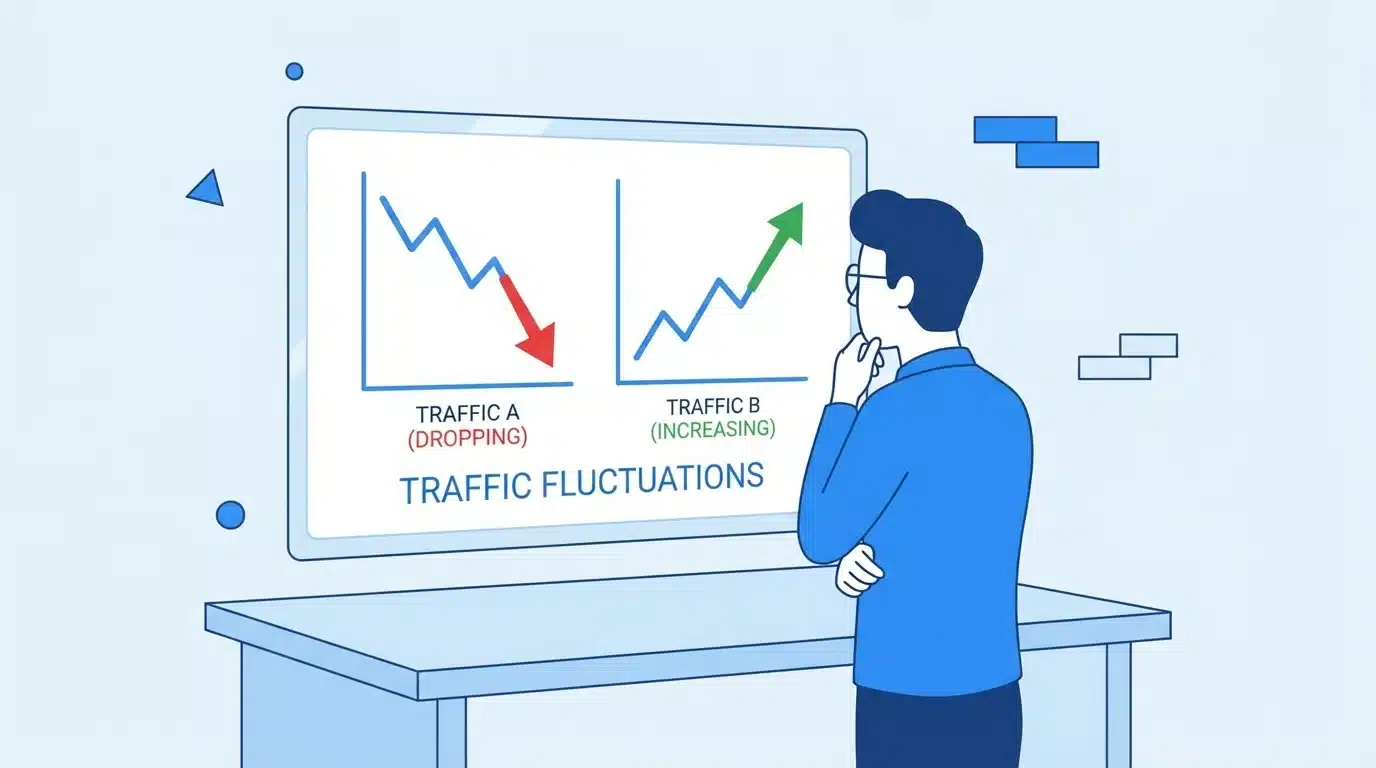
Organic traffic rarely stays stable. Even the best-performing websites experience fluctuations. These changes can happen daily, weekly, or seasonally. The real problem is not the fluctuation itself—but how you interpret it.

Many marketers panic when they see a sudden drop. They assume something is broken, start making random changes, and often make things worse. On the other hand, when traffic spikes, they assume everything is working perfectly—even when it may not be sustainable.
The truth is simple: SEO data is noisy. Not every change matters.
What you need to understand is:
- Some fluctuations are normal and expected
- Some changes are temporary
- Some changes are signals of deeper issues
- Some changes are opportunities
The goal of SEO analytics is to separate signal (important change) from noise (normal fluctuation).
What SEO Analytics Really Means (And Why Most Marketers Get It Wrong)
SEO analytics is not just about collecting data. It is about using that data to make better decisions.
Most marketers focus on:
- Traffic numbers
- Rankings
- Monthly reports
But they miss the most important part—interpretation.
Let’s break this down clearly:
- Tracking = Collecting data
- Reporting = Presenting data
- Analysis = Understanding patterns
- Interpretation = Finding meaning
- Decision-making = Taking action
Most SEO reports fail because they stop at reporting. They show numbers but do not explain:
- Why did traffic change?
- Which pages are affected?
- What caused the change?
- What should be done next?
This leads to common mistakes:
- Fixing things that are not broken
- Ignoring real issues
- Overreacting to short-term changes
- Making decisions based on incomplete data
SEO analytics is valuable only when it leads to clear, confident decisions.
Core SEO Metrics You Must Understand First
Before you can interpret data, you must understand what each metric actually represents. Misunderstanding metrics is one of the biggest reasons for poor SEO decisions.
Performance & Visibility Metrics
These metrics tell you how often your website appears in search results and how users interact with it.
- Organic Traffic This shows how many users visit your site from search engines. However, traffic alone does not indicate success—it must be linked to outcomes.
- Impressions This shows how often your pages appear in search results. A drop in impressions usually means reduced visibility.
- Click-Through Rate (CTR) This measures how many users click your result after seeing it. A low CTR can mean:
- Poor title or meta description
- Strong competition in SERP
- Presence of rich results or AI summaries
- Keyword Rankings This shows where your pages appear for specific keywords. Small ranking changes may not matter—but big drops usually do.
Traffic & User Behavior Metrics
These metrics tell you what users do after they land on your site.
- Bounce Rate Indicates how many users leave without interaction. A high bounce rate is not always bad—it depends on page intent.
- Engagement Time Shows how long users stay on your site. Higher engagement usually indicates better content quality.
- Pages Per Session Indicates how deeply users explore your site. More pages usually mean better internal linking or interest.
- Scroll Depth Shows how much of the content users consume. Helps evaluate content structure and readability.
Conversion & Business Metrics
These are the most important metrics because they connect SEO to business value.
- Conversions This includes leads, purchases, sign-ups, or downloads.
- Conversion Rate Percentage of users who take a desired action.
- Revenue from Organic Traffic Shows the actual business impact of SEO.
Important insight: You can lose traffic and still grow revenue if the traffic quality improves.
Technical Health Metrics
These metrics show how well your website performs from a technical perspective.
- Core Web Vitals Measure loading speed, interactivity, and visual stability.
- Index Coverage Shows which pages are indexed by search engines.
- Crawl Errors Indicate issues that prevent search engines from accessing pages.
Even strong content cannot perform if technical issues exist.
Authority & Off-Page Metrics
These metrics reflect your website’s credibility.
- Backlinks Links from other websites act as trust signals.
- Referring Domains More unique domains usually indicate stronger authority.
- Domain Authority (or similar metrics) A comparative score that reflects overall strength.
Authority helps improve rankings across multiple pages.
How to Read an SEO Report (Step-by-Step Framework)

Most SEO reports fail because they focus on numbers instead of insights. This framework helps you interpret data correctly.
Step 1: Start With Business Outcomes (Not Traffic)
Always begin with:
- Conversions
- Leads
- Revenue
If these are growing, small traffic drops may not matter.
Step 2: Establish Your Baseline (What’s “Normal”)
A baseline is your normal performance level.
Without a baseline, every change looks like a problem.
You should define:
- Average monthly traffic
- Typical CTR
- Usual rankings
- Normal conversion rate
This helps you identify real anomalies instead of reacting to normal variation.
Step 3: Compare Year-over-Year Before Month-over-Month
Month-to-month comparison can be misleading because:
- Search demand changes
- Seasonality affects traffic
Year-over-year comparison gives a clearer picture of real growth.
Step 4: Segment Your Data to Find the Real Issue
Looking at total traffic is not enough.
Break your data into:
- Page-level performance
- Device (mobile vs desktop)
- Geographic location
- Keyword intent
Example: If only blog pages dropped but product pages stayed stable, the issue is content-related—not site-wide.
Step 5: Cross-Check Multiple Data Sources
Never trust a single tool completely.
Compare:
- Google Analytics (user behavior)
- Search Console (search performance)
- SEO tools (rankings and backlinks)
If all tools show the same trend, the issue is likely real.
Step 6: Turn Numbers Into a Story (Insights → Action)
Every report should answer:
- What changed?
- Where did it change?
- Why did it change?
- What should we do next?
If your report cannot answer these questions, it is incomplete.
What Are SEO Data Anomalies?
SEO data anomalies are unusual changes that do not match your normal performance patterns.
These can be:
- Positive anomalies Sudden increase in traffic, rankings, or conversions
- Negative anomalies Sudden drops in visibility or engagement
- False anomalies Caused by tracking errors, reporting issues, or temporary glitches
The key point: An anomaly is not automatically a problem. It is simply a signal that something has changed.
How to Detect SEO Anomalies (Practical Methods)
Detecting SEO anomalies is not about reacting to every change—it is about identifying patterns that are truly unusual compared to your normal performance.
A good SEO analyst does not rely on one method. Instead, they combine multiple approaches to confirm whether a change is real and meaningful.
Manual Analysis
Manual analysis is the first and most important step in detecting anomalies. It helps you visually understand trends before jumping into deeper analysis.
When reviewing your data manually, focus on:
- Traffic graphs over time
- Sudden spikes or drops
- Patterns that repeat (weekly, monthly, seasonal)
For example:
- A sharp drop in one day may indicate a tracking issue
- A gradual decline over weeks may indicate a ranking problem
- A spike followed by a drop may indicate temporary visibility
Manual analysis helps you answer one key question: Does this change look natural or unusual?
Data Segmentation
Looking at total traffic can hide the real issue. Segmentation allows you to break data into smaller parts and find the exact source of change.
You should segment your data by:
- Page-level Identify which specific pages lost or gained traffic
- Keyword clusters Check if a group of keywords dropped together
- Device type Compare mobile vs desktop performance
- Geographic location See if the issue is limited to a specific region
Example:
- If only blog pages dropped → content issue
- If only mobile traffic dropped → UX or speed issue
- If only one country dropped → localization or ranking issue
Segmentation turns confusion into clarity.
Automated Anomaly Detection
Manual analysis is useful, but it is not scalable. Automated systems help you detect changes quickly.
You can set up:
- Traffic alerts (e.g., sudden 20% drop)
- Ranking alerts for important keywords
- Conversion alerts
Benefits of automation:
- Faster detection
- Reduced manual effort
- Real-time monitoring
However, automation should support—not replace—analysis. Alerts tell you something changed, but not why.
Technical SEO Diagnostics
When anomalies are large or sudden, technical issues are often the cause.
Use technical diagnostics to check:
- Whether pages are still indexed
- If there are crawl errors
- If site speed has changed
- If pages are accidentally blocked
Common technical causes include:
- Incorrect robots.txt rules
- Noindex tags added by mistake
- Server downtime
- Broken internal links
Technical checks are critical when traffic drops suddenly across the entire site.
Common Causes of SEO Data Anomalies
Understanding the root cause of anomalies helps you avoid incorrect actions. Not every drop is a problem—and not every spike is success.
Seasonality & Market Trends
Search demand changes based on time and user behavior.
Examples:
- E-commerce traffic increases during festive seasons
- Educational content spikes during exam periods
- Travel searches increase during holidays
If your traffic drop matches historical patterns, it is likely seasonal—not a problem.
Google Algorithm Updates
Search engines frequently update how they rank content.
These updates can:
- Improve rankings for some websites
- Reduce visibility for others
- Change how content is evaluated
If your traffic changes suddenly across many pages, an algorithm update may be the cause.
SERP Feature Changes (AI Overviews, Snippets)
Search results are evolving. Features like:
- AI-generated summaries
- Featured snippets
- Knowledge panels
can reduce clicks even if your ranking stays the same.
This creates a situation where:
- Impressions stay stable
- Rankings stay stable
- But clicks drop
This is not a ranking issue—it is a visibility shift.
Technical Issues (Indexing, Site Errors)
Technical problems can have an immediate and significant impact.
Common issues include:
- Pages removed from index
- Slow page load speed
- Broken pages (404 errors)
- Redirect issues
If technical issues are the cause, the impact is usually:
- Sudden
- Site-wide
- Severe
Competitor Activity
SEO is competitive. Your performance depends not only on your efforts but also on your competitors.
Competitors may:
- Publish better content
- Build stronger backlinks
- Optimize their pages more effectively
If your rankings drop gradually, competitor improvement is often the reason.
Entity Confusion & Search Intent Shift
Search engines continuously refine how they understand queries.
This can lead to:
- Different types of content ranking
- Changes in user intent
- New competitors appearing
Example:
A keyword that previously showed blog content may now show product pages. If your content does not match the new intent, rankings may drop.
How to Investigate a Traffic Drop or Spike (Real Framework)
When you notice a change, follow a structured process. Avoid guessing or making immediate changes.
Step 1: Confirm the Anomaly Is Real
Before taking action, verify the data.
- Check tracking codes
- Compare multiple tools
- Ensure there are no reporting errors
If the anomaly appears only in one tool, it may not be real.
Step 2: Identify Scope (Site-wide vs Page-level)
Determine the scale of impact:
- Site-wide issue → likely technical or algorithm-related
- Page-level issue → likely content or keyword-related
This step helps narrow down the problem quickly.
Step 3: Check Timing (What Changed?)
Look at what happened around the same time:
- Website updates
- Content changes
- Algorithm updates
- Backlink changes
Timing often reveals the cause.
Step 4: Map Metrics to Possible Causes
Different metrics indicate different issues.
- Traffic drop + stable rankings → CTR or SERP issue
- Traffic drop + ranking drop → SEO issue
- Traffic drop + indexing issue → technical problem
Mapping metrics to causes helps avoid incorrect assumptions.
Step 5: Validate With Data Sources
Always confirm your findings.
- Cross-check GA4 and Search Console
- Use SEO tools for rankings
- Verify technical data
Consistency across tools increases confidence in your conclusion.
Step 6: Take Action & Monitor
Once you identify the cause:
- Fix the issue
- Monitor performance
- Adjust your strategy if needed
SEO changes take time, so continuous monitoring is essential.
Common False Alarms in SEO Data (And What They Actually Mean)
Many changes in SEO data look serious but are actually normal.
1. Clicks Have Dropped
This does not always mean rankings dropped.
Possible reasons:
- Lower CTR
- SERP feature changes
- Changes in user behavior
2. Impressions Have Dropped
This may happen due to:
- Reduced search demand
- Seasonal trends
3. Rankings Have Dropped
Small ranking changes (e.g., position 3 to 5) may not significantly impact traffic.
4. Conversions Have Increased Suddenly
This is often a positive signal.
- Better traffic quality
- Improved intent matching
5. Bounce Rate Has Increased
A higher bounce rate may occur if:
- Users find answers quickly
- Content satisfies intent immediately
It is not always a negative signal.
Questions You Should Always Ask About Your SEO Data
Before taking action, ask the right questions:
- Is this change visible across all tools?
- Is this consistent with historical trends?
- Which pages or keywords are affected?
- Does this impact revenue or just traffic?
- What changed before this happened?
These questions prevent unnecessary actions.
Turning SEO Data Into Actionable Decisions
Data is only useful if it leads to action.
The 4-Question Decision Framework
Every SEO decision should follow this structure:
- What changed? Identify the exact issue
- Why did it change? Understand the cause
- Does it matter? Evaluate business impact
- What should we do next? Define clear actions
This framework ensures structured thinking.
Prioritizing SEO Actions
Not all issues are equally important.
Focus on:
- High-impact issues (affect revenue or major pages)
- Low-effort fixes with quick results
- Technical issues before content improvements
A simple priority model:
- High impact + low effort → Do first
- High impact + high effort → Plan carefully
- Low impact → Deprioritize
SEO Analytics in the Age of AI Search (2026 and Beyond)
Search behavior is changing rapidly due to AI-driven features.
AI systems now provide direct answers in search results. This reduces the need for users to click on websites.
As a result:
- CTR is declining in many industries
- Zero-click searches are increasing
- Visibility is becoming more important than clicks
This means:
- Ranking #1 does not guarantee traffic
- Content must be highly relevant and authoritative
- SEO success must be measured beyond clicks
Marketers need to adapt by focusing on:
- Building strong brand presence
- Creating high-quality, structured content
- Optimizing for multiple search formats
Tools You Need for SEO Data Interpretation
Using the right tools makes analysis easier and more accurate.
Foundational Tools
- Google Analytics 4 for user behavior
- Google Search Console for search performance
Advanced SEO Platforms
- Semrush for keyword and competitor analysis
- Ahrefs for backlinks and rankings
Technical & Automation Tools
- Screaming Frog for technical audits
- Dashboards for reporting and monitoring
How to Set Up SEO Benchmarking & Reporting
A strong setup ensures consistent and reliable analysis.
- Define clear KPIs based on business goals
- Create dashboards for easy visualization
- Set alerts for unusual changes
- Review data regularly (weekly and monthly)
Benchmarking helps you understand what is normal and identify real anomalies.
Frequently Asked Questions (FAQs)
What is SEO analytics?
SEO analytics is the process of analyzing search data to improve website performance and decision-making.
How often should I analyze SEO data?
You should monitor data weekly and perform detailed analysis monthly.
What is a good anomaly threshold?
Any significant deviation from your baseline performance should be investigated.
Which metrics matter most?
Conversions, revenue, and engagement are more important than traffic alone.
How do I know if a traffic drop is serious?
If it impacts business outcomes and is consistent across multiple tools, it should be taken seriously.
Conclusion
SEO success does not come from tracking more data—it comes from understanding the data you already have.
When you focus on interpretation, you stop reacting to every fluctuation and start making smarter, more confident decisions. Over time, this approach leads to more stable performance, better strategies, and stronger business results.

