



When a website grows, it naturally creates more pages. Blogs expand, product listings increase, filters generate new URLs, and CMS platforms create archive pages automatically. Over time, many of these pages can end up in Google’s index even though they provide little value to users. This situation is commonly called index bloat.

Index bloat happens when search engines index more pages than necessary, especially pages that do not contribute meaningful content, traffic, or rankings. Instead of indexing only high-quality pages, search engines may include parameter URLs, filtered pages, duplicate pages, or thin content.
This can create problems for SEO. Search engines have limited resources when crawling a website, so when too many low-value pages are present, those resources may be spent on unimportant URLs rather than the pages that matter most.
In this guide, you will learn what index bloat is, why it happens, how it affects search performance, and the practical steps you can take to fix and prevent it.
What Is Index Bloat in SEO?
Index bloat refers to a situation where a large number of unnecessary or low-value pages are indexed by search engines. These pages do not provide meaningful information to users, but they still appear in the search engine’s index.
In an ideal scenario, only your most useful and valuable pages should be indexed. These include product pages, important landing pages, helpful blog posts, and other pages designed to serve users.
However, websites often generate additional URLs that search engines may crawl and index even though they were never intended to appear in search results.
Common examples include:
- Filtered product pages
- Search result pages within a website
- Duplicate versions of the same page
- Automatically generated archive pages
- Tracking parameter URLs
The key difference between a healthy index and index bloat is the ratio of valuable pages to indexed pages. When a large portion of indexed pages provide little value, search engines may struggle to determine which pages deserve visibility.
Understanding Crawl Budget
Search engines do not crawl every page of a website endlessly. Instead, they allocate a limited amount of crawling resources to each website. This concept is known as crawl budget.
Crawl budget refers to the number of pages a search engine crawler is willing to crawl within a certain time period.
Several factors influence crawl budget:
- Website authority and popularity
- Server performance and response speed
- Website structure and internal linking
- Number of available URLs
If a website has thousands of unnecessary URLs, crawlers may spend time exploring those instead of focusing on the most important pages.
When crawl resources are used inefficiently, some valuable pages may not be crawled frequently, which can delay indexing updates or affect search visibility.
Why Index Bloat Is a Problem for SEO
Index bloat can negatively impact how search engines crawl, evaluate, and rank a website. When the index contains many low-value pages, it becomes harder for search engines to identify which pages deserve priority.
Crawl Budget Waste
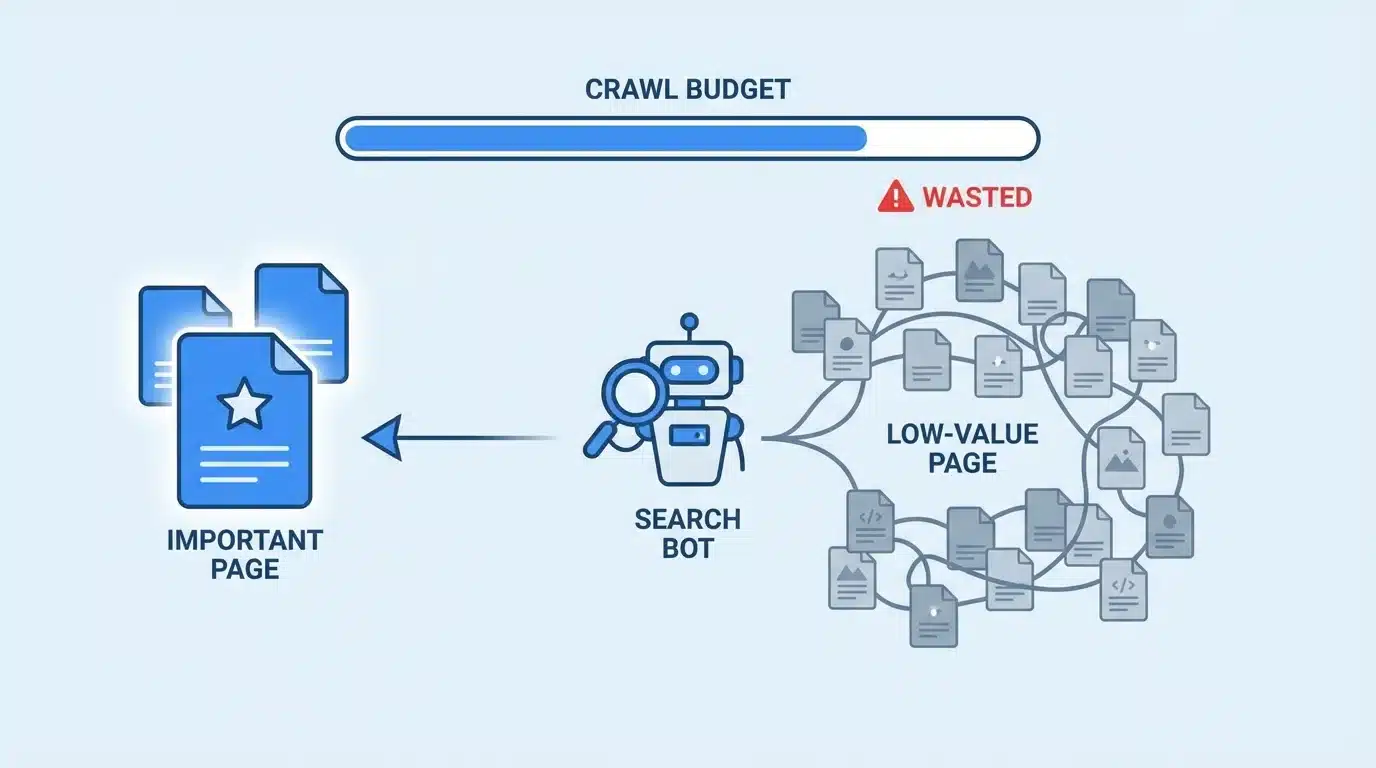
Search engines use automated crawlers to discover and analyze pages. When index bloat exists, crawlers may spend significant time visiting pages that do not provide value.
This can lead to several issues:
- Important pages may be crawled less frequently
- Newly published content may take longer to be indexed
- Search engines may miss important updates on key pages
Efficient crawling is important for maintaining accurate search results, and unnecessary URLs reduce that efficiency.
Reduced SEO Performance
When too many pages compete within the same website, search engines must determine which page should rank for a given topic.
Low-quality pages may compete with important pages in several ways:
- Similar keywords across multiple pages
- Duplicate or near-duplicate content
- Overlapping internal links
This competition can weaken the ability of high-quality pages to rank effectively.
Thin Content and Duplicate Content Signals
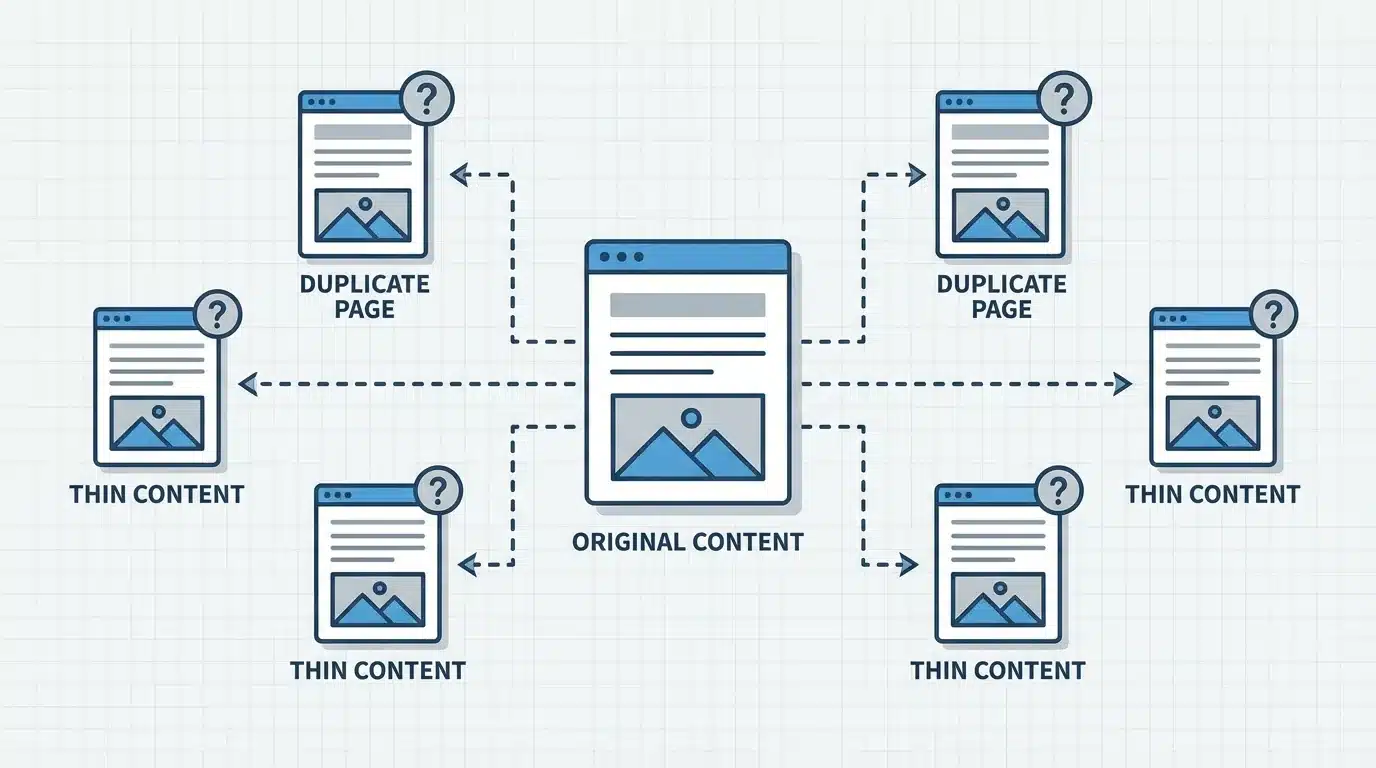
Search engines attempt to evaluate the quality of pages before displaying them in results. Pages that contain very little unique information or duplicate existing content can signal low quality.
Examples include:
- Pages with only a few lines of text
- Duplicate product descriptions across multiple URLs
- Filtered pages that repeat the same product listings
When a website contains a large number of such pages, it may affect how search engines evaluate the overall quality of the site.
Impact on Site Authority and Content Quality Signals
Search engines increasingly focus on delivering helpful and reliable information to users. If a website contains many low-value pages, it can affect overall quality signals associated with the domain.
For example:
- Search engines may consider the site less focused
- Valuable pages may receive less attention from crawlers
- Overall trust signals may be weakened
Maintaining a clean and focused index helps search engines understand which pages represent the best information on a website.
Common Causes of Index Bloat
Index bloat rarely occurs intentionally. It often develops as websites grow and technical settings allow search engines to index pages automatically.
Faceted Navigation and Filters
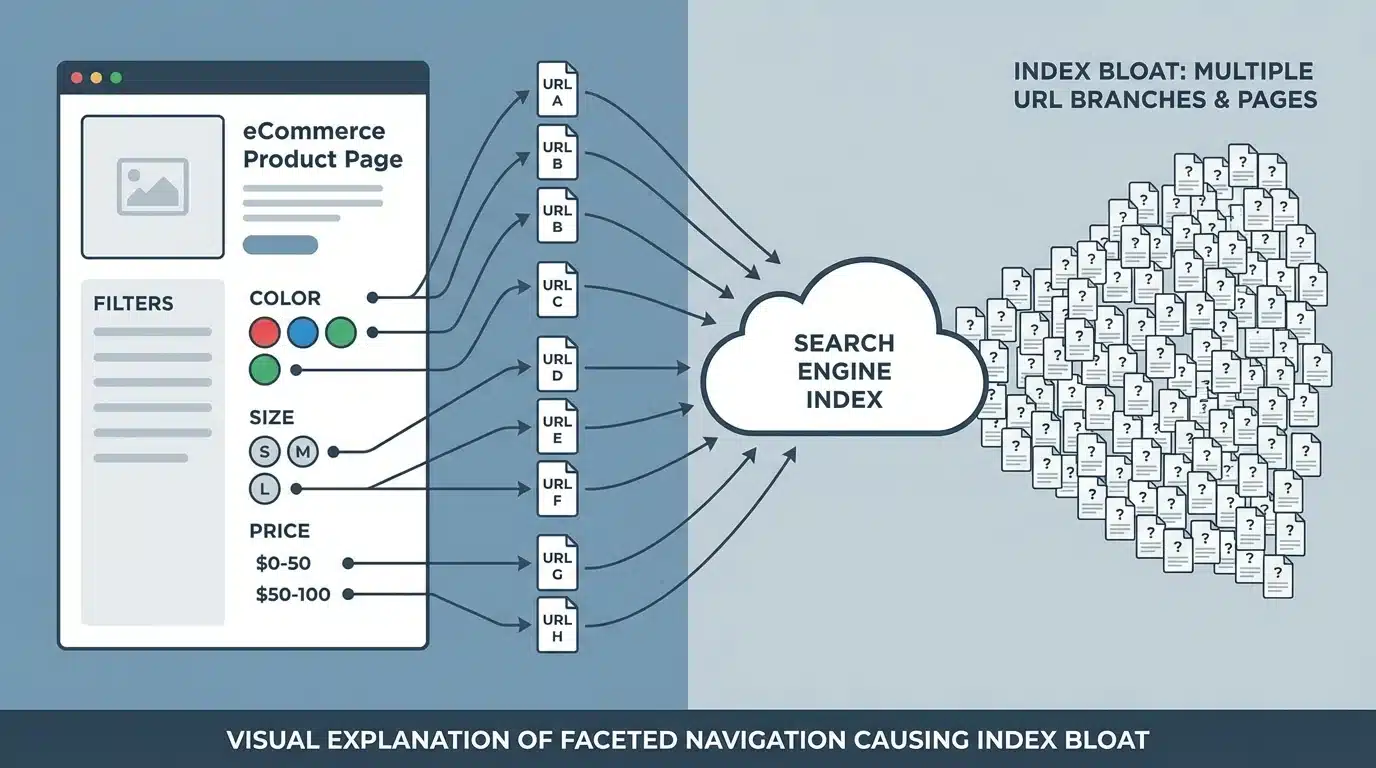
Many eCommerce websites allow users to filter products by attributes such as size, color, price, or brand. Each filter combination may create a unique URL.
For example:
- Filter by price
- Filter by color
- Filter by brand
- Filter by availability
When these combinations generate new URLs, thousands of variations can appear. If search engines index these pages, the website’s index can grow rapidly with pages that offer little unique value.
Parameterized URLs
URL parameters are commonly used to track user behavior or modify page displays.
Examples include:
- Sorting options
- Tracking codes
- Session identifiers
- Filtering parameters
Each parameter can generate a different URL version of the same page. If these versions are indexed, they may create duplicate content within the index.
CMS-Generated Pages
Content management systems often generate additional pages automatically.
Examples include:
- Tag pages
- Archive pages
- Author pages
- Category pages
While some of these pages may provide value, many contain little original content and simply repeat links to other pages.
Programmatic SEO Without Safeguards
Programmatic SEO involves creating large numbers of pages automatically based on structured data. While this strategy can be useful, it must be implemented carefully.
Without proper safeguards, it can lead to:
- Thousands of similar pages
- Duplicate content patterns
- Pages with minimal unique information
When these pages are indexed, they may contribute significantly to index bloat.
Auto-Generated Pages
Some websites automatically generate pages for user queries or navigation systems.
Examples include:
- Internal search result pages
- Date-based archive pages
- Pagination pages
- Dynamic landing pages
If these pages are indexed without control, they can dramatically increase the number of indexed URLs.
Thin or Low-Quality Content
Pages with very limited content often provide little value to users.
Examples include:
- Short pages with only a few sentences
- Pages created only for keyword targeting
- Duplicate location pages with minor changes
If many such pages exist within a website, they may contribute to index bloat.
How to Identify Index Bloat on Your Website
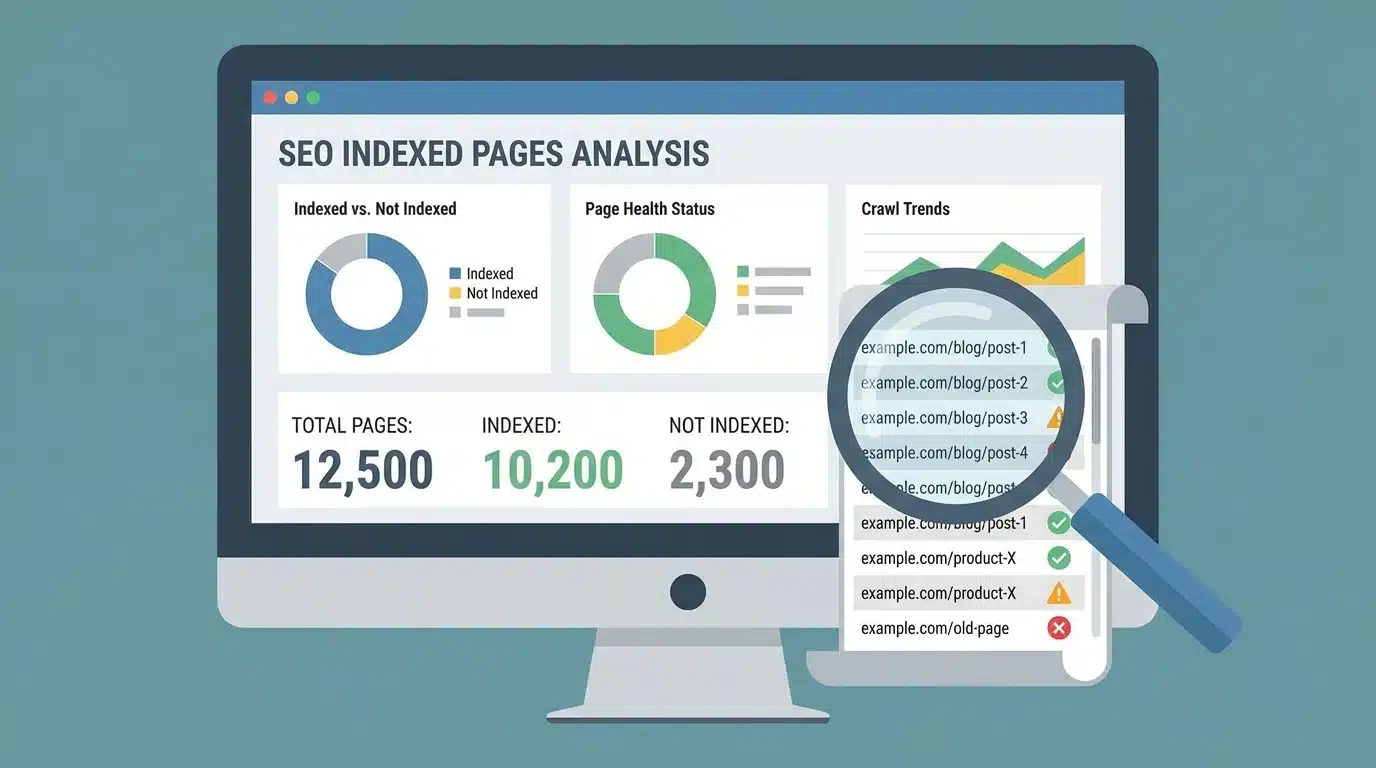
Before fixing index bloat, it is important to understand whether the problem exists and how large it is.
Check Indexed Pages in Google
A quick way to estimate indexed pages is by using the site search operator in Google.
Example search:
site:yourdomain.com
This query shows an approximate number of pages indexed from a domain. If the number appears much higher than the number of important pages on the site, index bloat may be present.
Analyze the Pages Report in Google Search Console
Google Search Console provides detailed reports about indexed pages and pages excluded from indexing.
Important areas to review include:
- Indexed pages
- Duplicate pages
- Crawled but not indexed pages
- Pages blocked by robots.txt
Comparing these reports with the number of important pages on the website can reveal indexing issues.
Crawl Your Website with SEO Tools
Website crawling tools simulate how search engines explore websites.
These tools can help identify:
- Duplicate pages
- Parameter URLs
- Thin content pages
- Internal linking patterns
By reviewing crawl data, you can locate sections of the site that generate unnecessary pages.
Identify Duplicate or Parameterized URLs
Reviewing URL structures can help detect patterns that generate multiple versions of the same content.
Common indicators include:
- URLs containing tracking parameters
- URLs containing sorting options
- Multiple URLs leading to identical content
Recognizing these patterns helps identify which pages should not be indexed.
How to Fix Index Bloat (Step-by-Step)
Once index bloat is identified, several technical and content-related solutions can help reduce it.
Remove or Improve Thin Content Pages
Pages that contain very little useful information should be evaluated carefully.
Possible actions include:
- Expanding the content to make it more helpful
- Merging similar pages into a stronger page
- Removing pages that provide no value
Improving content quality helps ensure that indexed pages contribute positively to search results.
Use Noindex for Low-Value Pages
The noindex directive tells search engines not to include a page in their index.
This method is useful for pages that must exist but should not appear in search results.
Examples include:
- Internal search pages
- Login pages
- Duplicate archives
Using noindex helps prevent unnecessary pages from entering the index.
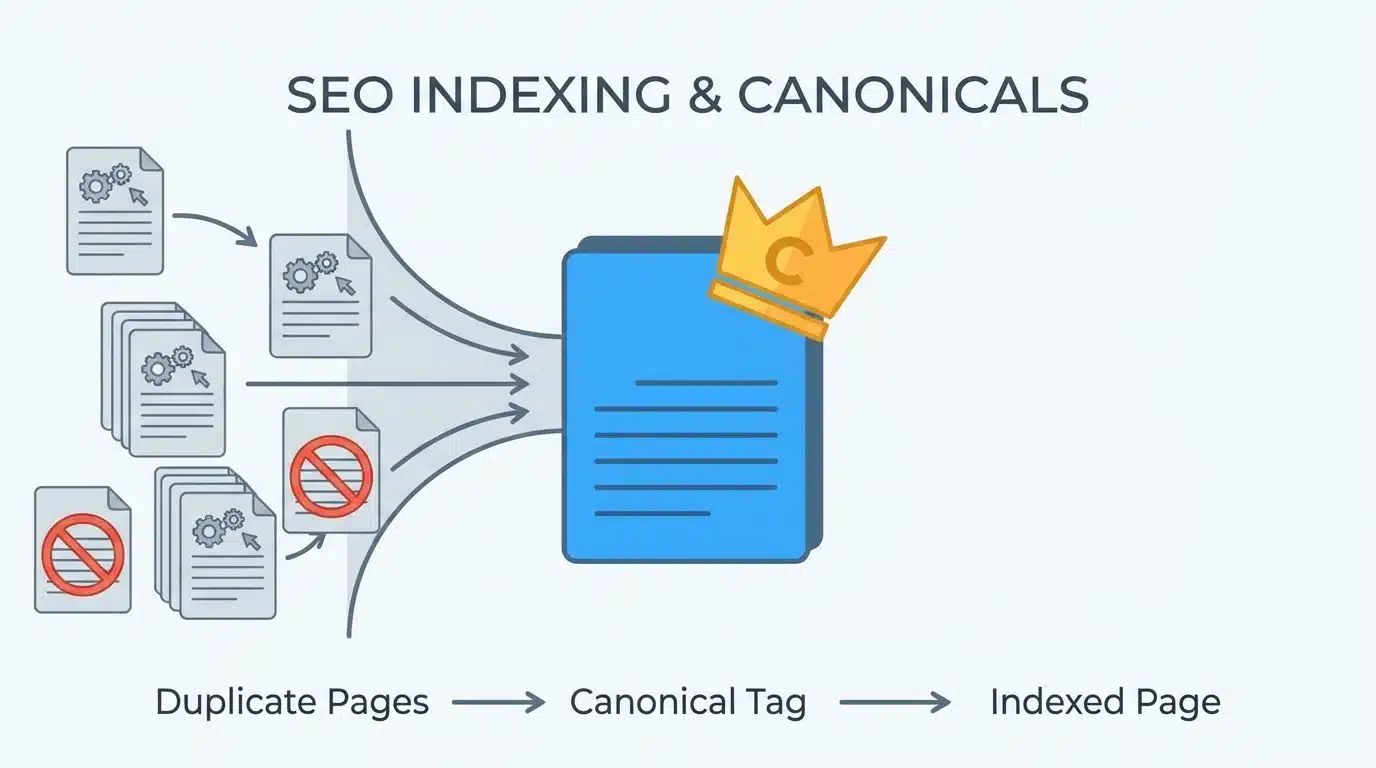
Implement Canonical Tags
Canonical tags indicate the preferred version of a page when multiple versions exist.
For example, if multiple URLs display the same content, a canonical tag can signal which one should be considered the primary version.
Benefits include:
- Consolidating ranking signals
- Reducing duplicate content
- Clarifying indexing preferences
Fix Pagination and Faceted Navigation
Pagination and filters should be configured carefully to prevent excessive indexing.
Strategies may include:
- Limiting which filtered pages are indexable
- Using canonical tags where appropriate
- Ensuring important category pages remain prioritized
Proper configuration prevents thousands of unnecessary URLs from being indexed.
Block Unnecessary URLs in Robots.txt
The robots.txt file can prevent crawlers from accessing certain parts of a website.
Sections often blocked include:
- Parameter URLs
- Internal search results
- Temporary or testing pages
Blocking these sections helps search engines focus on important pages.
Remove Internal Links to Junk Pages
Internal links guide search engine crawlers through a website. If many internal links point to low-value pages, crawlers may continue visiting them.
Cleaning up internal links can help redirect crawl attention toward more valuable pages.
Examples include:
- Removing links to thin pages
- Reducing navigation links to archive pages
- Prioritizing links to key landing pages
Strategic Content Pruning
Content pruning is the process of reviewing and removing pages that no longer contribute value to a website.
Not every page needs to remain online indefinitely. Over time, some pages may become outdated, duplicated, or irrelevant.
Content pruning typically involves several steps:
- Identifying pages with little or no traffic
- Evaluating whether the content is still useful
- Deciding whether to update, merge, or remove the page
Pages that provide similar information can sometimes be merged into a single comprehensive page. This can improve content quality and concentrate ranking signals.
A smaller number of high-quality pages often performs better in search results than a large number of weak pages.
Best Practices to Prevent Index Bloat
Preventing index bloat is easier than fixing it later. Establishing clear processes can help maintain a healthy index over time.
Align Content Publishing With Crawl Budget
When publishing new content, it is helpful to consider whether the page provides unique value.
Important considerations include:
- Whether the page answers a clear user question
- Whether the content is substantially different from existing pages
- Whether the page supports the overall structure of the website
Publishing fewer but higher-quality pages helps maintain a focused index.
Control Indexation in CMS and Programmatic SEO
Many CMS platforms allow configuration of indexing rules.
Useful controls include:
- Preventing indexing of tag pages
- Limiting archive pages
- Applying noindex to automatically generated pages
Programmatic SEO systems should also include indexation controls to avoid creating thousands of low-value pages.
Conduct Regular Index Audits
Regular audits help detect problems early.
An index audit may include:
- Reviewing indexed page counts
- Identifying duplicate content patterns
- Checking crawl reports
Performing these audits periodically helps maintain a clean and efficient index.
Monitor Google Search Console Reports
Google Search Console provides ongoing insights into indexing activity.
Monitoring these reports can help detect:
- Sudden increases in indexed pages
- Duplicate page warnings
- Crawled but not indexed pages
Addressing these issues quickly helps prevent index bloat from expanding.
How SEO Tools Help Manage Index Bloat
SEO tools provide additional visibility into how search engines interact with a website.
Crawl Your Site with Site Audit Tools
Site audit tools simulate search engine crawlers and identify technical issues.
These tools can reveal:
- Duplicate content
- Redirect chains
- Broken links
- Thin pages
Regular audits help detect indexing problems early.
Analyze Internal Linking Structure
Internal linking analysis helps determine how authority flows through a website.
This can reveal:
- Pages receiving too many links
- Pages receiving very few links
- Pages that should not receive crawl attention
Adjusting internal links can improve crawl efficiency.
Detect Parameterized and Duplicate URLs
SEO tools can identify URL patterns that generate duplicates.
These patterns often include:
- Sorting parameters
- Filtering parameters
- Tracking parameters
Detecting these patterns helps identify which URLs should be controlled or excluded.
Prioritize Fixes Based on Impact
Large websites may contain thousands of pages, so prioritization is important.
SEO tools often highlight issues based on potential impact, allowing teams to focus on the most critical problems first.
Monitor Changes Over Time
Index management is not a one-time task. Continuous monitoring ensures that new problems do not develop.
Tracking changes in indexed pages and crawl activity helps confirm whether improvements are working.
Quick Checklist to Fix Index Bloat
- Compare the number of indexed pages with the number of important pages
- Identify duplicate content and parameterized URLs
- Apply noindex tags to pages that should not appear in search results
- Use canonical tags to consolidate duplicate pages
- Block unnecessary URLs in robots.txt where appropriate
- Remove internal links pointing to low-value pages
- Monitor indexing reports regularly in search console
Conclusion
Index bloat occurs when a website has more indexed pages than necessary, especially pages that provide little value to users. As websites grow, automated systems, filters, parameter URLs, and duplicate pages can gradually increase the number of indexed URLs.
This can reduce crawl efficiency, weaken SEO performance, and make it harder for search engines to understand which pages are most important. By identifying unnecessary pages, controlling indexation, improving content quality, and monitoring crawl activity, websites can maintain a cleaner and more efficient index.
Managing index bloat is an ongoing process. Regular audits, careful content publishing, and proper technical configuration help ensure that search engines focus on the pages that matter most. A well-maintained index allows valuable content to perform better in search results and improves the overall health of a website’s SEO strategy.

