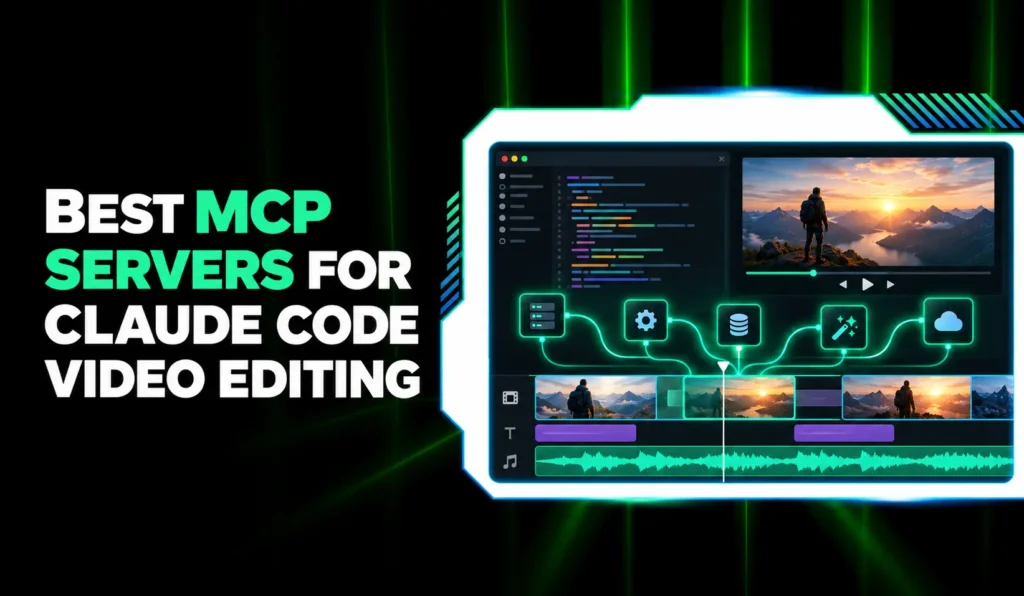

The best MCP servers for Claude Code video editing in 2026 are the ones that let a terminal agent do real editing work: Invideo Editor for editing a live timeline you watch in the browser, Kinocut for free local FFmpeg editing, and hosted options like OpusClip, Shotstack, Reap, fal.ai and Wireflow for clipping, rendering, repurposing and generation. Claude Code connects to every one of them with a single claude mcp add command. This guide ranks seven by how much real editing the agent can complete from the terminal, how little setup it needs, and how much control you keep afterwards.
Quick Summary
- Invideo Editor – Claude Code edits a real multitrack timeline you watch in the browser (Best Overall)
- Kinocut – Free, open-source FFmpeg MCP server that runs on your machine (Best Free and Local)
- OpusClip – One-command hosted server for clipping, captions and publishing (Best for Clipping and Publishing)
- Shotstack – Cloud video API with an MCP server and a Claude Code Skill (Best for Templates and Data-Driven Video)
- Reap – Clipping, captions and dubbing from a prompt (Best for Repurposing and Dubbing)
- fal.ai – Search, price and run 1,000+ generative models (Best for Generating Footage)
- Wireflow – Build and run multi-model workflows from Claude Code (Best for Multi-Model Pipelines)
How Claude Code Connects to a Video MCP Server
Claude Code adds MCP servers with one command. For a hosted server, you give it the URL: claude mcp add –transport http <name> <url>. For a local server, you give it the command that starts the server after a double dash: claude mcp add <name> — <command>. Servers that use OAuth sign you in through your browser when you run /mcp inside a session.
You also choose a scope. The default, local, keeps the server to you and the current project. Add –scope project to write a .mcp.json file your team shares, where teammates get a prompt to approve the server, or –scope user to make it available in every project. Claude Code loads tool definitions on demand, so a server with hundreds of tools doesn’t fill your context window, and Anthropic’s docs advise verifying that you trust each server before you connect it.
1. Invideo Editor (Best Overall)

Invideo Editor connects Claude Code to a professional video editor over MCP, so getting started is one setup and a sign-in, not a new workflow. Once connected, the agent can open editing projects, import media and make changes to an editable timeline, which gives you video editing through AI agents from the same terminal session you already use.
The same connection works with ChatGPT, Claude, OpenAI Codex, Cursor, Hermes Agent and OpenClaw. It uses Streamable HTTP, and you authenticate through your invideo account instead of an API key.
Because you work inside an editor project, batch rendering from a data feed is a job for an API-style server such as Shotstack.
Claude Code setup: Use the setup prompt on the Remote Agents page, or run claude mcp add –transport http invideo https://mcp.invideo.io/mcp, then sign in with your invideo account.
Pricing: An invideo account is required. The manual timeline is free to use, and plans start at $20/month in the US, UK and Japan, with pricing varying by region.
2. Kinocut (Best Free and Local)
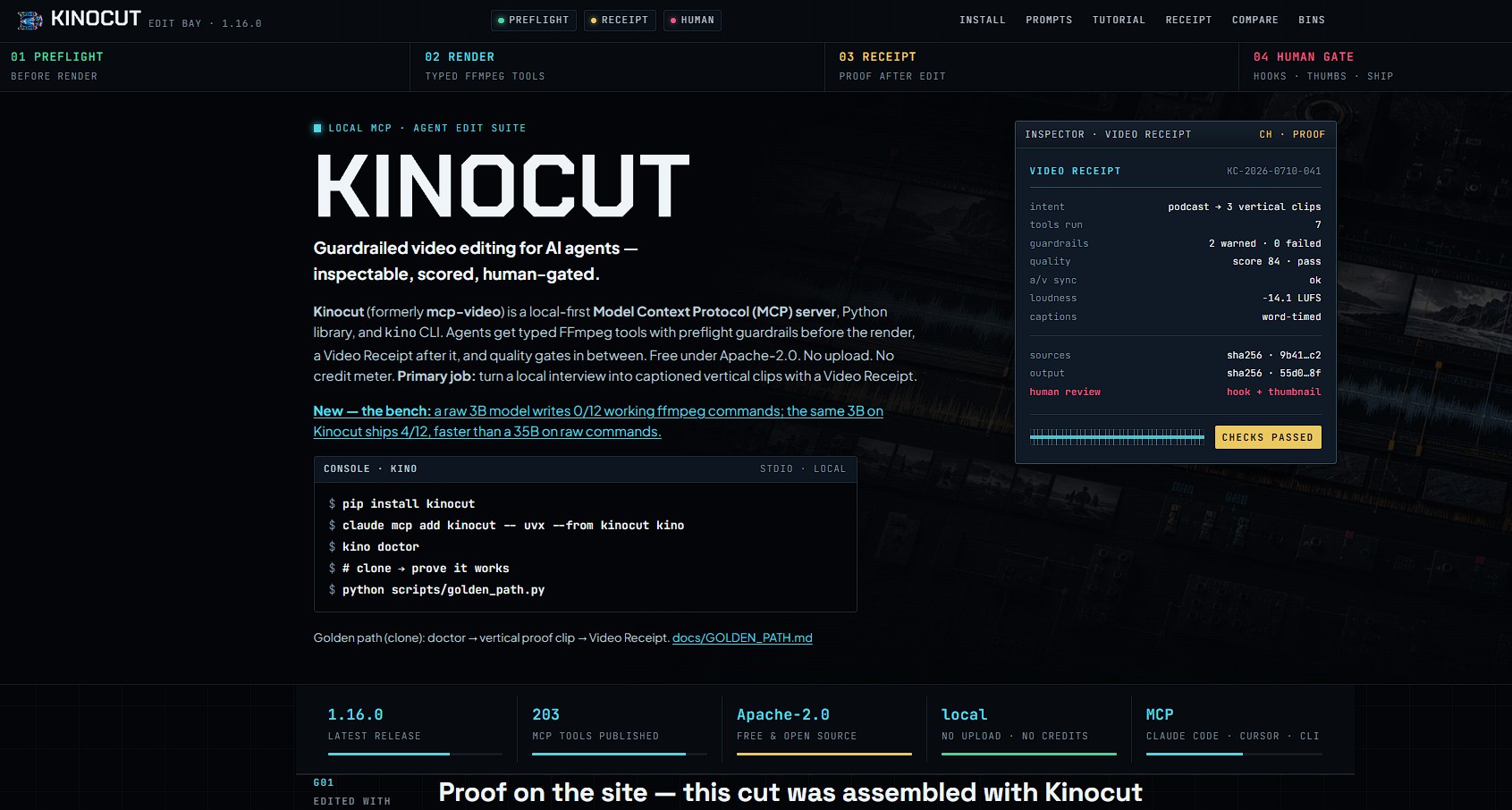
Kinocut (formerly mcp-video) is a free, open-source MCP server that gives Claude Code typed FFmpeg tools to trim, caption, repurpose and quality-check video on your own machine. Its latest release lists 203 MCP tools, plus a kino CLI and an agent skill.
Guardrails and Video Receipts are meant to stop an agent from silently producing broken output. Everything runs locally, so rendering uses your hardware and FFmpeg must be installed. For developers editing footage privately, it is the strongest free option on this list.
Claude Code setup: brew install ffmpeg (or apt install ffmpeg), pip install kinocut, kino doctor, then claude mcp add kinocut — uvx –from kinocut kino –mcp.
Pricing: Free and open source under Apache-2.0. Optional extras such as Whisper subtitles (about 1 GB) and AI upscaling (about 2 GB) add local installs.
3. OpusClip (Best for Clipping and Publishing)
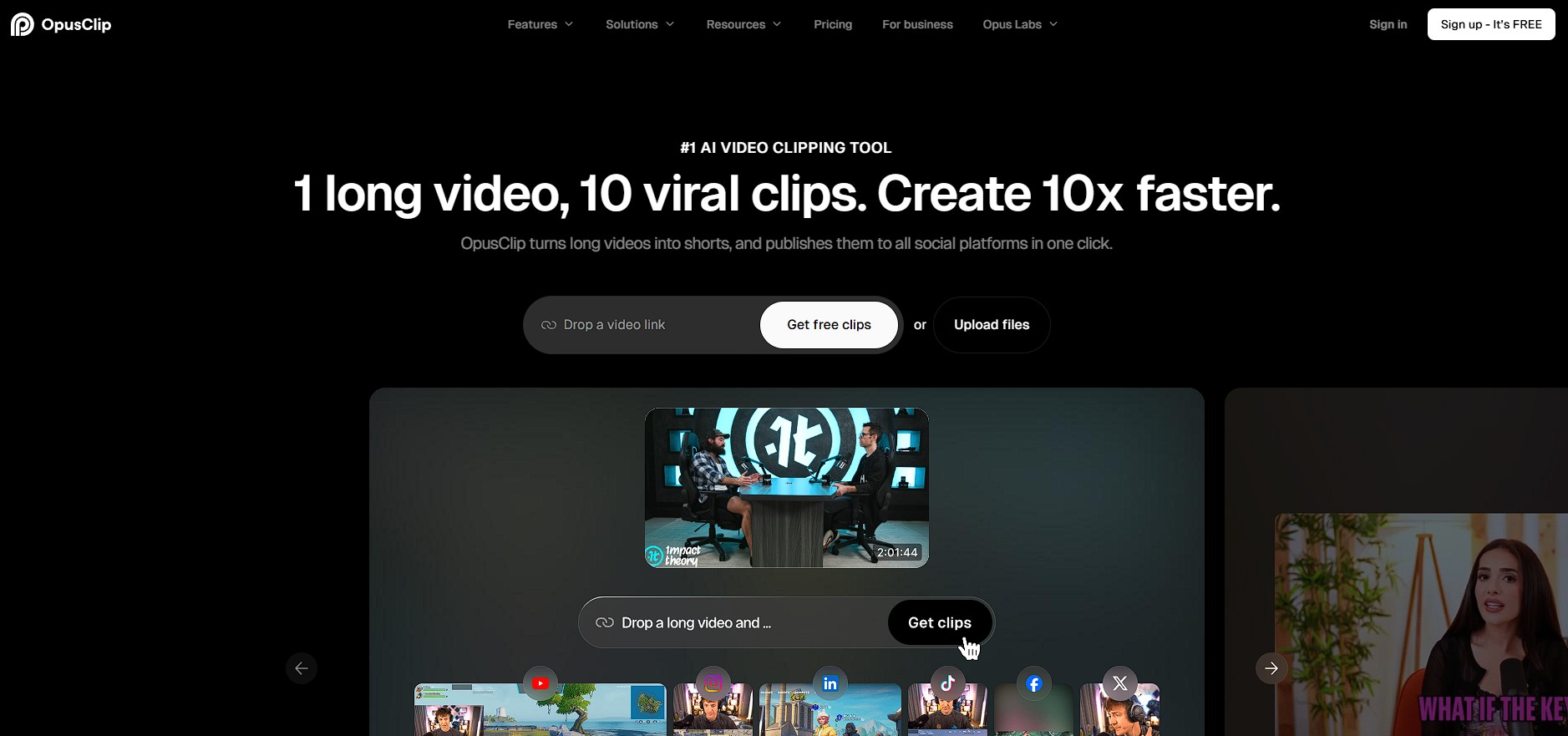
OpusClip’s hosted MCP server lets Claude Code cut long recordings into captioned, reframed clips and schedule posts, with tools for clip, caption, reframe, edit, repurpose and schedule_post. The first tool call opens a browser to sign in to your OpusClip account.
Its edit_clip tool handles timeline operations: cutting and keeping sections, deleting a phrase, dubbing a clip into another language, fixing captions and adding a title card, each runnable as a dry run first. It is built for turning existing long video into short clips, and OpusClip points to a separate product, Agent Opus, for generating new video.
Claude Code setup: claude mcp add –transport http opusclip https://mcp.opus.pro/mcp
Pricing: Free trial, then a Pro plan with metered per-render-minute pricing and no per-seat fees, according to OpusClip’s MCP page.
4. Shotstack (Best for Templates and Data-Driven Video)
Shotstack is a managed cloud video API with an MCP server that lets Claude Code compose and render videos from natural language. Videos are defined as Edit JSON, a timeline of tracks, clips, assets and timing, and in terminal clients like Claude Code the server returns short share links.
It also ships a CLI and a Claude Code Skill that teach the agent Shotstack’s authoring rules, such as its reversed track ordering. That makes it a good fit when video is assembled from data, like a personalized clip per customer record. The MCP server is currently in beta.
Claude Code setup: claude mcp add –transport http shotstack https://mcp.shotstack.io, then complete OAuth with your Shotstack account. A local server using a production API key is also available.
Pricing: Billed per rendered minute: pay-as-you-go from about $0.30 per minute, with subscription plans from around $39 a month.
5. Reap (Best for Repurposing and Dubbing)
Reap’s hosted MCP server lets Claude Code turn a YouTube link or long recording into publish-ready clips with animated captions in 100+ languages and AI dubbing in 80+ languages. Agents can also reframe to 9:16, 1:1 or 16:9, translate subtitles, and publish and schedule to TikTok, Reels and Shorts.
There is no timeline: you describe the result and check back for it, so it suits repurposing more than hands-on editing. An API key from your Reap account is required, and a separate agent skill gives Claude Code the API docs for building integrations.
Claude Code setup: npx add-mcp https://mcp.reap.video/mcp, using the hosted endpoint at https://mcp.reap.video/mcp, and your Reap API key.
Pricing: The MCP endpoint is free to connect and processing uses plan credits. The free plan includes 1 hour; paid plans start at $9.99/month billed yearly ($16.99 month to month).
6. fal.ai (Best for Generating Footage)

fal.ai’s MCP server lets Claude Code search 1,000+ generative models, check a model’s schema and price, run it, and fetch the result across image, video, audio and 3D. It has 11 tools, including search_models, get_pricing, run_model, submit_job and check_job, so the agent can look up a cost before it spends.
It generates but does not edit: there is no timeline, so Claude Code has to handle sequencing itself. Generations use fal credits, and fal notes that asking the agent to confirm the cost is a prompt, not a server-side approval gate.
Claude Code setup: Add https://mcp.fal.ai/mcp-relay as a remote server with claude mcp add –transport http, then run /mcp to sign in through your browser. No API key.
Pricing: The MCP server is free. You pay for the model runs you trigger, at the same pricing as direct API calls.
7. Wireflow (Best for Multi-Model Pipelines)
Wireflow is a workflow canvas where Claude Code can build, inspect and run workflows that chain image, video and audio models, with 100+ models available. Once connected, the agent works with workflows the way it reads a file or searches the web.
Connecting uses OAuth 2.1 with PKCE and dynamic client registration, so there are no keys to paste, and Wireflow lists Claude Code among its setup guides. By its own description it is a workflow platform first, so a quick trim on a local file is better served by a local FFmpeg server.
Claude Code setup: Follow the Claude Code steps on Wireflow’s MCP page, then sign in through /mcp.
Pricing: Usage-based, so you pay for model runs rather than a seat license, according to Wireflow.
Comparison Table
| Tool | Claude Code setup | Runs | Best for | Pricing |
|---|---|---|---|---|
| Invideo Editor | One-prompt setup, or HTTP server plus sign-in | Hosted | Editing a live timeline you watch | Manual timeline free; plans from $20/mo (US, UK, Japan) |
| Kinocut | claude mcp add kinocut — uvx –from kinocut kino –mcp | Local | Free, private FFmpeg editing | Free (Apache-2.0) |
| OpusClip | claude mcp add –transport http opusclip https://mcp.opus.pro/mcp | Hosted | Clipping and publishing | Free trial; metered Pro plan |
| Shotstack | claude mcp add –transport http shotstack https://mcp.shotstack.io | Hosted (beta) | Template and data-driven video | About $0.30/min pay-as-you-go; plans from about $39/mo |
| Reap | npx add-mcp https://mcp.reap.video/mcp plus API key | Hosted | Repurposing and dubbing | Free plan; from $9.99/mo (billed yearly) |
| fal.ai | HTTP server plus /mcp sign-in, no key | Hosted | Generating footage | Free server; pay per run |
| Wireflow | Steps on its MCP page, OAuth | Hosted | Multi-model pipelines | Usage-based |
How to Choose
Start with what you want Claude Code to do and how much you want to see. If you want to watch the agent edit and step in on a real timeline, Invideo Editor is the closest fit. If the job is one operation on local footage, Kinocut is simpler and free. For long recordings turned into short clips, OpusClip and Reap are purpose-built, Shotstack renders video from data, fal.ai and Wireflow cover generation and pipelines.
Then weigh setup and trust. Local servers like Kinocut need FFmpeg and use your hardware, while hosted servers need nothing installed but meter your usage. Most of the hosted servers here sign you in through your browser, while Reap needs an API key. Check what each tool can spend or publish on your behalf before you approve it, and use project scope only for servers your whole team should have.
Conclusion
Claude Code turns video editing into something you can ask for from the terminal, and these seven servers cover the main ways to do it: Kinocut for private local work, OpusClip and Reap for repurposing, Shotstack for rendering from data, fal.ai and Wireflow for generation and pipelines. Invideo Editor earns the top spot because Claude Code connects in one step and then works on an editable timeline that you can open and adjust yourself. Pick the server that matches the job your agent actually does, then add it with one command.
Frequently Asked Questions
How do I add a video MCP server to Claude Code?
Run claude mcp add –transport http <name> <url> for a hosted server, or claude mcp add <name> — <command> for a local one. Then run /mcp inside a session to check the connection and to sign in to servers that use OAuth.
Which MCP server is best for Claude Code video editing in 2026?
It depends on the job. Invideo Editor is the strongest choice for editing a real timeline you can watch and change, Kinocut is the best free local option, and OpusClip and Reap are the best fits for clipping and repurposing.
Can Claude Code edit video without installing FFmpeg?
Yes, with a hosted server. Invideo Editor, OpusClip, Shotstack, Reap, fal.ai and Wireflow all run in the cloud. Kinocut runs locally and needs FFmpeg installed.
Are there free MCP servers for video editing?
Kinocut is free and open source. The fal.ai MCP server is free to connect, with pay-per-run model pricing. Reap has a free plan with 1 hour of processing, OpusClip offers a free trial, and the manual timeline on invideo is free to use.
Can I watch Claude Code edit in real time?
With invideo, yes: the agent opens a project, sends you the link, and you see each edit land in the browser. Shotstack returns share links in terminal clients, and most of the others return files or clips for review.
Do these servers need an API key?
Invideo Editor, OpusClip, fal.ai and Wireflow sign you in through your account or browser without an API key. Shotstack uses OAuth for its hosted server and a production API key for the local one, Reap needs an API key, and Kinocut runs locally with no account.
Can my team share a video MCP server in Claude Code?
Yes. Add it with –scope project and Claude Code writes a .mcp.json file you can commit, and teammates are prompted to approve the server the first time they start Claude Code in the project. Keep API keys out of the file.
Is it safe to connect third-party MCP servers to Claude Code?
Treat them like any other tool that can act for you. Anthropic’s docs advise verifying that you trust each server before connecting it, Claude Code asks permission the first time it calls a tool, and servers that publish or spend credits deserve a closer look before you approve them.