


If you’ve spent any real money on Google Ads, you already know the feeling. You write an ad, you set your bid, you launch the campaign, and then you watch the click-through rate sit there at something depressing like 2%. Meanwhile your competitor’s ad shows up right above yours with a phone number, four extra links, a star rating, and a little map pin, and it’s eating your lunch. That’s not luck. That’s ad extensions doing their job.

Here’s the thing nobody explains well when you’re starting out with paid search: the ad copy itself is only part of what shows up on the results page. Google gives you a bunch of extra real estate you can fill with more information, more links, more reasons for someone to click on your ad instead of the one sitting right next to it. Most advertisers either ignore this stuff completely or set it up once and never touch it again. Both are mistakes. Ad extensions aren’t a “nice to have” bolt-on feature anymore. They’re basically mandatory if you want to compete for clicks in 2026, because Google’s own auction system now factors them into your Ad Rank. Skip them and you’re not just missing extra clicks, you’re actively paying more per click than you need to.
I’ve watched accounts double their CTR just by turning on sitelinks and callouts properly. I’ve also watched accounts waste extension slots on generic filler text that added nothing, which is honestly worse than not using them at all because it clutters the ad without giving anyone a reason to click. So this guide is going to walk through what ad extensions actually are, every type that exists right now, how Google’s algorithm decides which ones to show, how to set them up without messing up your account structure, and the mistakes that quietly tank performance. We’re also going to cover the naming change Google made a while back, because a lot of people still call these “extensions” in the interface and get confused when they can’t find the tab.
This is a long one. Grab a coffee.
What You Will Learn in This Guide
- What ad extensions actually are and why Google built them in the first place
- Every major type of extension available right now, including the newer ones most guides skip
- How ad extensions affect your Ad Rank, Quality Score, and cost per click
- Step by step setup instructions for each extension type
- The difference between “ad extensions” and “assets” (Google renamed things, and it trips people up)
- Real mistakes advertisers make with extensions and how to avoid them
- How to decide which extensions actually matter for your business
- A breakdown table comparing every extension type at a glance
- Answers to the most common questions people ask about ad extensions
What Are Ad Extensions? (And Why Google Built Them This Way)

Ad extensions are additional pieces of information you can attach to a standard text ad on Google Search, things like extra links to specific pages on your site, your phone number, your store address, customer ratings, prices, or callout snippets that highlight things like “Free Shipping” or “24/7 Support.” Instead of your ad being three lines of text and a URL, it becomes a bigger, more useful block that takes up more space on the results page and gives the searcher more reasons to click.
Google didn’t add these features out of generosity. Think about it from their side for a second. Google makes money when people click ads. If an ad with extensions gets clicked more often than a plain ad, Google makes more money from that same auction slot. So they built an entire system to reward advertisers who use extensions well, and that system is baked directly into how Ad Rank gets calculated. Ad Rank isn’t just your bid times your Quality Score anymore. It includes the expected impact of your extensions and other ad formats. That means two advertisers bidding the exact same amount can get completely different positions on the page, and the one with better extensions wins more often than not.
Here’s a comparison that usually makes this click for people. Say you’re searching for “emergency plumber near me” at 11pm because your pipe just burst. One ad just says “Plumbing Services – Call Us Today” with a link to a homepage. The other ad has the same headline, but underneath it there’s a callout that says “Available 24/7”, a phone number you can tap to call directly from your phone, and a location extension showing they’re 4 miles away. Which one are you clicking? Nobody’s clicking the plain one. That’s the entire point of ad extensions in one example.
The other thing worth understanding early: extensions don’t always show. Google decides in real time, per auction, whether to display your extensions based on things like ad position, device, and predicted usefulness to that specific searcher. So you can have five extensions set up perfectly and still see an ad render without any of them showing on a lower search results position. That’s normal. It’s not a sign something’s broken.
Why Extensions Affect Your Ad Rank and Not Just Your Click Rate
A lot of people think extensions are purely cosmetic, like a nice-to-have that makes the ad look fuller. That’s not how Google treats them internally. Extensions are folded into the Ad Rank formula, which determines both whether your ad shows and what position it lands in. Google evaluates the expected impact of extensions on ad performance using historical data and relevance signals, and that expected impact gets weighed alongside your bid and Quality Score.
Practically, this means an advertiser bidding less than you but running strong, relevant extensions can outrank you. I’ve seen this happen constantly in competitive verticals like legal services and home services, where cost per click can run $40, $60, sometimes over $100 for the most competitive terms. In that kind of environment, extensions aren’t a small optimization. They’re often the difference between profitable and unprofitable campaigns, because every fraction of a percent improvement in CTR compounds across thousands of auctions.
Types of Ad Extensions You Should Actually Know About
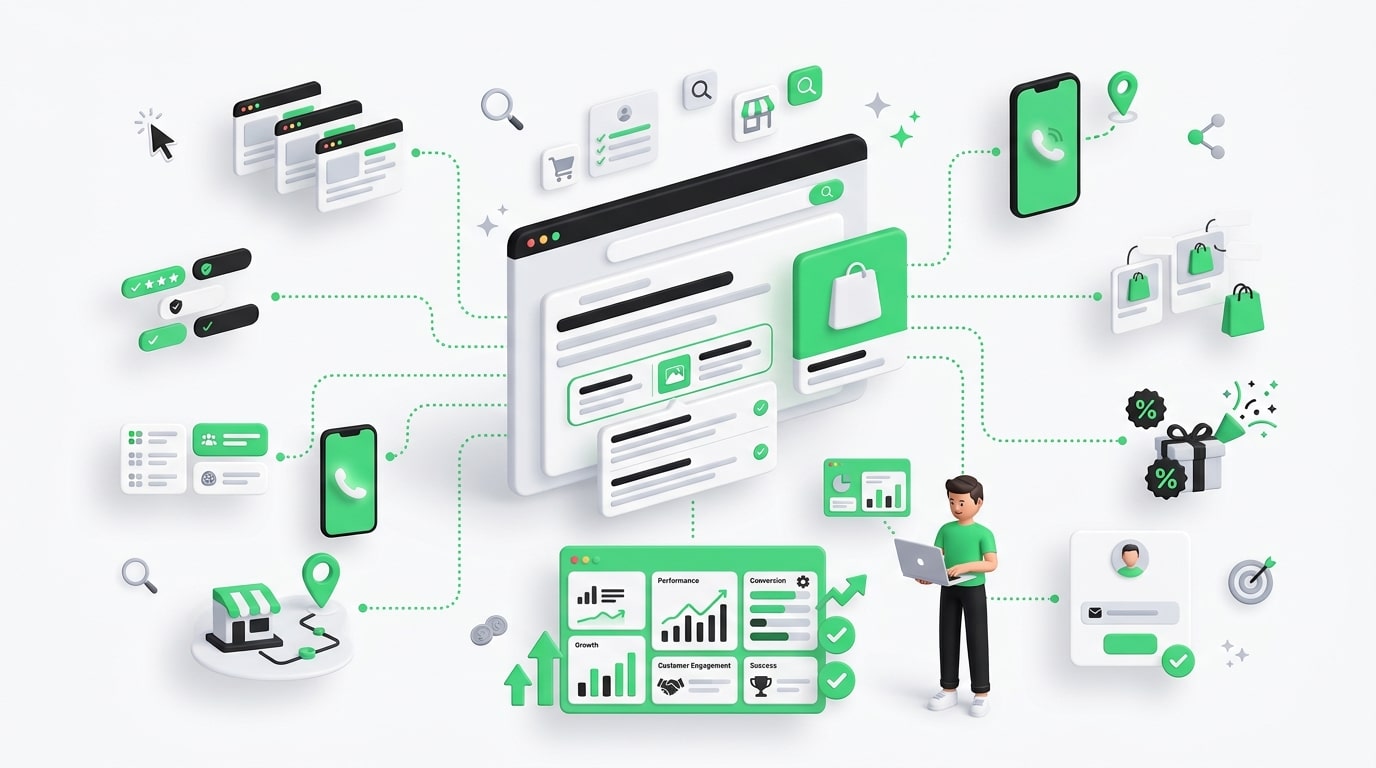
Google now calls most of these “assets” inside the interface, but everyone in the industry, including Google’s own help docs half the time, still refers to them as extensions in conversation. So we’ll use both terms interchangeably here because that’s how people actually talk about them. Below is every major type, what it does, and when it’s worth using.
| Extension Type | What It Shows | Best For | Setup Difficulty |
|---|---|---|---|
| Sitelink Extensions | Extra links to specific pages (pricing, contact, categories) | Almost every business | Easy |
| Callout Extensions | Short non-clickable phrases highlighting features | Almost every business | Easy |
| Structured Snippet Extensions | Lists under predefined headers like “Brands” or “Services” | Retail, service businesses with variety | Easy |
| Call Extensions | Clickable phone number | Local businesses, service calls, urgency-driven products | Easy |
| Location Extensions | Address, map pin, distance from searcher | Physical storefronts, restaurants, clinics | Medium |
| Price Extensions | Small cards showing products/services with prices | E-commerce, clear pricing tiers | Medium |
| App Extensions | Link to download a mobile app | Businesses with an app driving core value | Easy |
| Promotion Extensions | Highlighted deals, discount codes, sale badges | Seasonal sales, ecommerce | Easy |
| Lead Form Extensions | In-ad form to capture leads without leaving results page | B2B, high-intent lead gen | Medium |
| Image Extensions | Small visual thumbnail next to text ad | Visual products, brand recognition | Easy |
Let’s go through each one properly because the table only tells you so much.
Sitelink Extensions
Sitelinks are the extra clickable links that show up beneath your main ad text, usually pointing to pages like “Pricing,” “Contact Us,” “About Us,” or a specific product category. You can add up to eight, though realistically Google shows two to six depending on the auction and device. Each sitelink can also have its own two lines of description text underneath it, which most advertisers forget to fill in and just leave blank, wasting free ad space.
The mistake I see constantly is treating sitelinks like a site map instead of like mini ads. If your sitelink just says “Homepage” that’s useless, everyone already knows there’s a homepage, that’s not a reason to click. A good sitelink says something like “Same-Day Delivery Available” or “See Financing Options” because it gives the person a new reason to click that wasn’t in the main ad copy. Think of your four to six sitelink slots as four to six extra micro-headlines you get for free.
Also, don’t duplicate your landing page across the main ad and a sitelink. If your headline already promotes “20% Off First Order,” don’t waste a sitelink repeating that same message. Use the sitelink to surface something different, maybe your return policy, maybe a specific bestselling product line, maybe your reviews page. Diversify what you’re offering across the extra space instead of repeating yourself.
Callout Extensions
Callouts are short, punchy phrases that show up as plain text, not clickable, right next to your sitelinks. Things like “Free Consultation,” “No Contracts,” “Same Day Shipping,” “Locally Owned.” They’re limited to 25 characters each, so you have to be tight with your wording.
People underestimate callouts because they’re not clickable, but that’s actually the point. They add credibility and specificity to your ad without requiring a separate landing page or click destination. Google recommends at least four callouts, but honestly I’d push for six to eight in your account so the system has variety to rotate through across different auctions and devices.
The trap here is genericness. “Quality Service” and “Great Prices” are the kind of callouts that show up on literally every competitor’s ad in your industry. They add zero differentiation. Get specific instead: “Rated 4.9 on Google,” “Serving Since 1987,” “Same Day Response Time.” Numbers and specifics beat vague adjectives every single time in this format.
Structured Snippet Extensions
Structured snippets let you show a themed list under a specific header that Google predefines, things like “Types,” “Services,” “Brands,” “Destinations,” or “Courses.” So if you run a landscaping company, your structured snippet header might be “Services” with a list like “Lawn Care, Tree Trimming, Irrigation, Snow Removal.”
These are underused compared to sitelinks and callouts, partly because the header options are somewhat restrictive and don’t fit every business perfectly. But when they do fit, they’re great for showing range without eating up sitelink slots. A retail account with a wide product catalog benefits a lot here because it signals breadth right in the ad itself, before someone even clicks through.
Call Extensions
Call extensions add a phone number to your ad, and on mobile, that number becomes tap-to-call, meaning someone can ring your business directly from the search results page without ever visiting your website. For local service businesses, plumbers, electricians, urgent care clinics, this single extension can drive a huge share of conversions because some searchers just want to talk to a human immediately, not browse a website.
You can also set call-only campaigns, but that’s different from a call extension attached to a standard search ad. With a regular call extension, the person still has the option to click through to your site or call, giving them both paths. Google also lets you set specific call hours, so the extension only shows when your business is actually open to answer, which avoids the awkward situation of someone calling at 2am to an empty line.
One thing worth tracking closely: call extension conversions often don’t show up properly unless you’ve got call tracking set up through Google’s own call reporting or a third-party tool like CallRail. Without that, you’re blind to how much revenue is coming from calls versus clicks, and a lot of local businesses are genuinely surprised when they finally turn tracking on and see that 40% of their conversions were phone calls the whole time.
Location Extensions
Location extensions pull from your linked Google Business Profile and show your address, a map pin, and sometimes the distance from the searcher, directly in the ad. For anyone running a physical location, whether that’s a restaurant, dental office, or retail storefront, this extension matters more than almost anything else on this list because “how far is this from me” is often the deciding factor in a local search.
Setup requires linking your Google Business Profile to your Google Ads account, which sounds simple but trips people up constantly because of mismatched business names, unverified locations, or multiple locations linked to the wrong campaigns. If you’ve got multiple store locations, you’ll want to use location groups so the right address shows to the right searcher based on their proximity, rather than always defaulting to your headquarters address.
Price Extensions
Price extensions display a horizontal, swipeable set of cards under your ad, each showing a product or service name, a price, and a short description, with its own link. E-commerce brands and service businesses with clear pricing tiers, like a gym showing membership levels or a software company showing plan pricing, get a lot out of this format because it answers the “how much does this cost” question before the click even happens.
That upfront transparency actually filters your traffic. Someone who sees your price and clicks anyway is a much warmer lead than someone who clicks blind and then bounces the second they see your pricing page. Yeah, you might get fewer total clicks by showing price upfront if you’re expensive relative to competitors, but the clicks you do get convert at a noticeably higher rate. It’s a quality-over-quantity trade that a lot of advertisers are scared to make, and honestly, they shouldn’t be.
App Extensions
App extensions add a download link for your mobile app directly within your search or display ad. If your business genuinely delivers most of its value through an app, think food delivery, ride sharing, banking, this extension makes a lot of sense because it skips the browser step entirely and sends people straight to the App Store or Google Play.
Where this gets misused is when businesses add an app extension just because they have an app, even if the app isn’t central to the purchase decision. If your app is basically a loyalty card add-on and the real transaction happens on your website, this extension probably isn’t pulling its weight and might just be splitting attention unnecessarily.
Promotion Extensions
Promotion extensions add a small highlighted badge to your ad showing a sale, discount code, or seasonal promotion, like “20% Off – Ends Sunday” or “Black Friday Sale.” These work incredibly well during specific windows: holiday shopping season, back to school, end of quarter clearance events, but they need active management because an outdated promotion extension showing “Summer Sale” in December looks sloppy and actually damages trust rather than building it.
The advertisers who do this well set calendar reminders to update or pause promotion extensions the day after a sale ends. The ones who do it poorly set it and forget it, and six months later they’ve got an expired discount code sitting on live ads, which is honestly worse for brand perception than having no promotion extension at all.
Lead Form Extensions
Lead form extensions let someone fill out a form directly within the ad, right there on the search results page, without ever landing on your website. Google pre-fills fields like name and email using the person’s Google account info, which dramatically lowers the friction to convert. For B2B companies running high-intent, high-value lead gen campaigns, this extension can be a genuine game changer because it removes the entire landing page step from the funnel.
The catch is lead quality. Because the form is so frictionless, you sometimes get leads who filled it out on a whim without really thinking it through, compared to someone who navigated your full landing page and read your value prop before submitting a form. So test this one carefully and compare lead quality against your standard landing page conversions before assuming lower cost per lead automatically means better results.
Image Extensions
Image extensions let you attach a small square image alongside your text ad, giving your otherwise plain text ad a visual element on a results page dominated by walls of text. This one’s relatively new compared to the others and Google’s guidelines around image content are strict, no overlaid text, no logos dominating the frame, needs to represent your actual product or service accurately.
For visually driven products, furniture, fashion, food, this extension adds a real edge because it breaks up the visual monotony of a search results page. For something abstract like B2B software or legal services, the image extension matters less and sometimes doesn’t add much beyond basic brand recognition.
Ad Extensions vs Ad Assets: Why the Naming Confuses Everyone
If you’ve logged into Google Ads recently and gone looking for the “Ad Extensions” tab, you might’ve noticed it’s gone. Google renamed extensions to “assets” a while back as part of a broader restructuring of how ad formats are organized in the interface. Functionally, almost everything works the same, sitelinks are still sitelinks, callouts are still callouts, but they now live under an “Assets” section instead of a dedicated extensions tab.
This naming change trips up a lot of experienced advertisers who learned the platform under the old system and go looking for menus that no longer exist in the same place. If you’re following an older tutorial or working with a freelancer who learned Google Ads years ago, this is probably where the confusion is coming from. Functionally nothing changed in terms of what these features do for your account, Google just reorganized the interface and renamed the category.
How to Set Up Ad Extensions Properly
Setting up extensions isn’t technically hard, but the order and structure matter more than most tutorials let on. Here’s how to actually do it without creating a mess.
Start at the account level, not the campaign level, for anything generic enough to apply everywhere, things like your main callouts, your phone number, your core sitelinks. Account-level extensions apply broadly across all your campaigns automatically, which saves you from manually recreating the same call extension fifteen times across fifteen campaigns.
Then get more specific at the campaign or ad group level for anything that needs to match a particular product line, service, or promotion. If you’re running a campaign specifically for a holiday sale, that promotion extension belongs at the campaign level, not blasted across your entire account where it’ll show up next to unrelated evergreen ads.
For sitelinks specifically, write at least six to eight, then let Google’s system rotate and test which ones perform best rather than assuming you know in advance which link will get clicked most. Fill in the optional description lines under each sitelink, don’t leave them blank, that’s free ad space you’re giving up for no reason.
For call extensions, set your call reporting up before you launch, not after. Go to your account settings and make sure conversion tracking for calls is actually enabled, otherwise you’ll be flying blind on a big chunk of your actual conversions for weeks before someone notices the gap.
For location extensions, double-check your Google Business Profile is verified and that the business name matches exactly across both platforms. Mismatched names between your Business Profile and your Ads account is one of the most common reasons location extensions fail to show up even when everything looks correctly linked.
Which Extensions Actually Matter For Your Business
Not every business needs every extension, and forcing all ten into your account just because they exist isn’t a strategy, it’s clutter. Local service businesses, plumbers, electricians, dentists, should prioritize call extensions and location extensions above everything else, because proximity and direct phone contact drive the majority of decisions in that category. E-commerce brands should lean into price extensions, promotion extensions, and image extensions, because visual and pricing transparency directly influences purchase decisions before the click even happens. B2B and lead gen businesses should prioritize lead form extensions and sitelinks pointing to case studies, pricing pages, and demo requests, since the sales cycle there is longer and needs more supporting information upfront.
Sitelinks and callouts are close to universal though. Almost every business benefits from those two regardless of industry, because they’re low effort to set up and give Google more material to work with in the auction.
Conclusion
Ad extensions aren’t some optional add-on you get to eventually. They’re baked into how the entire Google Ads auction works now, affecting your Ad Rank, your cost per click, and ultimately whether someone picks your ad over the one sitting right next to it. The businesses winning in competitive verticals right now aren’t necessarily bidding higher, a lot of them are just using their extension real estate better than everyone else in the auction.
Start with sitelinks and callouts since almost every business benefits from those two regardless of industry. Layer in call or location extensions if you’re local and phone or foot-traffic driven. Add price or promotion extensions if you’re in ecommerce. And actually track what you set up, because an extension nobody’s monitoring turns stale fast, and a stale promotion sitting on a live ad does more damage than having no extension at all.
The extra effort here is small compared to the payoff. Most of this setup takes an afternoon. The return shows up in your CTR and your cost per click for as long as the campaign runs.
Frequently Asked Questions
Are ad extensions free to use?
Yes, there’s no separate fee to add extensions to your account. You only pay for the click itself, same as a standard text ad. Adding extensions doesn’t cost extra, it just increases the odds that people click your ad instead of a competitor’s.
Do ad extensions guarantee my ad will show them every time?
No. Google decides in real time whether to display extensions based on the auction, your ad’s position, the device being used, and predicted relevance to that specific search. You might have perfectly set up extensions that simply don’t show on a given search, and that’s completely normal, not a sign of a broken setup.
How many sitelinks should I actually set up?
Google recommends a minimum of four, but realistically you want six to eight so the system has room to rotate and test combinations. Fewer than four and you’re limiting how much Google can optimize on your behalf.
Can extensions actually lower my cost per click?
Yes, indirectly. Because extensions factor into Ad Rank, a strong extension setup can improve your effective Quality Score and ad position, which can lower what you pay per click compared to an identical bid without extensions.
What’s the difference between extensions and assets in Google Ads?
They’re the same thing. Google renamed “Ad Extensions” to “Assets” in the interface a while back, but functionally sitelinks, callouts, and the rest all work the same way they always did.
Do call extensions work on desktop or only mobile?
Call extensions can appear on both, but the tap-to-call functionality that lets someone ring you directly only works on devices capable of making a phone call, meaning mobile phones mostly. On desktop, the phone number typically just displays as text.
Should small businesses with tight budgets bother with all these extensions?
Focus on the highest-impact ones first rather than trying to use everything. For most small businesses that means sitelinks, callouts, and either call or location extensions depending on whether you’re phone-driven or foot-traffic driven. Add the rest later once the basics are dialed in.
Why aren’t my location extensions showing up even though I linked my Business Profile?
This is usually a business name mismatch between your Google Business Profile and your Ads account, an unverified listing, or the location extension being set at the wrong campaign level. Double-check the exact business name matches across both platforms first.
Can I run different sitelinks for different campaigns?
Yes, and you should for anything campaign-specific. Use account-level sitelinks for general, evergreen links, and campaign or ad group level sitelinks for anything tied to a specific product, service, or promotion.
Do promotion extensions expire automatically?
Not automatically in most cases, you need to set an end date yourself or manually pause them once the sale ends. This is exactly why outdated promotions linger on live ads longer than they should, somebody forgets to check.
Is it worth using lead form extensions if I already have a solid landing page?
It depends on your goal. If you want lower friction and higher lead volume, lead forms can help. But test lead quality against your existing landing page conversions first, since the frictionless nature of in-ad forms sometimes attracts less serious leads compared to someone who clicked through and read your full page.
Do ad extensions help with mobile-specific performance more than desktop?
Extensions generally help across both, but certain types like call extensions and location extensions tend to perform especially well on mobile because of tap-to-call functionality and on-the-go local search intent, like someone searching for a nearby restaurant while walking down the street.

An avid blogger, dedicated to boosting brand presence, optimizing SEO, and delivering results in digital marketing. With a keen eye for trends, he’s committed to driving engagement and ROI in the ever-evolving digital landscape. Let’s connect and explore digital possibilities together.