



Picture this. A site goes through a redesign. URLs get cleaned up, old product pages get consolidated, the blog moves from /blog to /resources. The designer hands over the new site, it goes live, and within a week Google Search Console is throwing up hundreds of 404 errors. Organic traffic starts dropping. Old backlinks pointing to pages that no longer exist are now hitting dead ends. The rankings that took months to build start sliding because the link equity sitting in those old URLs has nowhere to go.

This is one of the most common and most preventable SEO disasters that happens to websites. And the fix, in almost every case, comes down to redirects. Set them up correctly before the migration goes live and most of those problems don’t happen. Skip them, implement them wrong, or implement them too late, and you’re spending the next three to six months trying to recover rankings that didn’t need to be lost in the first place.
Redirects are one of those things that sound simple on the surface and get complicated fast once you’re actually implementing them on a real site. The basic concept is easy: when a URL changes, a redirect tells browsers and search engines where the content has moved. But the type of redirect matters enormously for SEO. The way redirect chains interact matters. The difference between a server-side redirect and a JavaScript redirect matters. Whether the redirect preserves link equity or kills it matters. Whether a redirect is temporary or permanent sends completely different signals to Google and changes how the destination URL is treated in the index.
Every developer, SEO, content manager, and site owner who touches URLs needs to understand redirects. Not at a surface level where you know they exist, but at a practical level where you know which type to use, when to use it, how to check if it’s working, and what the consequences are when it’s set up wrong. This post covers all of that, without the unnecessary jargon and without glossing over the parts that actually cause problems in real sites.
TL;DR
- A redirect automatically sends users and search engines from one URL to another when a page has moved or been removed.
- 301 redirects are permanent and pass the majority of link equity to the destination URL; use these for most site changes.
- 302 redirects are temporary and do not pass link equity permanently; Google will often continue indexing the original URL.
- Redirect chains, where multiple redirects link together, dilute link equity and slow page load times; keep them to one hop.
- JavaScript redirects are the least reliable for SEO and should be avoided in favor of server-side redirects.
- Redirects without a plan during site migrations are the single biggest cause of avoidable organic traffic loss.
What a Redirect Is and How It Works at a Basic Level
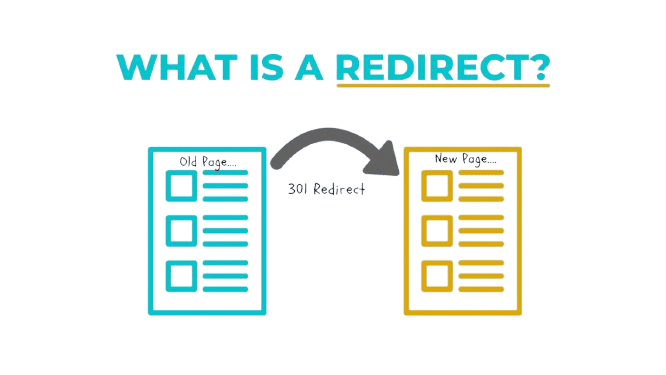
A redirect is an instruction that tells a browser or search engine crawler: the URL you requested is no longer at this location, go here instead. When someone types a URL into their browser or clicks a link, their browser sends a request to the server asking for that page. If a redirect is in place, the server responds with a status code and a new location, and the browser automatically follows it to the destination URL.
The whole process happens in milliseconds when it’s set up properly. From a user perspective, they often don’t notice it happened. The URL in the address bar changes and the new page loads. From an SEO perspective, what happens in that exchange between the browser and the server is what determines whether the redirect helps or hurts.
HTTP Status Codes: The Numbers That Actually Matter
Every time a browser requests a URL, the server returns an HTTP status code along with the response. These codes are three-digit numbers that communicate the outcome of the request. Status codes in the 200 range mean success. Codes in the 300 range mean redirection. Codes in the 400 range mean client errors like page not found. Codes in the 500 range mean server errors.
For redirects, the important codes are in the 300 range, and the specific number tells Google and browsers exactly how to treat the redirect. This is where most of the SEO impact lives.
A 301 tells the server: this page has permanently moved to a new location. A 302 tells the server: this page has temporarily moved. A 307 is a temporary redirect that preserves the HTTP method used in the original request. A 308 is a permanent redirect that also preserves the HTTP method. Each of these produces different behavior in how search engines handle the original URL versus the destination URL.
What Happens When Google Hits a Redirect
When Googlebot crawls a URL and encounters a redirect, it follows it and notes the type. For a 301, Google understands the move is permanent and over time transfers the ranking signals, link equity, and indexing preference to the destination URL. The original URL eventually drops out of the index and the destination URL takes its place.
For a 302, Google behaves differently. Because the redirect signals a temporary situation, Google typically continues to index the original URL rather than the destination. The logic makes sense: if the move is temporary, the original URL is still the “real” one. This creates a problem when people use 302s for permanent moves, which happens more often than it should. The original URL stays in the index, the destination URL doesn’t inherit the ranking signals, and rankings for the original URL can fluctuate or degrade because the page it’s pointing to isn’t treated as the canonical version.
The Different Types of Redirects and When to Use Each
Not all redirects are the same. Using the wrong type for a given situation is one of the most common and most consequential redirect mistakes in SEO.
301 Redirect: Permanent Move
The 301 is the workhorse of SEO redirects. Use it when a page has permanently moved to a new URL and the old URL should no longer exist. This covers the vast majority of real-world redirect scenarios: URL restructuring, site migrations, consolidating duplicate pages, removing old content that’s been merged with newer pages, changing from HTTP to HTTPS, switching from www to non-www.
Google has officially stated that 301 redirects pass “the vast majority” of PageRank (link equity) to the destination URL, though the exact percentage isn’t disclosed. The commonly cited figure in SEO circles is that 301 redirects pass around 90% to 99% of link equity, with Google’s own John Mueller clarifying in 2016 that the loss is minimal for 301s specifically. That’s a significant update from the older belief that 301s caused a 15% equity loss, which was based on outdated algorithm behavior.
The practical takeaway: when a page moves permanently, set a 301 immediately. Don’t wait. Every day the old URL returns a 404 is a day that backlinks pointing to it are passing equity to a dead end instead of to the new page.
302 Redirect: Temporary Move
The 302 is for genuinely temporary situations. A/B testing where the original URL needs to remain indexed while a test variant runs. Geo-based redirects that send users to a regional version of a page while the main URL stays in the index. Maintenance redirects where a page is temporarily down and will be restored.
The keyword is genuinely. If there’s any chance the move is permanent, use a 301. The cost of using a 302 for a permanent move is that Google keeps indexing the original URL and doesn’t consolidate ranking signals to the destination, which means ranking power stays fragmented rather than concentrated in the new URL.
A real example of appropriate 302 use: an e-commerce site running a limited-time holiday campaign that redirects the main homepage to a seasonal landing page for two weeks. The main homepage URL needs to remain indexed as the canonical home, the campaign page is temporary, so a 302 from the homepage to the campaign page makes sense. After the campaign, the redirect gets removed and the homepage returns to normal.
307 Redirect: Temporary Redirect Preserving Method
The 307 is the HTTP/1.1 equivalent of a 302 that explicitly preserves the HTTP method used in the original request. In practice, for typical website redirects involving GET requests, the behavior of 302 and 307 is identical for most users and search engines. The distinction matters more for web applications handling POST requests, form submissions, and API calls.
For standard page redirects in SEO contexts, the choice between 302 and 307 is less important than the choice between temporary and permanent. If the redirect is temporary and the implementation requires HTTP method preservation, use 307. For everything else, 302 covers temporary redirects adequately.
308 Redirect: Permanent Redirect Preserving Method
The 308 is to 301 what 307 is to 302: a permanent redirect that preserves the HTTP method. Again, for standard page redirects involving GET requests, the practical difference from a 301 is minimal for SEO purposes. Google treats 308 redirects similarly to 301 redirects in terms of link equity transfer and indexing behavior.
Most SEOs and developers use 301 for permanent redirects and don’t encounter scenarios where 308 is specifically needed unless they’re dealing with web applications that handle non-GET requests. For standard content redirects, 301 remains the default choice.
Meta Refresh Redirect
A meta refresh is a redirect implemented in the HTML of a page rather than at the server level. It uses a meta tag in the page head to instruct the browser to load a different URL after a specified delay. A common implementation looks like a zero-second delay meta refresh, which redirects immediately, or a five-second delay that shows a message to the user before redirecting.
Google can follow meta refresh redirects and does pass some equity through them, but they’re less reliable than server-side redirects and more likely to cause issues. They require the browser to load the original page before redirecting, which adds latency. They’re also sometimes associated with cloaking and manipulative redirects in older spam techniques, which means Google may look at them with slightly more scrutiny.
The honest recommendation: avoid meta refresh redirects for SEO purposes except in situations where server-side access isn’t available. If server-side access is available, use a 301.
JavaScript Redirect
A JavaScript redirect uses client-side script to send users to a different URL. Common implementations include window.location.href assignments and document.location.replace() methods that run when the page loads and push the browser to a new URL.
The problem with JavaScript redirects for SEO is that they depend on Googlebot successfully rendering JavaScript, which isn’t guaranteed and certainly isn’t as fast or reliable as a server-side redirect. Google’s crawler operates in two waves: a fast initial crawl that processes HTML, and a delayed rendering queue where JavaScript gets processed. A JavaScript redirect on an important page means the redirect might not be discovered or processed for hours, days, or potentially longer, depending on crawl budget and rendering queue delays.
For users with JavaScript disabled, the redirect doesn’t work at all. They end up on the original page rather than the destination.
Nope, JavaScript redirects are not an acceptable substitute for server-side redirects in SEO contexts. If a JavaScript redirect is in place because of a technical limitation, it should be treated as a temporary situation with a proper server-side redirect as the goal.
Redirect Chains: The Silent SEO Killer
A redirect chain happens when URL A redirects to URL B, which redirects to URL C, which redirects to URL D. Each hop in that chain is a server round trip that adds latency and, more importantly from an SEO perspective, dilutes the link equity passing through the chain.
How Chains Form and Why They’re Such a Common Problem
Redirect chains form gradually over time. A URL gets a 301 to a new location. A year later, that new location gets changed and gets another 301. The developer setting up the second redirect doesn’t go back and update the first redirect to point directly to the final destination. So now there’s a chain.
This happens constantly during site migrations, CMS changes, domain consolidations, and iterative URL structure changes. It’s not usually the result of carelessness. It’s the result of changes accumulating over time without anyone auditing the redirect map systematically.
A two-hop chain isn’t catastrophic, but it’s not ideal. A five-hop chain is a real problem. Google’s crawlers will follow redirect chains up to a certain depth, typically around five to ten hops, but each additional hop creates latency, risks the crawler giving up before reaching the final destination, and dilutes whatever equity was in the original URL before it was redirected.
Finding and Fixing Redirect Chains
Screaming Frog is the standard tool for auditing redirect chains across a whole site. Run a crawl, filter by redirect chains in the response codes report, and it’ll show you every multi-hop chain along with the full path of URLs in each chain. The fix is straightforward in principle: update the first redirect in each chain to point directly to the final destination URL, eliminating the intermediate hops.
In practice, fixing redirect chains at scale can be tedious, especially when the chains involve redirects set up in multiple places: Apache .htaccess files, Nginx config files, CMS redirect plugins, CDN rules, and application-level redirects all interacting with each other. Auditing and cleaning these up is worth the effort, particularly for sites with significant backlink equity sitting in redirected URLs.
Redirects and SEO: The Link Equity Question
Link equity, sometimes called PageRank or link juice in older SEO writing, is the value that passes from one page to another through backlinks. When a page with strong backlinks pointing to it gets redirected, whether that equity transfers to the destination URL, and how much of it transfers, depends on the redirect type and implementation.
How 301 Redirects Pass Equity
A properly implemented 301 redirect passes link equity to the destination URL. Google’s Googler John Mueller confirmed in multiple Q&A sessions that the equity loss for a 301 redirect is minimal, essentially negligible compared to older algorithm behavior. This is good news for site migrations: if done correctly with proper 301 redirects from every old URL to its new counterpart, the ranking signals built up on the old URLs transfer to the new ones.
The timing of this transfer isn’t instant. After a 301 is set up, it takes Google time to crawl the redirect, process the signal, and update its index. For high-authority pages that get crawled frequently, this can happen within days. For lower-traffic pages, it might take weeks or months for the full equity transfer to show in rankings.
This is why post-migration traffic drops that happen immediately aren’t always a sign that the migration went wrong. Some temporary ranking volatility while Google processes the new URL structure is normal. The concern is when traffic doesn’t recover after several months, which usually indicates the redirects weren’t set up comprehensively, there are chains or loops, or the new URLs have other technical problems.
What Happens to Equity When Redirects Are Removed
Here’s a scenario that trips people up. A domain migration happens. All old URLs get 301 redirected to new URLs. Rankings stabilize, traffic recovers, all looks good. A year later, someone decides the old domain is no longer needed and lets it expire or disables the redirects to “clean things up.” Traffic drops again.
What happened: the backlinks pointing to the old domain’s URLs were still passing equity through the 301 redirects to the new domain. When those redirects went away, so did the equity flowing through them. The old backlinks from other sites didn’t update automatically to point to the new URLs. They still point to the old domain, and now that domain either returns errors or doesn’t resolve at all.
The fix for this is keeping the old domain active with redirects in place, ideally permanently. The cost of maintaining a domain registration and having it redirect to the new site is trivial compared to the equity that can be lost by removing those redirects prematurely.
How to Implement Redirects: The Practical Side
Understanding redirect types and SEO implications is useful. Actually setting them up correctly is the step that determines whether any of that knowledge produces results.
Server-Side Redirect Implementation
For Apache servers, redirects are typically set in the .htaccess file using Redirect or RewriteRule directives. A basic permanent redirect in .htaccess looks like: Redirect 301 /old-page /new-page. For more complex pattern matching, like redirecting all URLs in an old directory structure to a new one, RewriteRule with regex patterns handles it.
For Nginx servers, redirects are configured in the server configuration file using return or rewrite directives. A permanent redirect in Nginx looks like: return 301 /new-page; within a location block matching the old URL.
For sites on managed hosting platforms like WP Engine, Kinsta, or SiteGround, redirects can often be configured through the hosting panel without editing server configuration files directly. These hosting-level redirects are processed at the server level and are just as effective as .htaccess or Nginx configuration redirects.
CMS-Level Redirect Implementation
WordPress doesn’t have built-in redirect management by default, but plugins handle it well. Redirection (by John Godley) is the most popular dedicated redirect plugin with over two million active installs. It provides a UI for managing 301 and 302 redirects, logs 404 errors to identify where redirects are needed, and stores redirects in the WordPress database.
Rank Math and Yoast SEO Premium both include redirect management as part of their feature sets, which is convenient for sites already using those plugins for SEO.
Shopify has a built-in URL redirect tool in the admin panel under Online Store > Navigation > URL Redirects. For large-scale Shopify migrations, redirects can be imported via CSV rather than entered one by one. The Shopify redirect system is server-level, so it passes equity correctly without relying on client-side techniques.
Implementing Redirects at Scale: Site Migrations
Site migrations are the scenario where redirect implementation at scale is most critical and most commonly done wrong. A site migrating from HTTP to HTTPS, from one domain to another, or through a major URL restructure needs a redirect mapping document before the migration goes live.
The redirect mapping process: export every crawlable URL from the current site using Screaming Frog or a similar crawler, map each old URL to its new destination, implement all redirects before the new site goes live, and crawl the new site immediately after launch to verify every redirect is returning a 301 and pointing to the correct destination.
The most common migration mistake is implementing redirects only for the top-level pages and forgetting about the long tail. The homepage, main service pages, and top-performing blog posts get redirects. The 200 older blog posts, the retired product pages, the old category structure: these get overlooked and start returning 404s. Those 404s are where backlink equity bleeds out quietly over the months following the migration.
Redirect Mistakes That Hurt SEO
Knowing what not to do is as useful as knowing the right implementation, because the mistakes are extremely common and the consequences show up slowly enough that the connection between cause and effect isn’t always obvious.
Using 302 Instead of 301 for Permanent Moves
Already covered this, but worth repeating because it’s the most frequent redirect mistake in SEO audits. Developers default to 302 sometimes because it’s the “safer” option, the idea being that temporary is less permanent than permanent, so it’s a less risky choice. For SEO, the logic is backwards. A 302 on a permanently moved page means Google keeps the old URL in the index and doesn’t fully transfer ranking signals to the new URL. Check the HTTP status code of every redirect using a tool like httpstatus.io or Screaming Frog before assuming it’s a 301.
Redirect Loops
A redirect loop happens when URL A redirects to URL B and URL B redirects back to URL A. Browsers catch this after a few hops and display an error like “ERR_TOO_MANY_REDIRECTS” or “The page isn’t redirecting properly.” From an SEO standpoint, Googlebot gets stuck in the loop, can’t access either page, and both URLs effectively become uncrawlable.
Redirect loops usually happen when redirects are set up in multiple places and conflict with each other. An HTTPS redirect in .htaccess combined with a WordPress plugin redirect that sends HTTPS back to HTTP produces a classic loop. Audit redirect implementations across all layers, including server config, CMS plugins, and CDN rules, to catch conflicts.
Redirecting Everything to the Homepage
When a large chunk of pages get removed during a site restructure and there are no obvious one-to-one URL mappings for each old page, a lazy shortcut is to redirect all the old URLs to the homepage. This passes some equity to the homepage but wastes the topical relevance of the old URLs. Google eventually recognizes homepage redirects from irrelevant old URLs as soft 404s and stops passing equity through them.
The right approach for pages without clear one-to-one mappings: redirect to the most topically relevant existing page on the new site, or to the most relevant category or section page. If no relevant destination exists, a 404 is actually more honest than a homepage redirect and Google handles genuine 404s better than manipulative soft 404s that send unrelated traffic to the homepage.
Not Checking Redirects After Implementation
Setting up redirects and not verifying them is surprisingly common. The redirect gets added to the CMS or server config, it looks right, and no one checks the actual HTTP response. Then a configuration error, a caching issue, or a plugin conflict means the redirect isn’t working as expected. Crawling the full site after a migration with Screaming Frog and checking every redirect response code takes a few hours but catches these problems before they affect rankings.
Conclusion
Redirects are one of those topics where the basic concept is simple and the implementation details make all the difference between preserving months of SEO work and quietly losing it during a site change. A 301 in the right place at the right time keeps ranking signals intact through a migration that would otherwise drop traffic by 30% or more. A chain of 302s left in place for a permanent move keeps equity fragmented across URLs that should have been consolidated.
The next time a site change involves URLs, whether it’s a single page being retired, a blog section moving to a new path, or a full domain migration, map out the redirects before anything goes live and check the HTTP response codes after. That’s the whole job. It’s not complicated, it just needs to actually get done.
Frequently Asked Questions
What is a redirect in simple terms?
A redirect is an automatic instruction that sends a browser or search engine from one URL to another. When a page moves to a new address, a redirect ensures that anyone trying to visit the old address gets sent to the new one automatically, without getting an error. It works like a change-of-address notification: the old location tells visitors where the content has moved.
What is the difference between a 301 and 302 redirect?
A 301 redirect is permanent. It tells browsers and search engines that the page has moved to a new URL and won’t be coming back. Google transfers the ranking signals and link equity from the old URL to the new one. A 302 redirect is temporary. It tells browsers and search engines the page has moved temporarily and the original URL should still be considered the main version. Google typically keeps indexing the original URL rather than the destination when a 302 is in place.
Does a redirect affect SEO?
Yes, significantly. A correctly implemented 301 redirect preserves the link equity and ranking signals of the original URL and transfers them to the destination, which is why proper redirect implementation during site migrations is critical for maintaining organic traffic. An incorrectly implemented redirect, using a 302 instead of a 301 for a permanent move, creating redirect chains, or redirecting to irrelevant pages, can dilute or destroy the equity that was built up on the original URL.
What is a redirect chain and why is it bad?
A redirect chain is when multiple redirects link together, so URL A redirects to URL B, which redirects to URL C, which redirects to URL D. Each hop in the chain adds page load latency and dilutes the link equity passing through. Google will follow chains up to a certain depth but treats them less efficiently than a single direct redirect. The fix is to update the first redirect in each chain to point directly to the final destination URL.
How do I check if a redirect is working?
The fastest way is to use an HTTP status code checker like httpstatus.io or redirect-checker.org. Enter the old URL and the tool shows the response code, where the redirect goes, and whether there are any intermediate hops. For site-wide redirect auditing, Screaming Frog crawls all URLs and reports the status code for each, making it easy to identify 404s, redirect chains, and incorrectly configured redirects across the whole site.
What happens to backlinks when a page gets a 301 redirect?
Backlinks pointing to the old URL continue to exist on the sites that published them. The 301 redirect passes the link equity from those backlinks through to the destination URL. Over time, as Google processes the redirect and updates its index, the destination URL inherits the ranking signals that were associated with the old URL. The backlinks themselves don’t move; only the equity flowing through them gets transferred to the new destination.
Can redirects slow down a website?
Yes, each redirect adds a server round trip that increases page load time. A single redirect adds a relatively small amount of latency, typically 100 to 300 milliseconds depending on server speed. Redirect chains multiply this latency with each hop. For performance-sensitive sites, minimizing the number of redirects and eliminating chains is part of technical optimization. Google’s Core Web Vitals use page speed as a ranking signal, so excessive redirect latency can affect rankings indirectly through the speed impact.
When should I use a redirect vs a canonical tag?
A redirect sends users and search engines to a new URL and removes the original from the crawlable path. A canonical tag tells Google which version of a page is the preferred one for indexing purposes but keeps both URLs accessible. Use a redirect when the old URL should no longer exist and all traffic should go to the new one. Use a canonical when both URLs need to remain accessible but you want to consolidate ranking signals to one version, like HTTP and HTTPS versions of the same page, or URL parameter variants of a product page.
What is a redirect loop and how do I fix it?
A redirect loop happens when redirect A sends traffic to redirect B, which sends it back to redirect A, creating an infinite cycle. Browsers detect this and show an error. The cause is usually conflicting redirects set up in different places: server configuration, CMS plugins, and CDN rules all interacting with each other unexpectedly. To fix it, audit every layer where redirects can be configured and trace the full path of each redirect to identify where the loop forms, then remove or update the conflicting rule.
Should I remove old redirects to clean up the site?
Nope, generally not. Old 301 redirects are cheap to maintain and removing them can cause backlinks pointing to the old URLs to start hitting 404 errors instead of reaching the destination. Even if the old redirects have been in place for years and seem unnecessary, the backlinks pointing to those old URLs are still passing equity through the redirects. Removing the redirects cuts that flow and can result in ranking drops for pages that were benefiting from that equity. Keep old redirects in place unless there’s a specific technical reason to remove them.

