


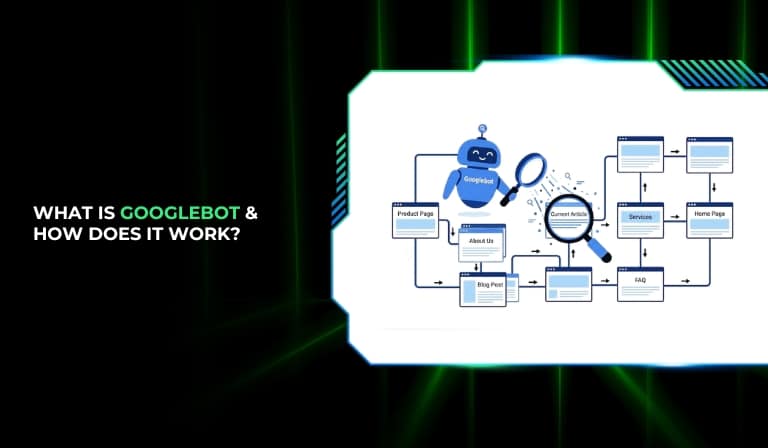
Search engines like Google rely on automated systems to discover and understand content across the internet. Because billions of web pages exist online, Google cannot manually review every website. Instead, it uses specialized software programs called crawlers to explore the web and collect information about pages.

Googlebot is the primary crawler used by Google to find new pages, revisit existing ones, and collect the data needed to display websites in search results. Whenever a website appears on Google Search, it usually means Googlebot has already visited, analyzed, and indexed that page.
Understanding how Googlebot works is important for anyone managing a website. Website owners, SEO professionals, and developers need to ensure that Googlebot can access, crawl, and understand their pages properly. If a site blocks Googlebot or has technical problems, the pages may not appear in search results at all. By learning how Googlebot operates, you can make better decisions that help search engines discover and index your content more efficiently.
What Is Googlebot?
Googlebot is Google’s web crawling software that automatically discovers and scans web pages on the internet. Its main purpose is to gather information from websites so Google can store and organize that information in its search index.
When Googlebot visits a page, it reads the content, follows links to other pages, and collects important signals about the page’s structure and content. This data is then used by Google’s search systems to determine when and how the page should appear in search results.
Googlebot plays a critical role in the search process because search engines can only rank and display pages that they have already discovered and indexed. If Googlebot cannot access a page, that page typically cannot appear in Google Search.
It is important to understand that Googlebot is responsible for discovering and collecting information from pages, but it does not determine rankings by itself. Google’s ranking algorithms analyze the information collected by Googlebot and decide how pages should appear in search results.
What Is a Web Crawler?
A web crawler is a software program used by search engines to automatically browse the internet and collect information from websites. These programs follow links from one page to another and continuously discover new or updated content across the web.
Search engines use crawlers because the internet contains billions of pages, and it would not be possible to manually review them. Crawlers automate this process by systematically visiting websites and gathering information that can later be stored in a search engine’s index.
Examples of search engine crawlers include:
- Googlebot used by Google
- Bingbot used by Microsoft Bing
- DuckDuckBot used by DuckDuckGo
- Baidu Spider used by Baidu
Although these crawlers serve similar purposes, each search engine operates its own crawler with different crawling behaviors and priorities. For websites that rely on organic traffic, allowing crawlers to access and understand their pages is essential.
How Googlebot Works
Googlebot works through a series of steps that allow Google to discover, analyze, and store information about web pages. These steps include discovering URLs, crawling pages, rendering content, and indexing information.
Step 1: Discovering URLs
Before Googlebot can visit a page, it must first discover the URL. Googlebot finds new pages through several methods.
- Internal links When Googlebot visits a page, it follows links within that page to discover additional pages on the same website.
- Backlinks from other websites Links from other websites help Googlebot discover new content across the web.
- XML sitemaps Website owners can submit sitemaps that list important URLs on their site, helping Googlebot find pages more efficiently.
- URL submissions in Google Search Console Website owners can manually request indexing for specific URLs.
These discovery methods help Googlebot continuously identify new and updated pages.
Step 2: Crawling Web Pages
After discovering a URL, Googlebot visits the page to analyze its content. During crawling, Googlebot sends a request to the website’s server and downloads the page’s HTML code and other resources.
Googlebot analyzes several elements while crawling:
- Page content and text
- HTML structure
- Links to other pages
- Images and media files
- Metadata such as title tags and meta descriptions
Crawling does not guarantee that a page will appear in search results. It simply means Googlebot has accessed the page and collected its information.
Step 3: Rendering the Page
Many modern websites use JavaScript to load content dynamically. To understand these pages, Googlebot uses a rendering system known as the Web Rendering Service.
Rendering allows Googlebot to process the page similarly to a browser by executing JavaScript and loading additional resources such as CSS files and images. This step helps Googlebot understand how the page actually appears to users.
Mobile-first indexing means that Google primarily renders and evaluates pages using the mobile version of a website.
Step 4: Indexing Content
Once Googlebot crawls and renders a page, the collected information may be added to Google’s index. The index is a massive database that stores information about web pages and allows Google to retrieve relevant results quickly.
During indexing, Google analyzes several factors including:
- Page content and relevance
- Keywords and context
- Structured data
- Links and relationships between pages
If a page meets Google’s guidelines and provides useful information, it may become eligible to appear in search results.
Types of Googlebot Crawlers
Google uses several types of crawlers designed for different types of content. Each crawler focuses on specific types of web resources.
- Googlebot Smartphone This is the primary crawler used by Google today. It simulates a mobile device and is responsible for mobile-first indexing.
- Googlebot Desktop This crawler simulates a desktop browser and is sometimes used for specific crawling tasks.
- Googlebot Image This crawler focuses on discovering and indexing images for Google Images.
- Googlebot Video It analyzes video content and helps Google display video results in search.
- Googlebot News This crawler identifies news-related content for inclusion in Google News.
- Googlebot AdsBot AdsBot checks landing pages used in Google Ads campaigns to ensure quality and functionality.
Each crawler helps Google collect specialized information that improves search results across different formats.
Mobile-First Indexing and Googlebot
Mobile-first indexing means Google primarily uses the mobile version of a website for indexing and ranking purposes. This approach reflects the fact that a large portion of internet users access websites through mobile devices.
Because of mobile-first indexing, Googlebot Smartphone is now the main crawler used by Google to evaluate websites.
If a website has different mobile and desktop versions, Googlebot mainly uses the mobile version to understand the content and determine rankings.
Mobile-first indexing highlights the importance of having a responsive and mobile-friendly website. Sites that perform poorly on mobile devices may face indexing or ranking challenges.
Google’s Three-Stage Process: Crawl, Render, and Index
Google organizes its search process into three major stages that transform raw web content into searchable results.
Stage 1: Crawling
In this stage, Googlebot discovers and visits URLs. It downloads the page content and identifies links that lead to additional pages. This process allows Google to continuously explore the internet and find new content.
Stage 2: Rendering
Rendering allows Google to process the visual and interactive elements of a page. By executing JavaScript and loading page resources, Google can understand how the page is structured and displayed.
Stage 3: Indexing
After rendering, Google analyzes the content and decides whether it should be stored in the index. Indexed pages become eligible to appear in search results when users perform relevant searches.
What Is Crawl Budget?
Crawl budget refers to the number of pages Googlebot is willing and able to crawl on a website within a specific time period. This concept becomes especially important for large websites that contain thousands or millions of pages.
Google allocates crawling resources carefully to avoid overwhelming servers while still discovering new content.
Factors That Affect Crawl Budget
Several factors influence how frequently Googlebot crawls a website.
- Website size Larger websites require more crawling resources.
- Server speed Slow servers may cause Googlebot to reduce crawl frequency.
- Duplicate content Repeated or unnecessary pages can waste crawl resources.
- Internal linking structure Well-organized internal links help Googlebot find important pages quickly.
- Crawl demand Pages that are frequently updated or receive significant traffic may be crawled more often.
Optimizing crawl budget helps ensure that important pages are discovered and updated efficiently.
How Often Does Googlebot Crawl Websites?
Googlebot does not crawl every website at the same frequency. The crawl rate depends on several factors that indicate how often a site’s content changes and how important it may be to users.
Some of the key factors influencing crawl frequency include:
- Website popularity and authority
- Frequency of content updates
- Quality and relevance of the site
- Server performance and response time
Highly active websites with regularly updated content are often crawled more frequently, while static sites may be visited less often.
How to Control Googlebot Crawling and Indexing
Website owners have several tools that allow them to control how Googlebot accesses and indexes their content.
Using Robots.txt
A robots.txt file is placed in the root directory of a website and provides instructions to crawlers about which pages or sections should not be crawled.
Robots.txt is commonly used to block access to administrative areas, duplicate pages, or testing environments.
Meta Robots Tags
Meta robots tags are added to the HTML code of a page to provide indexing instructions. These tags allow website owners to control how search engines handle individual pages.
Common directives include:
- noindex to prevent indexing
- nofollow to prevent link crawling
HTTP Header Directives
HTTP header directives such as the X-Robots-Tag can control indexing behavior for non-HTML files like PDFs and images.
These directives provide flexibility when managing how different types of resources are handled by search engines.
URL Removal Tool
Google Search Console provides a URL removal tool that allows website owners to temporarily remove pages from search results. This tool is typically used when outdated or sensitive information needs to be hidden quickly.
How to Check If Googlebot Is Crawling Your Website
Website owners can monitor Googlebot activity using several tools and reports.
Google Search Console Crawl Stats
The crawl stats report in Google Search Console provides insights into how frequently Googlebot visits a website and how many requests it makes.
This report also highlights server response times and crawl patterns.
URL Inspection Tool
The URL inspection tool allows website owners to check whether a specific page has been crawled and indexed by Google.
It also shows the last crawl date and any issues affecting indexing.
Server Log Analysis
Server logs record every request made to a website. By analyzing these logs, website owners can identify when Googlebot visits pages and how often it crawls the site.
Crawl Error Reports
Crawl error reports highlight issues that prevent Googlebot from accessing certain pages, such as broken links or server errors.
Fixing these errors improves crawl efficiency and indexing.
How to Verify Real Googlebot
Sometimes automated bots may pretend to be Googlebot to gain access to websites. Verifying real Googlebot helps ensure that requests actually come from Google.
Website owners can confirm Googlebot authenticity by performing a reverse DNS lookup on the IP address of the crawler. Genuine Googlebot requests typically originate from domains associated with Google.
Checking IP addresses and verifying crawler identity can help prevent malicious bots from accessing sensitive areas of a website.
Common Googlebot Crawling Issues (And How to Fix Them)
Technical problems can prevent Googlebot from properly accessing or understanding web pages.
Blocked CSS or JavaScript
If important CSS or JavaScript files are blocked, Googlebot may not be able to render pages correctly. Ensuring these resources remain accessible helps Google fully understand page layouts.
Crawl Errors (404 and 5xx)
Pages returning error codes such as 404 (not found) or 5xx (server errors) prevent Googlebot from accessing content. Regularly fixing broken links and server issues improves crawl efficiency.
Slow Server Response
Slow server performance may reduce crawl frequency because Googlebot avoids overloading websites that respond slowly.
Infinite URLs or Parameter Issues
Certain websites generate large numbers of URLs through parameters or filters. These URLs can consume crawl budget and prevent important pages from being crawled.
JavaScript Rendering Problems
If content relies heavily on JavaScript but fails to render correctly, Googlebot may not fully understand the page’s content. Ensuring proper rendering improves indexing accuracy.
How to Optimize Your Website for Googlebot
Optimizing a website for Googlebot helps ensure that important pages are discovered, crawled, and indexed efficiently.
Create a Clear Website Structure
A logical site structure makes it easier for Googlebot to navigate pages and understand relationships between them.
Improve Internal Linking
Internal links guide crawlers toward important pages and distribute authority throughout the website.
Use XML Sitemaps
XML sitemaps help Googlebot discover important URLs quickly and ensure that new pages are not missed.
Fix Broken Links and Errors
Removing broken links and resolving crawl errors improves crawl efficiency and prevents wasted crawl resources.
Improve Page Speed
Fast-loading websites allow Googlebot to crawl more pages within the same time period.
Make Your Website Mobile-Friendly
Since Google primarily uses mobile-first indexing, responsive and mobile-optimized designs help ensure proper crawling and indexing.
Googlebot Technical Details
Understanding some technical aspects of Googlebot helps website owners manage crawling behavior more effectively.
Supported protocols
Googlebot primarily uses HTTP and HTTPS protocols to access web pages and resources.
File size limits
Google has limits on the size of files it processes during crawling, which means extremely large pages may not be fully analyzed.
Content compression and caching
Googlebot supports compressed content formats and uses caching mechanisms to reduce unnecessary downloads.
Location of Google crawlers
Googlebot requests originate from distributed servers across different geographic locations to efficiently crawl the global web.
Best Practices for Googlebot Optimization
Several best practices help ensure that Googlebot can efficiently access and understand a website.
- Allow crawling of essential resources such as CSS and JavaScript
- Avoid blocking important pages in robots.txt
- Maintain a clean and organized URL structure
- Monitor crawl activity regularly using Google Search Console
- Fix technical SEO issues that affect crawling and indexing
Following these practices improves the chances of pages being properly discovered and indexed.
Frequently Asked Questions
1. How often does Googlebot crawl a website?
Googlebot does not follow a fixed schedule. Some websites may be crawled multiple times per day, while others may be visited less frequently depending on their update frequency and popularity.
2. Can I block Googlebot from crawling my site?
Yes, website owners can block Googlebot using robots.txt directives or authentication methods. However, blocking Googlebot will prevent pages from appearing in Google Search.
3. How long does it take Googlebot to index a page?
Indexing time varies. Some pages may be indexed within hours, while others may take days or weeks depending on crawl frequency and site authority.
4. Does Googlebot crawl JavaScript websites?
Yes, Googlebot can process JavaScript through its rendering system. However, poorly implemented JavaScript may still cause indexing issues.
5. How can I speed up indexing?
Submitting an XML sitemap, improving internal linking, and requesting indexing through Google Search Console can help Google discover and index pages faster.
Conclusion
Googlebot is the foundation of how Google discovers and processes web content. By crawling billions of pages across the internet, it gathers the information needed for Google to build its search index and deliver relevant results to users.
Understanding how Googlebot discovers URLs, crawls pages, renders content, and indexes information allows website owners to improve their site’s visibility in search engines. Proper technical setup, clear site structure, and optimized crawling access all contribute to better indexing and search performance.
By following best practices and monitoring crawl activity regularly, website owners can ensure that Googlebot can access their content efficiently and keep their pages eligible to appear in search results.

