


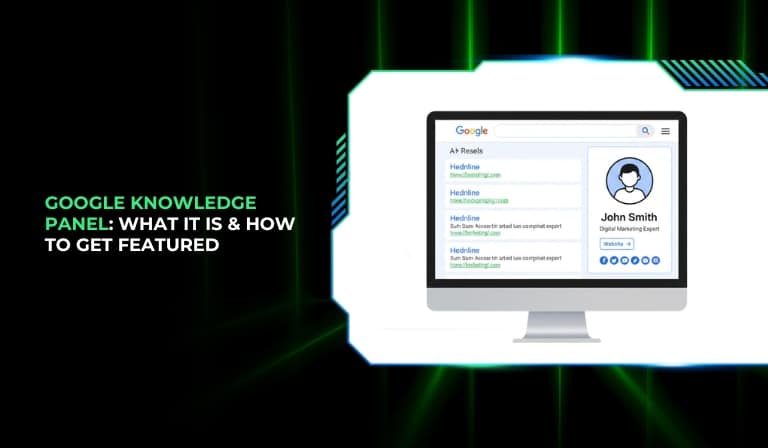
When someone searches your name or brand on Google, the search results page becomes your digital first impression. In many cases, users see a structured information box that appears prominently on the right side of desktop search results or at the top of mobile results. This is the Google Knowledge Panel.

The Knowledge Panel stands out because it centralizes key information about a person, brand, or organization. Instead of users browsing multiple links to understand who you are, Google presents structured details in one place. This significantly influences perception, credibility, and trust.
Search engines have evolved from keyword-based indexing to entity-based understanding. Earlier, Google matched search terms to pages containing those words. Today, Google attempts to understand entities — clearly defined people, businesses, organizations, or concepts — and the relationships between them.
In this entity-first model:
- Google identifies real-world entities.
- It connects entities through relationships (founder of, CEO of, located in, etc.).
- It verifies facts across multiple sources.
- It assigns confidence levels to structured information.
The Knowledge Panel is one of the most visible outcomes of this evolution. It appears when Google has strong confidence in the existence and identity of an entity.
As AI-driven search experiences expand, structured entity data becomes even more important. When Google generates summaries or AI-powered responses, it often relies on trusted entity information stored in its systems. That means having strong entity signals not only improves traditional search visibility but also strengthens your presence in AI-enhanced results.
This guide will explain what a Knowledge Panel is, how Google builds it, who qualifies for one, and how you can improve your chances of getting featured.
What Is a Google Knowledge Panel?
A Google Knowledge Panel is an automatically generated information box that appears in search results for recognized entities. It provides structured, summarized information that Google associates with a specific person, brand, business, or organization.
A typical Knowledge Panel may include:
- Entity name
- Short description
- Images
- Key facts (founder, CEO, location, date established, etc.)
- Official website
- Social media profiles
- Related entities
The information displayed is generated algorithmically. It is not manually submitted or created by users. Google pulls this data from its Knowledge Graph and other trusted data sources.
Knowledge Panels commonly appear for:
- Public figures
- Established brands
- Registered businesses
- Authors and creators
- Organizations and institutions
They are most visible in branded search queries, where Google clearly understands what or who the search refers to.
Knowledge Panel vs. Knowledge Graph: What’s the Difference?
The Knowledge Graph is Google’s internal structured database of entities and their relationships. It contains millions of interconnected data points about people, organizations, locations, and things.
The Knowledge Panel is the visual display of selected Knowledge Graph information in search results.
To simplify:
- The Knowledge Graph is the backend database.
- The Knowledge Panel is the frontend display.
- The Knowledge Graph powers multiple features beyond panels.
When Google confidently understands an entity in the Knowledge Graph, it may display a Knowledge Panel.
Knowledge Panel vs. Featured Snippet
A Featured Snippet answers a specific question. It extracts content from a webpage and displays it above organic search results.
A Knowledge Panel is different because:
- It represents an entity, not a single webpage.
- It aggregates information from multiple sources.
- It appears primarily for entity-based searches.
Featured Snippets are query-focused. Knowledge Panels are identity-focused.
Where Do Knowledge Panels Appear?
Knowledge Panels appear:
- On the right side of desktop search results.
- At the top of mobile search results.
- For brand name searches.
- For person-name searches.
- For organization and company searches.
- For local business queries.
They are triggered when Google identifies a clear and confident entity match.
Why the Google Knowledge Panel Deserves a Spot in Your SEO Strategy
A Knowledge Panel is not merely decorative. It plays a strategic role in search visibility and brand positioning.
Its importance in SEO includes:
- Establishing authority instantly.
- Increasing trust through structured presentation.
- Improving branded search click-through rates.
- Reducing misinformation by consolidating verified details.
- Supporting visibility in AI-driven search environments.
When users see structured information about your brand directly from Google, it reinforces credibility. Even if they do not click immediately, brand recall improves.
The New Reality: Entity-First Search & AI Overview Visibility
Search engines increasingly rely on entity understanding. Instead of evaluating only page-level relevance, Google evaluates:
- Who the entity is.
- What it is known for.
- How it is connected to other entities.
- Whether the information is consistent and verified.
E-E-A-T (Experience, Expertise, Authoritativeness, Trustworthiness) plays a central role in this system. Entities with stronger E-E-A-T signals are more likely to be confidently recognized.
Knowledge Panels are one clear sign that Google recognizes and trusts your entity identity.
How Google Builds a Knowledge Panel
Google generates Knowledge Panels automatically when its systems reach sufficient confidence in an entity.
The process involves:
- Identifying entity mentions across the web.
- Matching structured data to real-world identities.
- Cross-verifying facts from multiple sources.
- Connecting relationships in the Knowledge Graph.
- Evaluating consistency and credibility.
Google uses information from:
- Official websites.
- Structured data markup.
- Google Business Profile listings.
- Authoritative websites and publications.
- Public databases.
The key principle is corroboration. If independent, reliable sources confirm the same information, Google’s confidence increases.
Panels are not assigned simply because a website exists. They appear when entity identity is clear, verified, and consistent.
Entity Eligibility: Who or What Gets a Knowledge Panel?
Google does not provide a public checklist for eligibility. However, certain patterns are clear.
Entities that commonly receive Knowledge Panels include:
- Public figures with documented media presence.
- Companies with clear brand identity.
- Local businesses with verified listings.
- Authors and creators with public profiles.
- Organizations with consistent references.
Eligibility depends on:
- Clear entity definition.
- Consistent information across platforms.
- Independent references.
- Structured data clarity.
- Recognizable public footprint.
How to Check If Google Recognizes You as an Entity
You can assess recognition by:
- Searching your exact brand or personal name.
- Observing if Google associates your name with a specific role.
- Checking whether related searches consistently reference your entity.
- Reviewing whether your official website ranks prominently for your name.
Consistent associations indicate that Google is building an entity understanding.
How To Trigger a Knowledge Panel for Your Name or Brand
A Knowledge Panel cannot be directly requested. Instead, you must strengthen entity signals systematically.
Step 1 – Build Your Primary Entity Home
Your official website should serve as your entity hub.
It should clearly include:
- An About page explaining who you are.
- Structured biography or company description.
- Contact information.
- Brand visuals and logo.
- Clear explanation of services or purpose.
Google often uses the official website as a core reference point.
Step 2 – Establish Entity Information
Your entity information must be consistent.
Important elements include:
- Exact business or personal name usage.
- Accurate address and phone details for businesses.
- Clear role or professional identity.
- Consistent brand description.
Inconsistency creates ambiguity, which reduces confidence.
Step 3 – Leverage Structured Data (Schema Markup)
Structured data helps search engines interpret identity.
Common schema types include:
- Organization schema.
- Person schema.
- SameAs property linking official profiles.
- Logo and contact schema.
Structured data clarifies relationships and reinforces identity.
Step 4 – Corroborate the Facts Across the Web
Google validates information through independent sources.
Strong corroboration comes from:
- Media mentions.
- Industry publications.
- Professional directories.
- Authoritative backlinks.
- Verified business listings.
Independent validation strengthens entity credibility.
Step 5 – Wikipedia vs. Wikidata: Do You Need Both?
Wikipedia has strict notability guidelines. Only entities with substantial independent coverage qualify.
Wikidata is a structured data repository used by many knowledge systems.
Important points:
- Wikipedia is not required.
- Notability is mandatory for page creation.
- Wikidata supports structured identity.
- Neither guarantees a Knowledge Panel.
They function as supportive signals, not automatic triggers.
Step 6 – Build E-E-A-T Signals
E-E-A-T improves entity trustworthiness.
Ways to strengthen E-E-A-T:
- Publish expert content.
- Highlight qualifications and achievements.
- Display testimonials and reviews.
- Maintain updated author profiles.
- Demonstrate real-world experience.
Authority grows through consistent effort.
How To Claim and Manage Your Google Knowledge Panel
If a Knowledge Panel appears, you may be able to claim it to manage certain details.
How to Claim a Google Knowledge Panel
The typical process includes:
- Logging into a Google account.
- Clicking the “Claim this knowledge panel” option.
- Verifying identity through official channels.
- Confirming association with the entity’s website or accounts.
For businesses, verification may involve Google Business Profile confirmation.
How to Add Users & Authorized Representatives
After claiming, you can:
- Add additional users.
- Assign management roles.
- Control editing permissions.
- Allow agencies or team members access.
This ensures controlled and secure management.
How to Edit a Google Knowledge Panel
You cannot directly rewrite the panel. Instead, you can:
- Suggest edits.
- Provide evidence for corrections.
- Update official sources.
- Improve website accuracy.
Google reviews suggested changes before applying updates.
How to Optimize and Expand Your Knowledge Panel
Optimization involves strengthening entity signals continuously.
You can improve your panel by:
- Updating website information regularly.
- Maintaining consistent branding.
- Expanding authoritative mentions.
- Enhancing structured data clarity.
- Strengthening related entity connections.
Entity building is ongoing and cumulative.
Why Knowledge Panels Disappear (And How to Prevent It)
Panels may disappear if Google’s confidence declines.
Knowledge Graph Updates
When Google updates its Knowledge Graph, entity confidence may shift based on new data.
Loss of Entity Home
If your official website becomes inactive or changes significantly, Google may lose a core reference point.
Human Intervention or Policy Issues
Panels may be affected by:
- Policy violations.
- Misleading claims.
- Spam tactics.
Accuracy and compliance protect stability.
Track Keywords That Trigger Your Knowledge Panel
Monitoring visibility helps measure entity strength.
Track:
- Exact brand name searches.
- Variations of your name.
- Professional title searches.
- Organization-based searches.
Regular tracking reveals growth patterns.
Build the Online Presence That Earns (and Keeps) a Knowledge Panel
A Knowledge Panel is earned through clarity, consistency, and credibility.
Long-term success depends on:
- Clear entity identity.
- Structured data implementation.
- Consistent information across platforms.
- Authoritative references.
- Ethical SEO practices.
Knowledge Panels reflect Google’s confidence in your identity. When your digital presence consistently reinforces who you are and what you represent, your chances of earning and maintaining a Knowledge Panel increase significantly.
Final Thoughts
A Google Knowledge Panel is a visible sign that Google recognizes and understands your entity. It enhances authority, strengthens trust, and improves branded search visibility. It cannot be purchased or forced. It must be earned through structured identity, consistent information, authoritative validation, and long-term credibility building. Businesses and individuals who invest in building a strong, verified digital presence improve their likelihood of earning and maintaining this valuable search feature.

