


Managing website content used to be a complex task reserved for developers with coding skills. Today, Content Management Systems (CMS) empower businesses and individuals to create, manage, and publish digital content with ease. Over half of the websites worldwide are managed by some form of CMS, highlighting its critical role in the modern digital landscape. This post will explore what a CMS is, its key features and benefits, and share examples of popular platforms to help you choose the right system for your needs.

What Is a Content Management System?
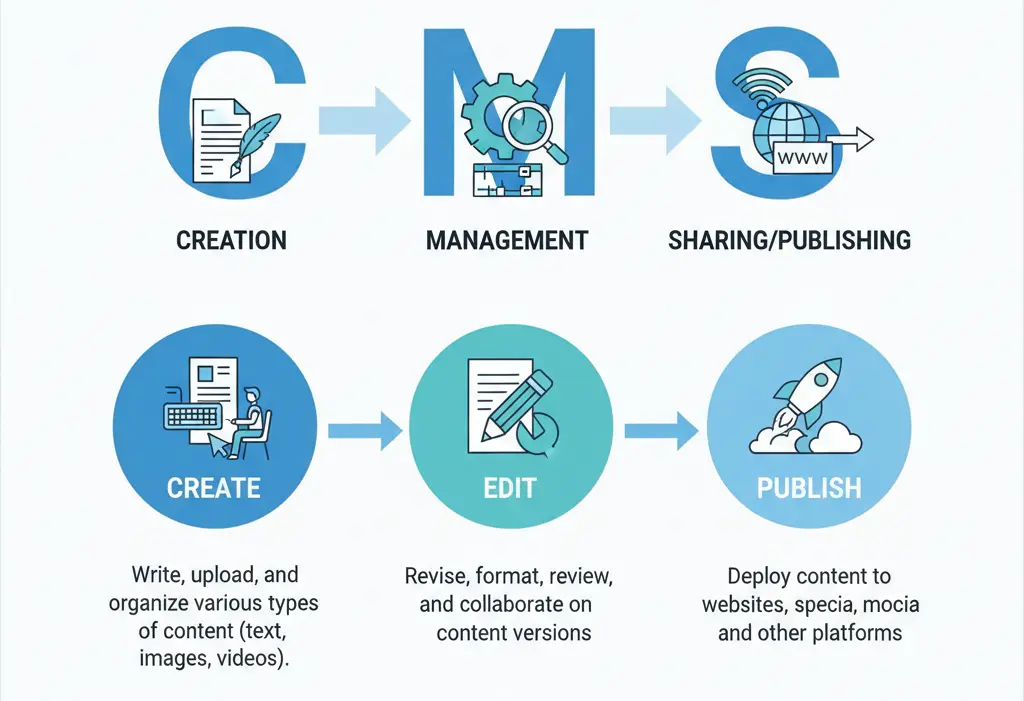
A Content Management System is software designed to create, edit, manage, and publish digital content without requiring extensive coding knowledge. Instead of building web pages from scratch using HTML, CSS, and other programming languages, users interact with a user-friendly interface that simplifies content creation.
In essence, a CMS separates the content from the technical backend, allowing non-developers to update their websites efficiently.
How Does a Content Management System Work?
CMSs consist of two main components:
- Content Management Application (CMA): The front-end interface where users create, modify, and manage content. This is typically a dashboard or editor that resembles a word processor.
- Content Delivery Application (CDA): The backend processes that store your content and make it available to visitors on your website.
These components work together to streamline the content publishing process. Once content is created in the CMA, the CDA formats and delivers it to the website visitors seamlessly.
Evolution of CMS Technology
CMS technology has evolved from hand-coded static HTML pages to dynamic, modular systems that support multimedia, collaboration, and workflow management. Modern CMS platforms offer extensive customization, integration with marketing tools, and support for omnichannel content delivery.
Types of Content Management Systems
1. Web Content Management System (WCMS)
Primarily used to manage website content, WCMS platforms like WordPress, Drupal, and Joomla allow users to publish blogs, articles, multimedia, and more. They are suitable for businesses, bloggers, and organizations.
2. Enterprise Content Management System (ECM)
Designed for large enterprises, ECMs manage an organization’s internal and external content across departments. Examples include Adobe Experience Manager and Sitecore, which offer advanced collaboration, compliance, and integration features.
3. Digital Asset Management System (DAM)
DAM systems focus on organizing and managing rich media assets like images, videos, and documents. They often integrate with other CMS types to streamline content workflows.
4. Component Content Management System (CCMS)
Used mostly for managing technical documentation, CCMS organizes content at a granular level, enabling reuse of components across multiple publications.
5. Document Management System (DMS)
Focused on storage, versioning, and retrieval of business documents, DMS platforms help companies maintain compliance and efficiently handle large volumes of files.
Key Features of a Content Management System
User-Friendly Interface
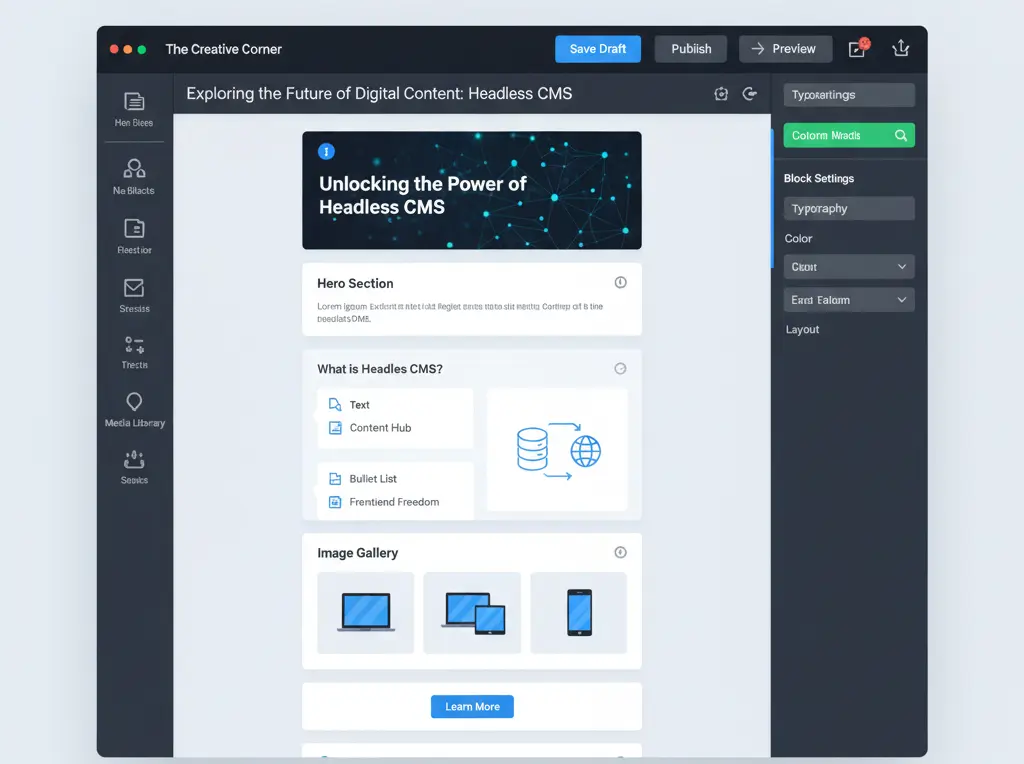
CMS platforms often provide WYSIWYG editors and intuitive dashboards, allowing easy content creation and management without coding.
Content Creation and Management
Support for multimedia content, content scheduling, version control, and revision history ensures effective content lifecycle management.
User Management and Permissions
Role-based access control and workflow tools enable multiple users to collaborate while maintaining content approval processes.
SEO and Optimization Features
Integrated SEO tools like meta tag editors, URL customization, and analytics help optimize content for search engines and improve visibility.
Customization Capabilities
The availability of themes, templates, plugins, and custom development options allows tailoring the website to specific needs and branding.
Security and Backup Features
Modern CMSs implement data protection, regular backups, security patches, and updates to safeguard websites against threats.
Benefits of Using a Content Management System
Ease of Use and Accessibility
CMSs enable users with minimal technical skills to publish and update content quickly, including remote content management and collaboration.
Time and Cost Efficiency
With streamlined workflows and pre-built templates, content publishing is faster, reducing developmental and maintenance costs.
Scalability and Flexibility
CMSs grow alongside your business, allowing expansion through additional features, multi-channel delivery, and integrations.
Improved SEO and Marketing
Built-in optimization tools enhance search engine rankings and support marketing strategies with analytics and content personalization.
Enhanced Security and Maintenance
Automated updates, security features, and professional support reduce risks and ensure ongoing website health.
Popular CMS Examples and Platforms

1. Open-Source Solutions
- WordPress: Powers over a third of all websites with thousands of plugins and themes. Ideal for blogs, business sites, and e-commerce.
- Drupal: Suitable for complex, large-scale websites requiring extensive customization and robust security.
- Joomla: Balances ease of use with powerful features, supported by an active community.
2. Commercial/Proprietary Solutions
- Adobe Experience Manager: Enterprise-level CMS with rich marketing and integration capabilities.
- Sitecore: Personalization-focused CMS used by large organizations for digital marketing automation.
3. SaaS/Hosted Solutions
- Wix: User-friendly drag-and-drop site builder, ideal for small businesses and portfolios.
- Squarespace: Design-centric platform with built-in features for creatives and businesses.
4. E-commerce Focused CMS
- Shopify: Specializes in e-commerce with a vast app ecosystem and easy setup.
- Magento: Advanced platform for businesses needing high customization and scalability.
How to Choose the Right CMS for Your Needs
1. Assessing Your Requirements
Evaluate your website goals, technical skills, budget, and future growth plans. Understanding what you need helps narrow down CMS options.
2. Key Selection Criteria
Consider ease of use, customization, SEO features, support availability, and integration needs. Balance functionality with user-friendliness.
3. Evaluation Process
Test CMS platforms through demos or trials, assess performance, and review community and professional support before committing.
CMS Implementation Best Practices
1. Planning and Strategy
Conduct content audits, plan migrations, and ensure training for users to guarantee smooth adoption.
2. Setup and Configuration
Configure security settings, optimize performance, and customize the CMS to fit your brand and workflow.
3. Content Migration and Organization
Use migration tools carefully, restructure content if necessary, and preserve SEO equity during the transfer.
Common CMS Challenges and Solutions
Technical Challenges
Address performance bottlenecks, ensure secure configurations, and troubleshoot integration issues with periodic reviews.
User Adoption Issues
Provide comprehensive training, manage change effectively, and adapt workflows to ease the transition.
Maintenance and Updates
Regularly update the CMS, plugins, and themes; implement backup and monitoring strategies for ongoing site health.
Conclusion
A Content Management System is an essential tool for anyone looking to efficiently manage and publish digital content. Whether you are a small business, blogger, or enterprise, there is a CMS tailored to your needs. By understanding its features and benefits, and carefully selecting the right platform, you can optimize your online presence and streamline content workflows.
Frequently Asked Questions
1. What is the difference between CMS and website builders?
CMSs provide more customization and control, while website builders are usually simpler with drag-and-drop elements but less flexibility.
2. How much does a CMS cost?
Costs vary widely from free open-source platforms to enterprise-level licenses and hosting fees.
3. Can I migrate from one CMS to another?
Yes, though it requires planning, and the complexity depends on content volume and platform differences.
4. What are the security risks of using a CMS?
Risks include outdated software vulnerabilities and insecure plugins; regular updates and trusted extensions reduce risks.
5. Do I need technical skills to use a CMS?
Basic CMS use generally requires no coding skills, but advanced customization may require developer support.

Passionate about blogging and focused on elevating brand visibility through strategic SEO and digital marketing. Always tuned in to the latest trends, I’m dedicated to maximizing engagement and delivering measurable ROI in the dynamic world of digital marketing. Let’s connect and unlock new opportunities together!

